Zendesk Guide alternatives for SaaS help centers (2026)
Keep Zendesk for tickets, replace only the help center: 10 Zendesk Guide (now Zendesk Knowledge) alternatives on price, AI answers and import.
 Roozbeh Firoozmand18 min read

The best Zendesk Guide (now Zendesk Knowledge) alternatives for a SaaS help center are standalone tools that sit next to Zendesk Support: Document360, KnowledgeOwl, HelpDocs, Helpjuice, Ferndesk, Clevera and Featurebase can all bring your Zendesk articles over. Leaving Zendesk entirely? Intercom, Help Scout and Freshdesk bundle a help center with their inbox. Below: 10 options, prices checked November 3, 2026.
Updated November 3, 2026. Prices and features checked on each vendor's own website on that date.
Can you replace Zendesk Guide but keep Zendesk for tickets?
Yes. Your help center is a public website; your tickets live in Zendesk Support. You can move the help center to another tool and keep answering tickets in Zendesk. Most "Zendesk alternatives" articles skip this option and compare whole help desks instead.
A naming note first: Zendesk Guide is now called Zendesk Knowledge in Zendesk's documentation. According to Zendesk's plan documentation, Knowledge comes inside Suite plans or as a paid add-on to a Support plan; it isn't sold without Support.
What you lose when the help center leaves Zendesk:
- Generative search, the AI answer at the top of Zendesk help center search
- Request forms on the help center (
/hc/…/requests/new) that create tickets directly - Custom user segments that control who can read which article
- Several branded help centers on one account (up to 5 on Suite Professional)
- The Knowledge builder, which drafts articles from ticket history
What you can connect back:
- Zendesk AI agents. Zendesk documents knowledge sources for AI agents, including a web crawler that reads an outside help center and syncs about once a day, on Support Team and Suite Team and up. Your AI agent can keep answering from the new site.
- Article search inside tickets. Some alternatives have Zendesk apps that suggest articles in the agent workspace (see the table below).
- Ticket creation. Customers can still email your support address, which Zendesk turns into tickets, or use Zendesk's messaging widget on your website.
Stay on Zendesk Guide if request forms on the help center, user segments, multi-brand or generative search matter to you. Moving the help center makes sense when you're paying for Suite seats mainly to get it, when you need more languages than your plan allows, or when the content is the problem: too few articles, stale screenshots, no video.
Why do SaaS teams look for a Zendesk help center alternative?
- Price per agent. On Zendesk's pricing page, Support Team is $19 per agent per month billed yearly and Suite Team, which includes the help center, is $55. Suite Team also includes messaging, live chat and AI agent allowances, so the gap isn't only the help center. See the cost table below.
- Languages. Suite Team publishes one default language; 40+ languages need Suite Professional at $115 per agent.
- AI answers billed per resolution. Generative search is included up to 100,000 searches a month. AI agents include 5 automated resolutions per agent a month on Team and 10 on Professional, then $1.50 each committed or $2.00 pay as you go.
- The content itself. Writing and updating articles by hand after every release is the work most teams fall behind on.
How we evaluated
We included tools that host a public help center for customers and can take over from Zendesk Guide. For each, on the vendor's own site on November 3, 2026, we checked:
- Starting price and how it grows.
- How Zendesk articles get in, and whether translations and old links come along.
- Whether it connects back to Zendesk (an app in the agent workspace, a source for Zendesk AI agents, or a hand-off to Zendesk).
- AI answers for readers and how they're charged.
- Languages per help center, and free plan or trial.
- Video: embed only, or does the tool make it. This is where Clevera differs.
We read pricing pages and documentation; we didn't run hands-on trials of every tool. Clevera is our product; it's listed where it fits, and each entry says where Zendesk is still stronger.
Zendesk Guide alternatives compared
Price, free plan and AI answers
| Tool | Starting price and free plan (as of Nov 3, 2026) | AI answers for readers |
|---|---|---|
| Zendesk Knowledge (for reference) | Suite Team $55/agent/mo yearly. Free plan: no (14-day trial) | Generative search included; AI agents 5–10 resolutions per agent, then $1.50–$2.00 |
| Document360 | Quote only. Free plan: no (14-day trial) | Eddy AI search included; chatbot add-on |
| KnowledgeOwl | $100/mo, 1 author. Free plan: no (30-day trial) | AI chatbot on every plan, credits |
| HelpDocs | $99/mo yearly, 5 editors. Free plan: no (14-day trial) | Ask AI on every plan, AI credits |
| Helpjuice | $249/mo, 30 users. Free plan: no (14-day trial) | Swifty chatbot from the $449 plan |
| Ferndesk | $149/mo, 5 seats. Free plan: no (7-day trial) | 1,000 AI conversations/mo included |
| Clevera | Starter $29/mo yearly. Free plan: yes | Ask AI: 300 / 1,000 / 5,000+ a month, no per-answer fee |
| Featurebase | Growth $29/seat yearly. Free plan: yes (50 articles) | Ask AI search from Growth; agent $0.49 per resolution |
| Intercom | Essential $29/seat yearly ($19 for new customers). Free plan: no (14-day trial) | Fin, $0.99 per outcome |
| Help Scout | Standard $25/user yearly. Free plan: yes (10 articles) | AI Answers (Envoy), $0.75 per resolution |
| Freshdesk | Growth $19/agent yearly. Free plan: 6-month program, 2 agents | Freddy AI Agent (Freshdesk Omni), 500 sessions free, then $49 per 100 |
Moving from Zendesk, and what connects back
| Tool | Zendesk import | Connects back to Zendesk |
|---|---|---|
| Zendesk Knowledge (for reference) | — | Native |
| Document360 | Migration team, with redirects | Zendesk app for agents |
| KnowledgeOwl | Zendesk import; free hands-on migration | Support Assist app for agents |
| HelpDocs | Zendesk migrator | Source for Zendesk AI agents |
| Helpjuice | Free migration support; import service with redirects | Not stated on its site |
| Ferndesk | One-click importer; says original paths are kept | Widget hands off to Zendesk; reads resolved tickets |
| Clevera | API token (all languages) or public site, with redirects | No Zendesk app; Zendesk AI agents can crawl it like any site |
| Featurebase | Built-in importer, every plan | Has its own inbox instead |
| Intercom | Built-in importer; redirects on a custom domain | Replaces Zendesk |
| Help Scout | Via Help Scout support | Replaces Zendesk |
| Freshdesk | Free app, main language only | Replaces Zendesk |
Languages and video
| Tool | Languages | Video |
|---|---|---|
| Zendesk Knowledge (for reference) | 1 on Team; 40+ on Professional | Embed |
| Document360 | Priced per quote | Embed; recording in paid add-on |
| KnowledgeOwl | Separate KB per language | Video hosting |
| HelpDocs | 3 / 20 / unlimited | Embed |
| Helpjuice | Unlimited; AI translation | Not stated |
| Ferndesk | 5 included | Not listed |
| Clevera | 2 / 5 / all 74 by plan | Makes the video and article from a recording |
| Featurebase | From Professional ($59) | Upload or embed |
| Intercom | Several from Advanced ($85) | Embed |
| Help Scout | One per Docs site | Embed |
| Freshdesk | From Pro ($55) | Embed |
List prices before taxes and add-ons; open each pricing page before you buy.
What does it cost for a 5-agent team?
Monthly list prices, billed yearly, as of November 3, 2026. "Support Team +" means you drop to Zendesk's tickets-only plan ($19 × 5 agents = $95) and add a standalone help center.
| Setup | Per month | Notes |
|---|---|---|
| Zendesk Suite Team | $275 | Includes messaging, live chat and AI agent allowances; one help center language |
| Zendesk Suite Professional | $575 | 40+ languages, up to 5 help centers, user segments |
| Support Team + Clevera Starter | $124 | 1 creator, unlimited free editors, 5 languages, own domain |
| Support Team + Clevera Pro | $181.80 | 2 creators, all languages, private help centers |
| Support Team + HelpDocs Sprout | $194 | 5 editors, 3 languages |
| Support Team + KnowledgeOwl Basic | $195 | 1 author (+$25 each); one language per KB |
| Support Team + Ferndesk | $244 | 5 seats, 5 languages ($170 in year one under $1M ARR) |
| Support Team + Helpjuice | $344 | 30 users, AI chatbot needs the $449 plan |
| Support Team + Document360 | Quote | Depends on accounts, languages and AI |
Dropping to Support Team gives up Suite's messaging and live chat, so compare against what you actually use. AI answers can add usage costs on any setup.
Alternatives that keep Zendesk for tickets
1. Document360: best for a docs team that wants Zendesk integration
Best for: teams with technical writers who want workflows, versions and SSO, and articles inside the Zendesk agent view.
Document360's migration team handles moves from Zendesk, including redirects. Its Zendesk app lets agents search articles from the ticket and draft replies. Eddy AI search answers readers with citations and is included in every quote; a separate AI chatbot add-on can also answer from Zendesk tickets.
- Pricing (as of Nov 3, 2026): quote only, no fixed tiers. 14-day trial.
- Where Zendesk is stronger: public per-agent prices, and articles and tickets on one bill.
See Document360 alternatives and Clevera vs Document360.
2. KnowledgeOwl: best for reader groups and agent-side article search
Best for: teams that need public and private knowledge bases with granular reader permissions, the job user segments did in Zendesk.
KnowledgeOwl imports from Zendesk, with free hands-on migration. Its Support Assist app in the Zendesk Marketplace suggests articles by ticket subject, inserts links and creates articles from tickets. The AI chatbot and AI search are on every plan, with 100 to 1,000 monthly AI credits. For translations, the documented route is a separate knowledge base per language ($50 a month each).
- Pricing (as of Nov 3, 2026): Basic $100 a month with 1 author, Pro $250, Business $500; extra authors $25. 30-day trial.
- Where Zendesk is stronger: several languages in one help center (on Suite Professional).
3. HelpDocs: best flat-priced knowledge base for Zendesk teams
Best for: support teams that want a hosted knowledge base priced by editors rather than agents, still feeding Zendesk's AI agents.
HelpDocs has a Zendesk migrator among 12, plus a crawl of any live help center, and lists Zendesk AI agents as an integration: your knowledge base becomes an external source for them. Ask AI answers readers with links to source articles on every plan. Plans include unlimited readers and a custom domain.
- Pricing (as of Nov 3, 2026): Sprout $99 a month billed yearly ($129 monthly) with 5 editors and 3 languages; Bloom $239 ($299) with 20 languages; Harvest $399 ($499) with unlimited languages. 14-day trial.
- Where Zendesk is stronger: request forms and articles in one widget; HelpDocs has no free plan.
See Clevera vs HelpDocs.
4. Helpjuice: best for a heavily branded knowledge base
Best for: teams that want deep theme control and a hands-off migration.
Helpjuice includes users in a flat price and offers free migration support from Zendesk; its custom import service lists Zendesk and includes redirects. The Swifty AI chatbot answers from your articles with links on the two upper plans. Localization into any number of languages and AI translation are on every plan.
- Pricing (as of Nov 3, 2026): $249 a month (30 users), $449 (100 users, AI suite) and $799 (unlimited). 14-day trial.
- Where Zendesk is stronger: AI answers come with Suite; Helpjuice's chatbot needs the $449 plan, which puts Support Team plus Helpjuice above Suite Team for 5 agents.
See Clevera vs Helpjuice.
5. Ferndesk: best for AI that keeps articles accurate
Best for: SaaS teams whose product changes faster than their docs.
Ferndesk has a one-click Zendesk importer and says original paths are kept, with 301s for anything that changes. Your ticketing stays where it is: its AI agent reads resolved tickets from your support tool, checks articles against your product, drafts fixes from merged pull requests and retakes screenshots, and its widget hands conversations off to Zendesk. You approve before anything publishes. Private help centers with SSO are included.
- Pricing (as of Nov 3, 2026): one Pro plan, $149 a month or $1,490 a year, with 5 seats, 5 languages and 1,000 AI conversations a month; $75 a month in year one for companies under $1M ARR. 7-day trial.
- Where Zendesk is stronger: more than 5 languages, multi-brand help centers and user segments.
6. Clevera: best for a video in every article
Best for: SaaS teams that keep Zendesk for tickets and want each help article to come with a narrated how-to video.
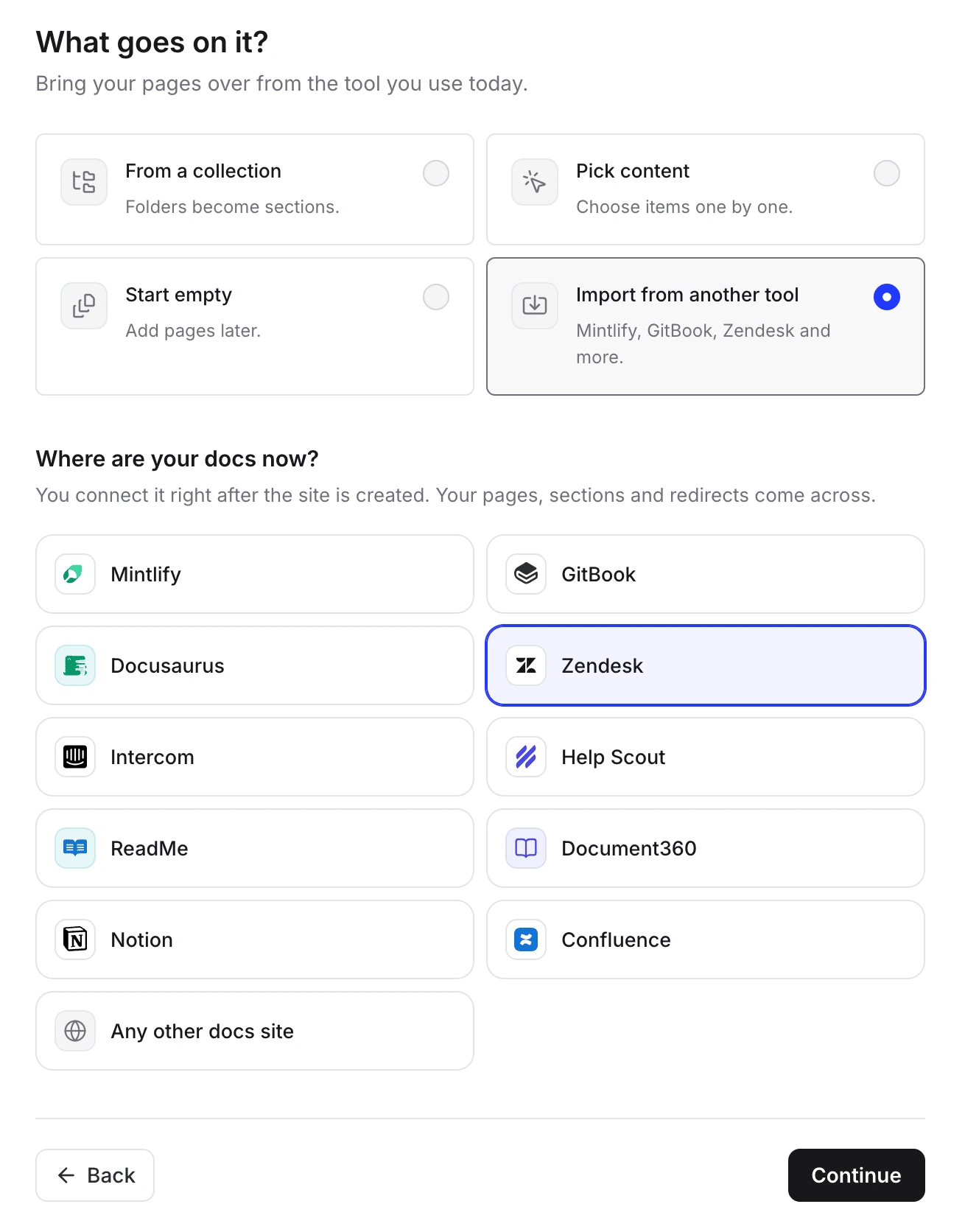
Clevera is an AI platform that turns a screen recording into a narrated how-to video, a step-by-step help article and a page on your hosted help center, in 74 languages. Readers get search and Ask AI, which answers from your published pages and lists its sources.
What matters when you come from Zendesk:
- Free import. Paste your help center address to bring the public articles, or add a Zendesk API token to bring every language (Zendesk API access needs an admin on a plan from Team up). A Guide admin's token also brings drafts and restricted articles; review them in the preview before you publish. Categories and sections, images and links between articles come over. See the Zendesk Guide import page.
- Old links: each old article address gets a redirect to its new page. Redirects work once your own domain points at Clevera, which needs Starter, and they count toward the site's redirect limit: 500 on Starter, 2,000 on Pro, with any over the limit skipped. A
zendesk.comaddress can't be redirected from Clevera. - Ask AI without a per-answer fee: 300 answers a month on Free, 1,000 on Starter, 5,000 or more on Pro. The allowance stops at the cap until you move up a plan.
- Keeping it current: insights show searches that found nothing; on Pro and Custom, Autopilot watches your releases and plans updates to the articles and videos they affect, for you to approve.
- Pricing (as of Nov 3, 2026): Free; Starter $29 a month billed yearly ($36 monthly), which adds your own domain; Pro $86.80 a month billed yearly for 2 creators. Editors are free.
- Where Zendesk is stronger: Clevera has no Zendesk app, so agents don't see its articles inside tickets, and there are no request forms that open tickets directly or custom user segments. Private help centers start on Pro (password or workspace sign-in), with no reader SSO. Its help centers launched in October 2026.
See Clevera vs Zendesk.
7. Featurebase: best if you might move the inbox later
Best for: small SaaS teams that want a help center, feedback boards and changelog now, with the option to move support conversations later.
Featurebase's built-in importer brings help articles (and conversations and users) from Zendesk on every plan, including Free. Old article links keep working once you connect a custom domain (Growth and up). Ask AI search starts on Growth; its AI agent costs $0.49 per resolution.
- Pricing (as of Nov 3, 2026): Free (50 help articles); Growth $29 per seat per month billed yearly ($37 monthly); Professional $59 ($75) for multilingual help centers.
- Where Zendesk is stronger: mature ticketing and routing if you keep it; Featurebase doesn't list a Zendesk app.
Alternatives that replace Zendesk entirely
If you're leaving Zendesk Support too, a help desk with a built-in help center keeps everything in one place.
8. Intercom: best for chat-first SaaS support
Intercom has a built-in, no-code importer for Zendesk articles. Redirects are created when your help center uses a custom domain over HTTPS, and you organize collections yourself afterwards. Fin answers from your articles for $0.99 per outcome on every plan. A multilingual or private help center needs Advanced ($85 per seat billed yearly). Essential lists at $29 per seat billed yearly, with $19 offered to new customers on the pricing page. See Clevera vs Intercom.
9. Help Scout: best for small, email-first teams
Help Scout's Docs come with every plan, including Free (5 users, 1 Docs site, 10 articles). Zendesk articles move with help from Help Scout support, or through the Docs API; its self-serve import tool doesn't bring knowledge base content. AI Answers (Envoy) costs $0.75 per resolution. Each Docs site has one language. Standard is $25 per user billed yearly ($30 monthly). See Clevera vs Help Scout.
10. Freshdesk: best low-cost help desk
Freshdesk's free marketplace app imports a Zendesk knowledge base in its main language. Multilingual knowledge bases start on Pro ($55 per agent billed yearly); Growth is $19. The Freddy AI Agent, documented for Freshdesk Omni, includes 500 sessions once, then $49 per 100 sessions. See Clevera vs Freshdesk.
How do you move off Zendesk Guide without losing traffic?
- List every URL. Zendesk article URLs look like
/hc/en-us/articles/360001234567-Title, with one prefix per locale. Pull them from the sitemap, Search Console and the Help Center API. Every locale multiplies the redirect count. - Keep your help center hostname. If you use host mapping (
help.yourcompany.com), point that CNAME at the new platform at cutover and serve the 301 redirects there. This is the most reliable route. - If you only have
yourcompany.zendesk.com, Zendesk's Redirect Rules API can send archived or deleted articles to a full external URL, up to 50,000 rules per brand, while the help center stays active. It isn't available on Guide Lite Legacy, and Zendesk's plan documentation says Suite Team includes Guide Lite, so check in Admin Center before you rely on it. A paid marketplace app adds a screen for managing the rules. - Run both for a short overlap, then switch: freeze edits in Zendesk, re-import changes, move DNS.
- Update links you own: macros, in-product help links, onboarding emails, and your AI agent's knowledge source.
The full checklist, with launch tests, is in our guide on how to migrate a help center without losing traffic.
Does the help center still matter if customers ask AI?
More than before. In a Gartner survey of 5,728 customers (published August 2024), only 14% of service issues were fully resolved in self-service, and in 43% of failed cases customers couldn't find content relevant to their issue. And in a later Gartner survey of 3,566 customers (February–March 2026), customers were about three times more likely to use third-party GenAI tools than company-provided chatbots for service issues. Those tools draw on public pages, so a current, public help center feeds them too; here's how to make documentation AI-ready. For more numbers, see our customer self-service statistics.
Which Zendesk Guide alternative should you pick?
| Your situation | Pick |
|---|---|
| You need request forms, user segments, multi-brand and generative search | Stay on Zendesk |
| A docs team with workflows, and articles inside the Zendesk agent view | Document360 |
| Public and private KBs with reader groups, plus an agent-side app | KnowledgeOwl |
| A flat-priced KB that feeds Zendesk's AI agents | HelpDocs |
| Deep branding and a hands-off migration | Helpjuice |
| An AI agent that checks articles against your product | Ferndesk |
| A narrated how-to video in every article, Ask AI included | Clevera |
| Help center now, inbox and feedback later | Featurebase |
| Leave Zendesk entirely, chat-first | Intercom |
| Leave Zendesk entirely, email-first and small | Help Scout |
| Leave Zendesk entirely, lowest per-agent price | Freshdesk |
For tools beyond the Zendesk context, see our comparison of the best help center software for SaaS.
Try Clevera next to Zendesk
Import a copy of your Zendesk help center into a free Clevera help center, check every article, and record a video for the questions customers ask most. Your tickets stay in Zendesk. Moving your domain, which keeps old links working, needs Starter.
Or see how the help center software works.
FAQ
Is Zendesk Guide the same as Zendesk Knowledge?
Yes. Zendesk's documentation now calls the help center product Knowledge, with Knowledge Professional and Knowledge Enterprise plans, included in Suite plans or sold as an add-on to a Support plan.
Can I use a different help center with Zendesk Support?
Yes. The help center is a separate website. Link it from your product and emails, point Zendesk's AI agents at it as a knowledge source, and give readers your support email or messaging widget for contact. What you lose is the built-in connection: help center request forms, generative search and user segments.
How do I export articles from Zendesk Guide?
There's no export button. The documented route is the Help Center API, which returns articles, sections, categories and translations, or a marketplace app. Several alternatives (Clevera, HelpDocs, Ferndesk, Featurebase, Intercom) read your Zendesk help center for you.
Will my Zendesk article links keep working after I switch?
Yes, if your help center uses your own subdomain and the new platform serves 301 redirects from the old /hc/… paths once you point the subdomain at it. Check the new platform's redirect limit against your articles × languages. If you only have a zendesk.com address, set redirect rules in Zendesk before you deactivate the help center.
Is there a free alternative to Zendesk Guide?
Yes, with limits. Help Scout, Featurebase and Clevera have free plans with a public help center: 10 articles on Help Scout Free, 50 on Featurebase Free, and one help center on a clevera.help address on Clevera Free (your own domain, needed for redirects, starts on Starter at $29 a month billed yearly). Among paid standalone knowledge bases, HelpDocs starts at $99 a month billed yearly.
Why is Zendesk expensive for a help center?
Zendesk prices per agent for the whole suite. The help center comes with Suite plans ($55 per agent a month billed yearly on Suite Team) or as an add-on to a Support plan, more than one language needs Suite Professional ($115), and AI agent resolutions beyond the included 5–10 per agent cost $1.50–$2.00 each. If you mainly need tickets plus a help center, a tickets-only plan plus a standalone help center can cost less; see the 5-agent table above.
Is Intercom or Zendesk better for the help center?
Intercom suits chat-first SaaS support: its help center, messenger and Fin AI agent ($0.99 per outcome) work as one, and it imports Zendesk articles. Zendesk suits larger, multi-channel or multi-brand teams that need request forms, user segments and several help centers. Both price per agent or seat, and both need a higher plan for a multilingual help center.