Help center automation
Docs that update
with every release.
Clevera Autopilot reads each release from GitHub, GitLab or Bitbucket, checks every video and article it touches and plans the fixes.
Planning is free
Articles land as drafts
GitHub, GitLab, Bitbucket
Pro, by invitation
You ship on Thursday.
By Friday, your docs are wrong.
A button gets renamed and every article and video that shows it is out of date. Finding them all takes longer than the release did.
Every release,
read in full.
For each video and article a release touches, Autopilot reads the whole thing and decides: fine, a text fix or a reshoot. It re-explores only the parts of your app that changed.
No repository? Point it at your changelog page, read daily or weekly, or describe the change in your own words.



Tell it the job,
or pick a recipe.
Type what you want into “What should Autopilot do?” and it fills in a setup card for you to check. Or start from one of 12 recipes.
Keep it current when you ship
Keep my help center up to date when we ship. Update my videos when the product changes. Record a video for every new feature. Usually 10 to 150 credits a run.
Build your help center
Build a help center from my app, or make getting-started videos for new users. It learns your brand, explores your app and records how-to videos, with your approval at each step.
Turn questions into articles
Turn customer questions into help articles. Fill the gaps in my help center every week. Turn new videos into articles.
Explore your app
Explore my app and document what’s missing, or document one area in depth. It finds the flows no video or article covers yet.
Edit a batch of videos at once
One instruction across many videos: rename a product, reword narration, fix titles.
Translate new videos
Each new video, in the languages you pick.
Your own task
Write the instructions, like “for each release, write a short what’s new article”.
You stay in control.
Every step of it.
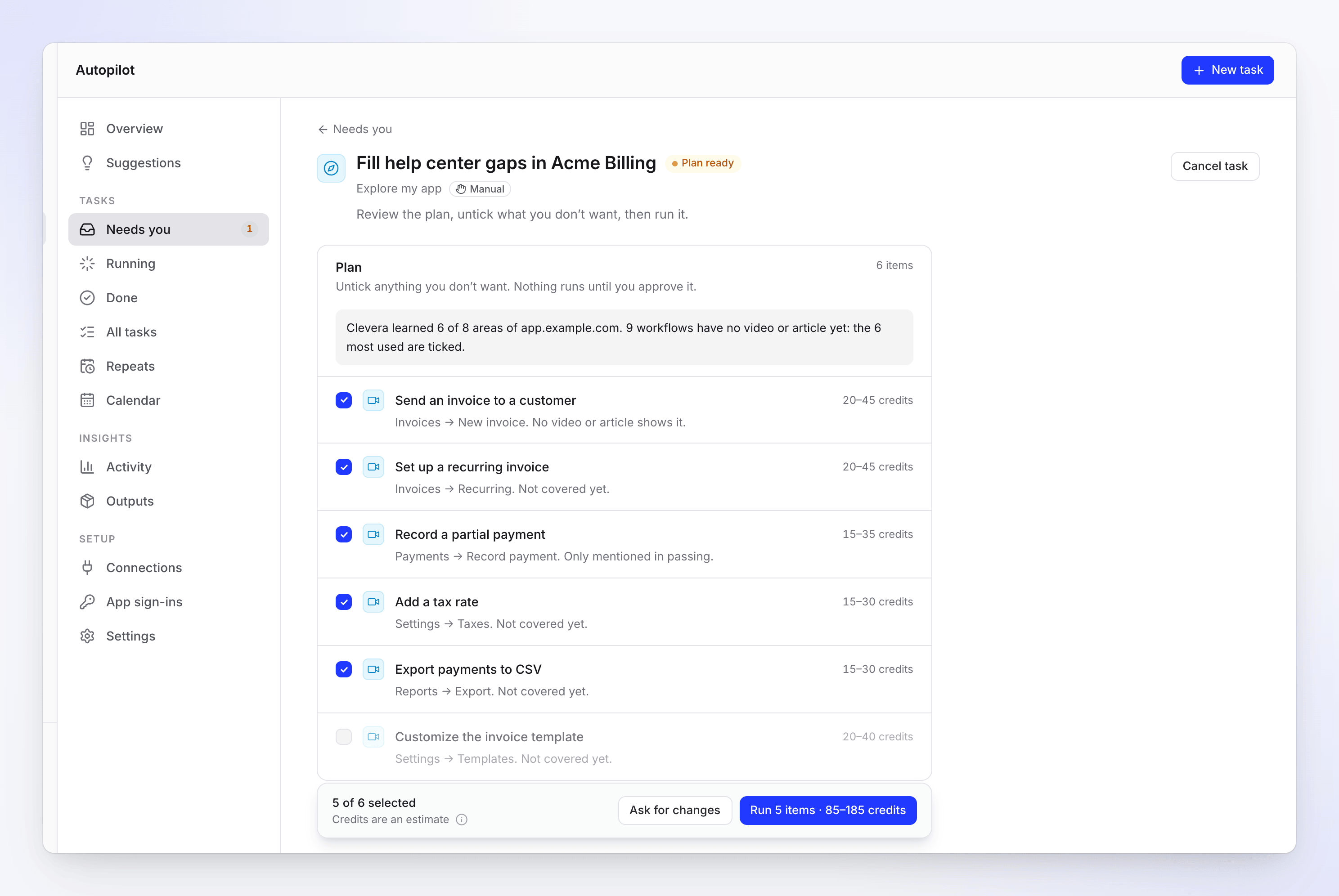
Nothing runs until you press Run
Each line says what it will make, why and what it typically costs. Untick what you don’t want, or ask for a new plan.
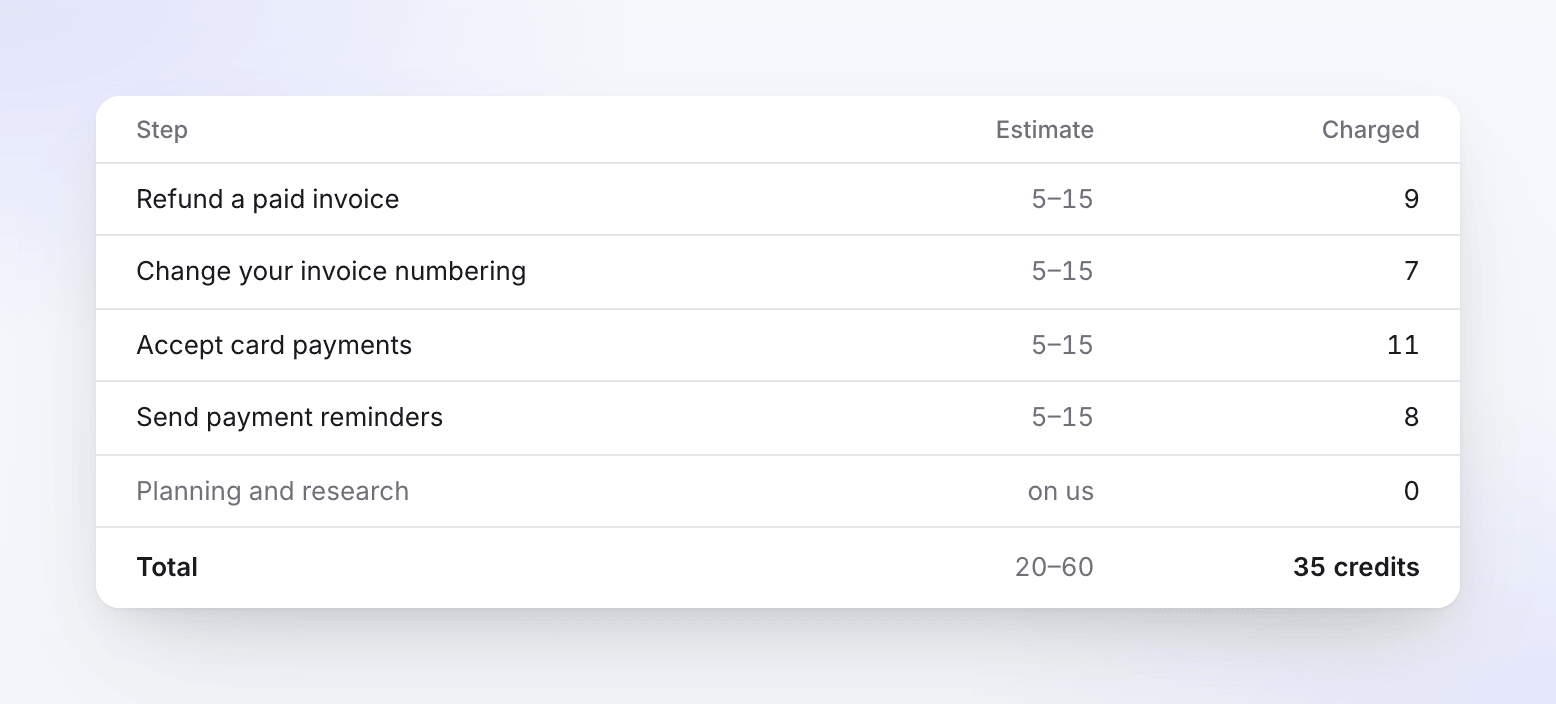
A receipt for every run
The estimate next to what was charged. Planning and research cost 0, and failed steps are refunded.
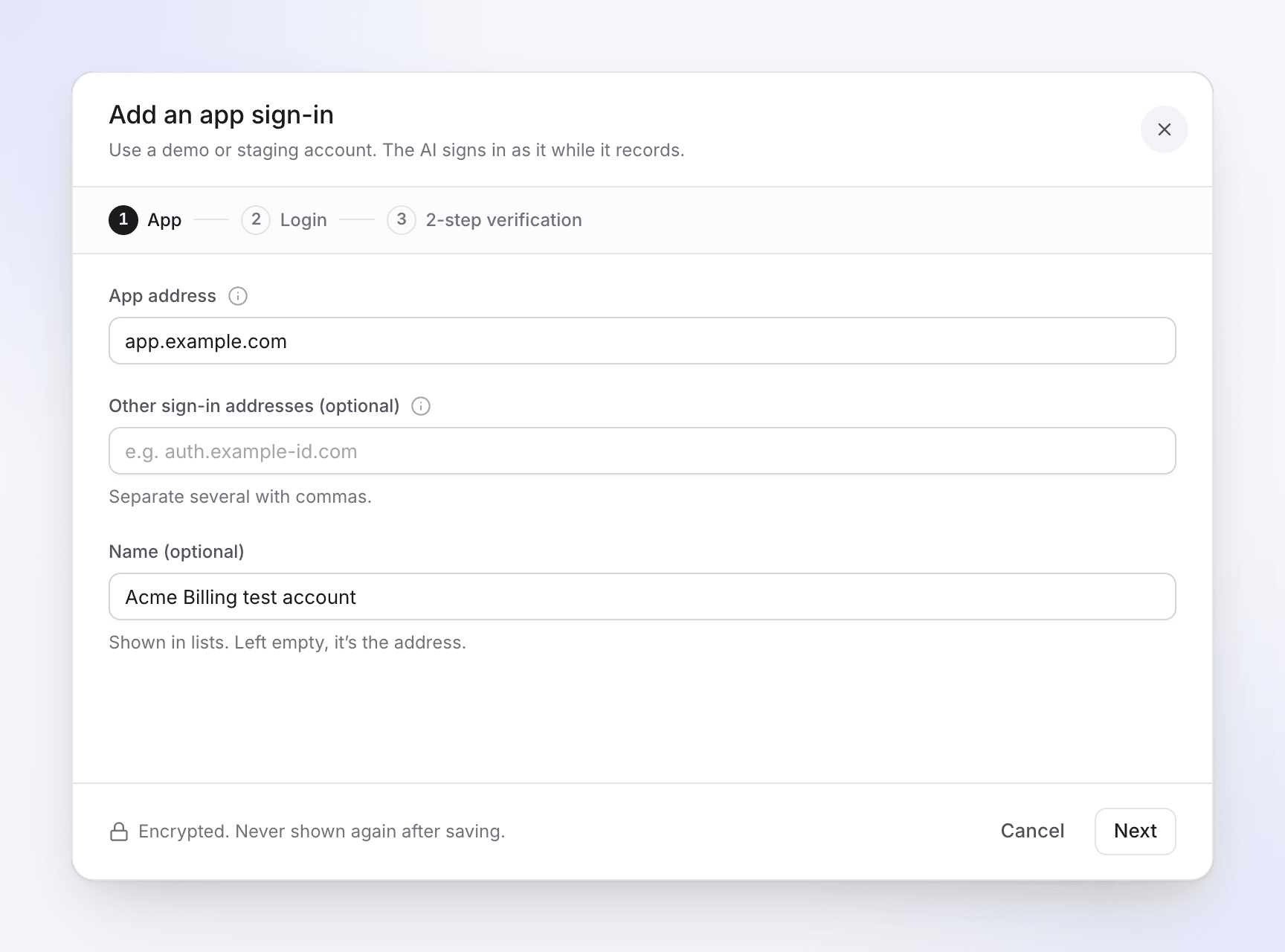
Signs in with a test account
Save an app sign-in once. The password is encrypted and never passes through the chat.
Everything in one place
What needs you, what each task made and what it spent. Pause, resume or cancel any task.
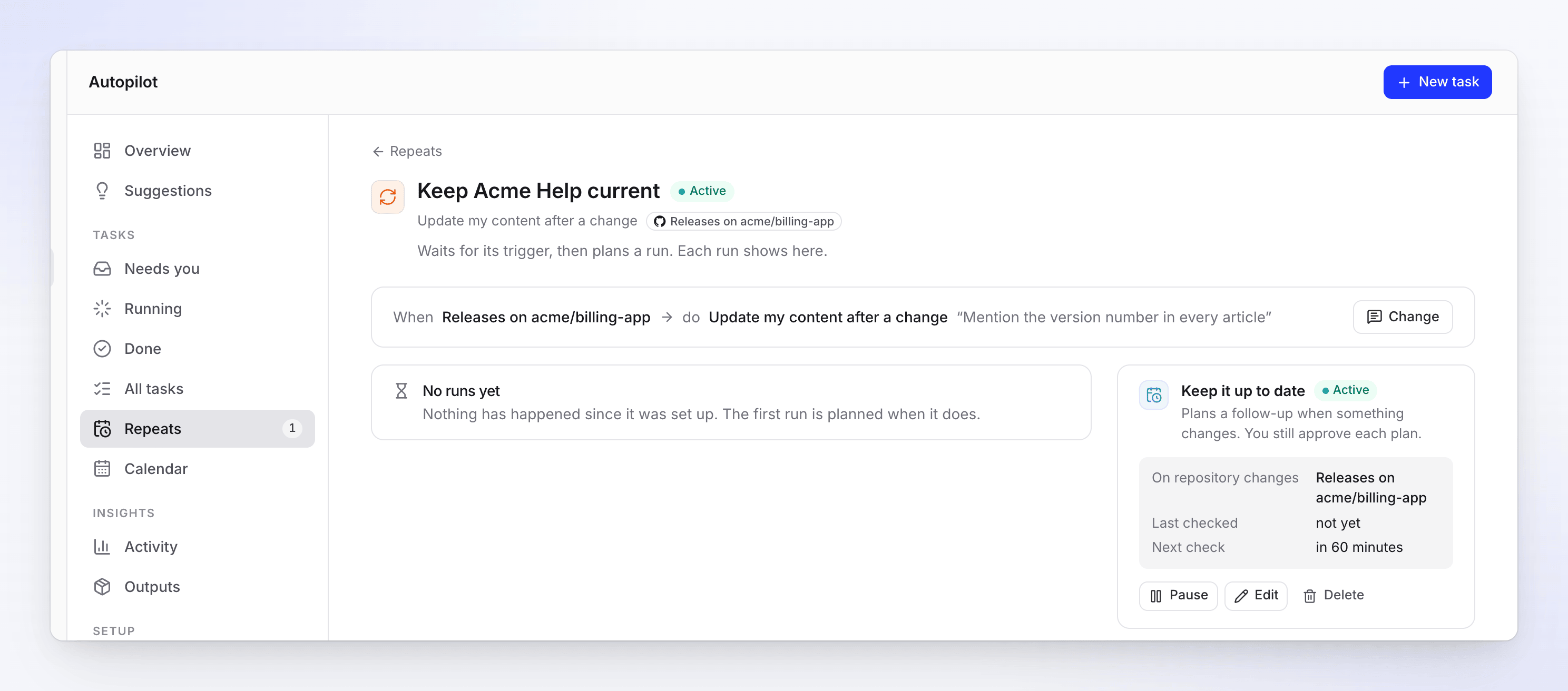
Runs when you choose
Once, on each release, when a changelog page changes, or daily to monthly in your time zone.
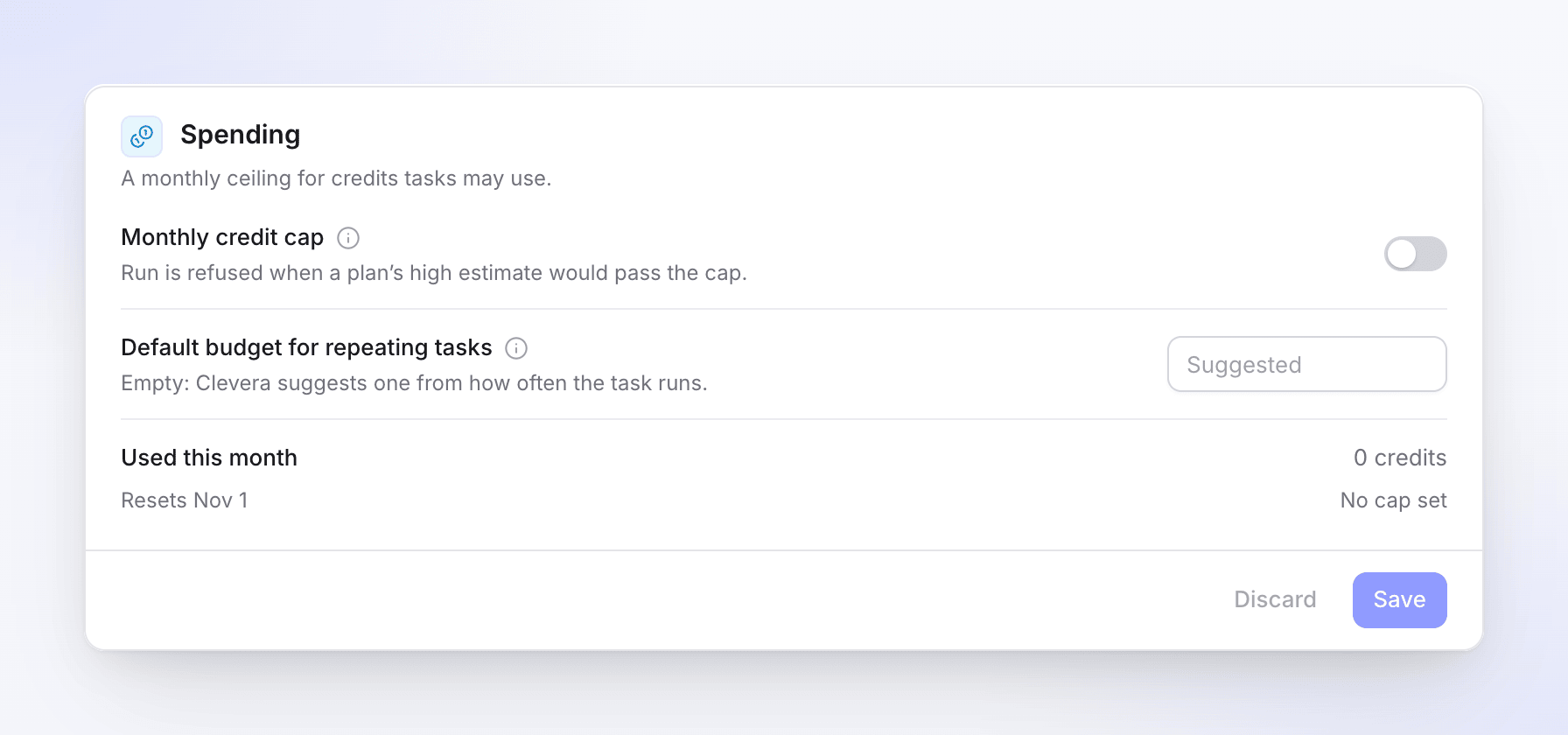
A cap for the whole workspace
Owners and admins can switch on a monthly credit cap for the workspace. A run whose high estimate would pass it is refused.
Told when it matters
Notices in the app, and an email when something needs you.
A reshoot keeps
the same link.
Autopilot records the video again in the new version of your app and swaps it in at the same address, so embeds and help center pages update on their own. The old take stays in your library, and Undo brings it back. Text fixes arrive as drafts for you to publish.
It also spots
the gaps.
The Autopilot page suggests jobs from what Clevera noticed: questions your help center couldn’t answer, new videos with no article, videos to check after a release.
Plan one with a click, or tell it Not now.
Jobs that repeat
keep to a budget.
Run Fill the gaps every Monday. Choose “Ask me first”, or “Make drafts, I publish”. Each Repeat has a monthly budget, and at the budget it pauses and tells you.
Help center automation inside Clevera. You give it a job, such as keeping your documentation up to date automatically after each release. It works out which videos and articles the job needs, plans them, and makes them once you approve. It drafts straight into your Clevera help center.
No. Help articles always arrive as drafts, and a run started by a release waits for you. The one job that can make drafts without a click is Fill the gaps set to “Make drafts, I publish”, and only within its monthly budget.
You pay for what a run makes, charged per item for what it really used. Keeping a help center current usually takes 10 to 150 credits a run, answering customer questions 5 to 60, and building a help center from your app typically 240 to 560. Every plan shows its own estimate.
Pro and above, by invitation. Click Autopilot in the sidebar, then Get an invitation, and the Clevera team reviews it. Free and Starter don’t include it. Compare plans on the pricing page.
Only if your product sits behind a login. Save an app sign-in, ideally a test account. By default the AI only looks around and saves nothing. If you don’t need a sign-in, choose “My product doesn’t need a sign-in” and it works from public pages.
Owners, admins and content creators set up and run tasks. Editors can view. Only owners and admins change settings, connections and sign-ins.
Yes. Agents connected to Clevera over MCP can start, plan, run, pause and resume Autopilot tasks.