Scribe vs Tango (2026): which guide tool to pick
A neutral Scribe vs Tango comparison from each vendor's own pricing pages and docs, checked 4 November 2026: features by plan, what a team of 1 to 25 pays, what Guide Me needs, and which tool fits which job.
 Berkay Akpolat15 min read

Scribe vs Tango comes down to how the guide will be used. Pick Scribe for a large library of written SOPs, Word export, Scribe's Confluence integration or a HIPAA requirement (confirm the plan with Scribe). Pick Tango if people should follow the steps inside a web app with Guide Me. On price, Tango is cheaper for up to four users, and Scribe is cheaper per seat from five up.
Updated 2026-11-04. Prices and plan features come from each vendor's own pricing page, help center and Chrome Web Store listing, all checked on 4 November 2026. We have no accounts on either product, so this is a comparison of what each vendor publishes, not a hands-on test.
In this comparison
- The short verdict
- Scribe vs Tango: what both tools do
- Feature comparison by plan
- Pricing, and what a team actually pays
- Guide Me and in-app guidance
- Capture: background or start-and-stop
- Where each one is better
- If you also need video or a help center
- FAQ
The short verdict
| Your situation | Better fit | Why |
|---|---|---|
| Solo, documenting web tools only | Either free plan | Both capture in the browser for free; Tango stops at 5 shared workflows |
| Team of 2–4 on a budget | Tango | $15 per user a month from 3 users; Scribe Pro Team starts at 5 seats |
| Team of 5 or more, written SOP library | Scribe | $13 per seat a month (yearly) vs Tango's $15; Pages, Word export, a Confluence integration (Tango embeds into Confluence instead) |
| People should follow steps inside a web app | Tango | Guide Me highlights each step on screen; Pins put guides inside the tool (Enterprise) |
| Regulated data (health, education) | Scribe | Scribe states HIPAA and FERPA compliance (vendor statement); PHI auto-redaction is Enterprise, so confirm a BAA with sales. Tango says it has no formal HIPAA compliance |
| Desktop apps as well as the browser | Either, on a paid plan | Both put desktop capture on Pro; Tango's Guide Me doesn't run on desktop captures |
| A narrated video or a public help center | Neither on its own | See the last section |
Scribe vs Tango: what both tools do
Scribe and Tango are step-by-step guide makers. You click through a task, a browser extension (Chrome or Edge) records each click, and the tool turns it into a guide: a numbered list of steps, each with a screenshot, a highlight on what you clicked and a short instruction.
Scribe (scribe.com, formerly scribehow.com) is a step-by-step guide and SOP tool with a browser extension, desktop apps on Pro, and Autocapture for background capture. Tango (tango.ai, formerly tango.us) is a step-by-step guide tool whose Guide Me mode walks people through a workflow inside the web app.
Both have a large installed base. In November 2026 the Chrome Web Store listed Scribe's extension at 1,000,000 users with a 4.4 rating from 837 ratings, and Tango's extension at 400,000 users with a 4.6 rating from 346 ratings. (Scribe's homepage says 7 million people use it; that is the vendor's own figure.)
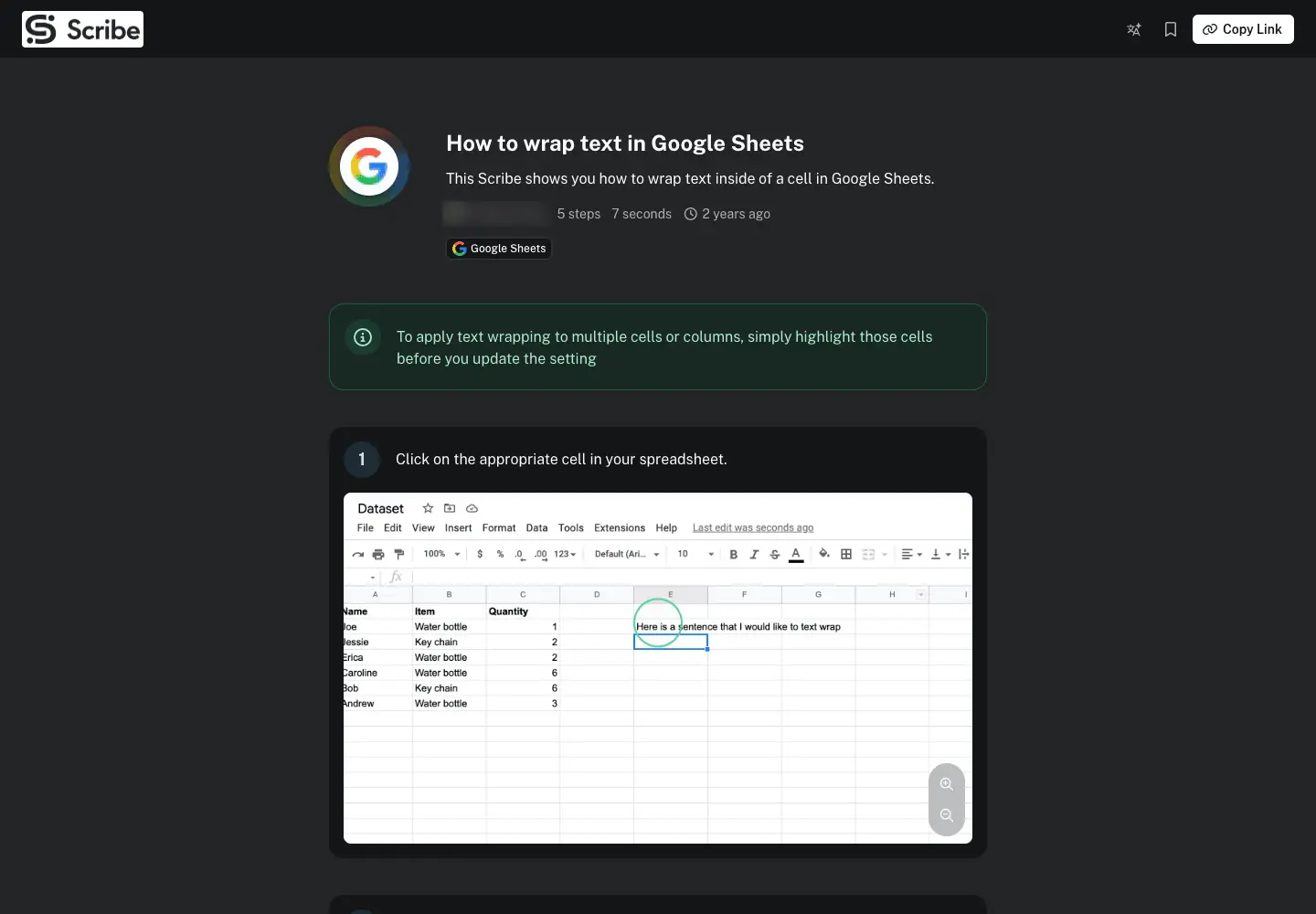
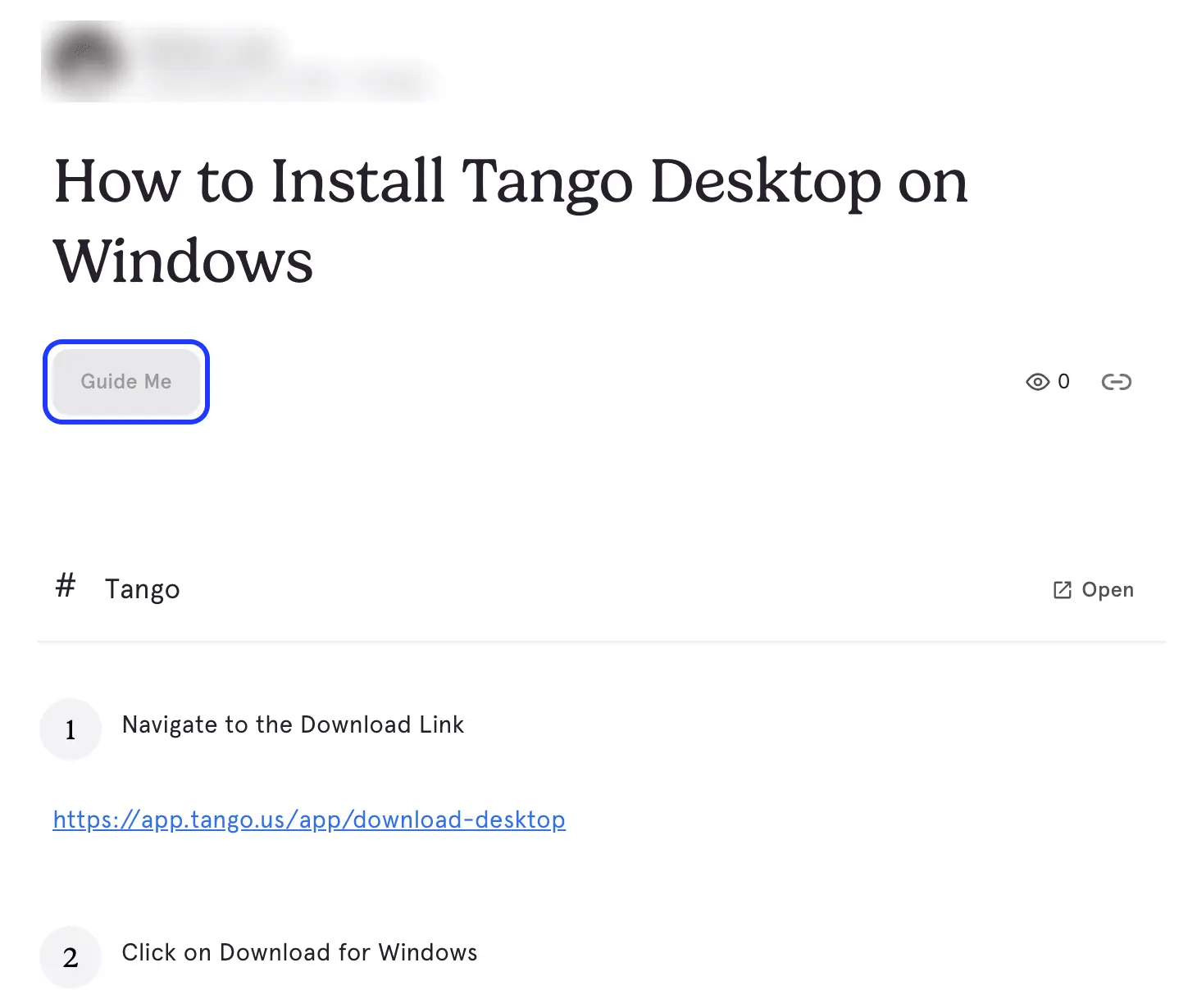
The guides themselves look alike. Here is a public guide from Scribe's gallery and one of Tango's own public workflows:
They differ in what happens after the guide exists.
Feature comparison by plan
Sources: scribe.com/pricing and tango.ai/pricing plan tables, plus the help articles linked below, as of 2026-11-04. "Pro" means Scribe Pro Personal or Pro Team, and Tango Pro.
| Feature | Scribe | Tango |
|---|---|---|
| Browser capture | Free (Chrome, Edge) | Free |
| Desktop and mobile capture | Pro and up (Windows and Mac apps; pricing cards say "web, mobile & desktop apps") | Pro and up (Mac and Windows 10/11) |
| Free plan limit | Unclear: the plan table and Scribe's own article disagree (see note) | 5 shared workflows, up to 10 users |
| AI writing | "Improve workflows with AI" on Pro | "AI generated content" on Pro |
| Voice transcription | Pro | Pro |
| Background capture | Autocapture (admin-scoped; highlighted on Pro Team, ticked on every plan in the table, no public price) | No; capture starts when you press it |
| Branching paths in one guide | No; link guides together with Pages (Pro) | Enterprise |
| Blur and redaction | Manual and assisted on Pro; automatic on Enterprise | Blur while capturing on Pro; automatic PII blur on Enterprise |
| Export | PDF, HTML, Markdown, Word on Pro | PDF, HTML, Markdown on Pro |
| Link and embed | All plans | All plans |
| Video | "Share as video" on all plans | Voice and video embeds on Pro |
| In-app walkthroughs | "On-screen walkthroughs" on all plans | Guide Me on all plans per the help center (browser captures only); Pins on Enterprise |
| Analytics | Basic insights free; advanced on Pro | Viewer and completion insights on Pro; org analytics on Enterprise |
| Comments | Pro Team and up | Pro |
| Version history | 1 week on Pro; unlimited on Enterprise | 14 days on Pro; 365 days on Enterprise |
| Translation | Enterprise | Enterprise, 15 languages |
| Confluence | Integration on Pro | Embed in Confluence pages from Share & Export (help); no Confluence integration on the plan table |
| AI assistant and API access | Enterprise (search API, Copilot, Slack bot, custom AI assistants) | MCP in Beta, Enterprise |
| SSO and SCIM | Enterprise | Enterprise |
| Compliance (vendor-stated) | SOC 2 Type II, HIPAA, CCPA, GDPR, FERPA | SOC 2 Type 2; no formal HIPAA |
Two notes on the table:
- Scribe's free plan limit is unclear. Its pricing table leaves "Unlimited guide creation" unticked for Basic, while Scribe's own comparison article says Basic "doesn't limit workflows". Create a few guides on Basic before you build a library on it.
- The vendors' comparison pages contradict their competitor's pricing page. Scribe's article says Tango's free plan allows up to 15 workflows and that Tango has no PDF, Markdown or HTML export. Tango's pricing page shows 5 free workflows and all three exports on Pro. Trust each vendor's own pricing page over the other vendor's summary of it.
Pricing, and what a team actually pays
| Plan | Scribe | Tango |
|---|---|---|
| Free | Basic: $0, browser capture, link and embed | Free: $0, 5 shared workflows, browser capture, up to 10 users |
| Small paid tier | Pro Personal: $25 per seat/month yearly, $35 monthly, from 1 seat | Pro (1–2 users): $22 per user/month yearly, $30 monthly |
| Team paid tier | Pro Team: $13 per seat/month yearly, $17 monthly, from 5 seats | Pro (3+ users): $15 per user/month yearly, $20 monthly |
| Enterprise | Custom | Custom, platform fee by number of users |
| Yearly discount | Labelled "Save 20%"; the listed prices work out to 24–29% | 25–27% (calculated) |
US prices in US dollars, from the vendors' pricing pages on 2026-11-04. Neither page sets prices by country, but Scribe's page runs on-page tests, so you may see a different Scribe price; the page you see at checkout is the one that counts.
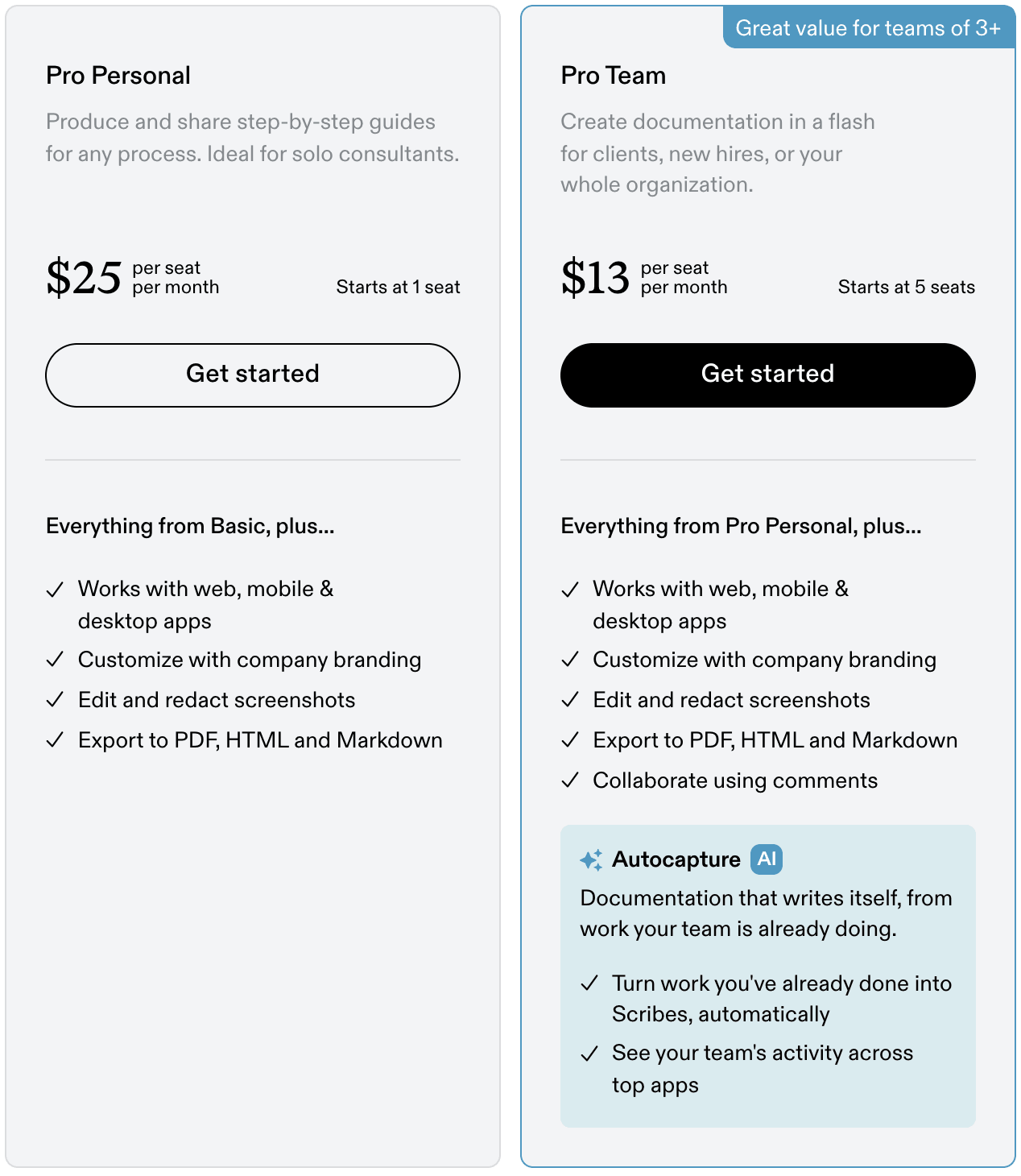
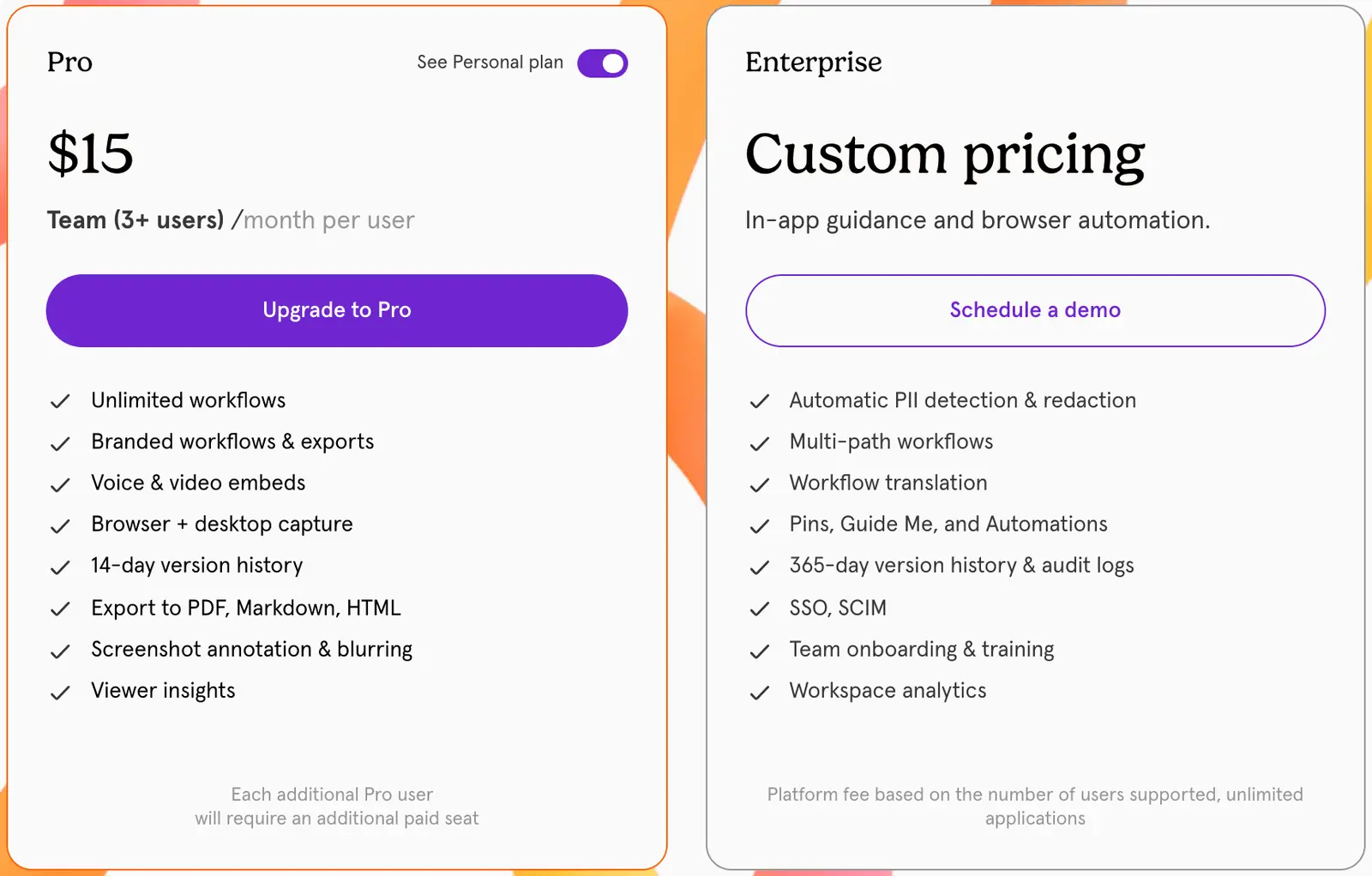
Seat rules matter more than the headline price. On both tools the plan applies to the whole workspace: Scribe's FAQ says upgrading to Pro upgrades your teammates, and Tango's FAQ says you need to upgrade every member of the workspace. People who only open a shared link don't need a seat on either tool.
Monthly cost by team size (US$, everyone on the cheapest paid plan that fits)
| Users | Scribe, billed yearly | Tango, billed yearly | Scribe, billed monthly | Tango, billed monthly |
|---|---|---|---|---|
| 1 | $25 | $22 | $35 | $30 |
| 2 | $50 (2 × Pro Personal) | $44 | $70 | $60 |
| 3 | $65 (5-seat minimum) | $45 | $85 (5-seat minimum) | $60 |
| 4 | $65 (5-seat minimum) | $60 | $85 (5-seat minimum) | $80 |
| 5 | $65 | $75 | $85 | $100 |
| 10 | $130 | $150 | $170 | $200 |
| 25 | $325 | $375 | $425 | $500 |
For three or four people, Scribe's cheapest option is Pro Team with five seats ($65), which still beats three or four Pro Personal seats ($75 or $100). The crossover is at five users: from there Scribe costs about 13% less than Tango on yearly billing and 15% less on monthly billing. Enterprise is quoted, so it isn't in the table.
Guide Me and in-app guidance
Guide Me is the feature most comparisons get wrong. It turns a Tango workflow into an interactive walkthrough: the person follows the steps inside the real web app, and Tango highlights the next click on screen.
According to Tango's help center:
- Guide Me works for workspace members and guests on Free, Pro and Enterprise.
- The person following it must be signed in and have the Tango extension for Chrome or Edge.
- Guests can try it three times per workspace, then need to join it.
- It works only on workflows captured with the browser extension. It doesn't work on desktop captures or uploaded screenshots, and not on phones or tablets.
Tango's own pricing page adds to the confusion: its Enterprise card lists "Pins, Guide Me, and Automations" together, which is why some comparisons call Guide Me Enterprise-only. The plan table underneath is more precise. Sending on-screen guidance to anyone in the workspace is a Pro feature, and pinned walkthroughs for licensed internal users are Enterprise. Following a Guide Me walkthrough works on every plan, according to the help center. If Guide Me on Free or Pro matters to you, ask Tango to confirm it in writing.
The desktop limit matters if you are buying Tango Pro for desktop software. A workflow you capture in a desktop app is a normal step-by-step guide; it can't become a Guide Me walkthrough.
Scribe has moved into the same space. Its plan table lists "On-screen walkthroughs" and "In-context guide access" on every plan, including Basic. Scribe's own comparison article still credits interactive in-app walkthroughs to Tango only, and we couldn't try either one without an account. If in-app guidance is the main reason you're buying, run the same workflow through both free plans before you commit.
Capture: background or start-and-stop
Both tools capture a guide when you press record and stop when you finish. Scribe adds a second mode. Scribe Autocapture records work in the background, inside apps and for teammates an admin chooses. It turns patterns that repeat into draft guides, which a person reviews before they are published. Scribe says it records screenshots, clicks and typed text but no audio or video, and that keystroke capture is muted on password and payment fields. On the pricing page, Autocapture is highlighted on the Pro Team card, and the plan table ticks "AI-powered automatic capture" on every plan. Scribe lists no separate price for it, so ask how it is licensed before you plan around it.
Tango only processes clicks, keystrokes and screen content during a capture or Guide Me session that someone started, and its comparison page makes this a selling point.
Which is better depends on your company. Background capture finds processes nobody thought to write down. It also needs a conversation with IT, legal and the people being captured.
Where each one is better
Scribe is better when:
- you are building a large, governed SOP library. It has Pages to combine guides, guide verification on Enterprise and Word export on Pro. For the wider field, see best AI SOP software.
- you publish to Confluence through an integration rather than an embed. The integration is on Pro.
- you need to point to HIPAA or FERPA (Scribe's own compliance statement). Check which plan covers it; automatic PHI redaction is Enterprise.
- you also document mobile apps. Scribe's Pro cards say it works with web, mobile and desktop apps (vendor statement; check the details with Scribe).
- you have five or more users and want the lowest per-seat price.
- you want AI assistants to answer from your guides. Scribe lists an enterprise search API, Copilot, Slack and custom AI-assistant integrations on Enterprise.
Tango is better when:
- people should do the task inside the web app with Guide Me, rather than read about it.
- your team has two to four users, where it is cheaper.
- one guide has to cover several paths (multi-path workflows on Enterprise).
- you want viewer and completion insights on the mid-tier plan.
- you want a free plan with up to 10 users in the workspace, and five workflows are enough for now.
Both fall short when you need a narrated video file (neither pricing page lists one), a branded help center your customers can search, or translation without an Enterprise contract.
If you also need video or a help center
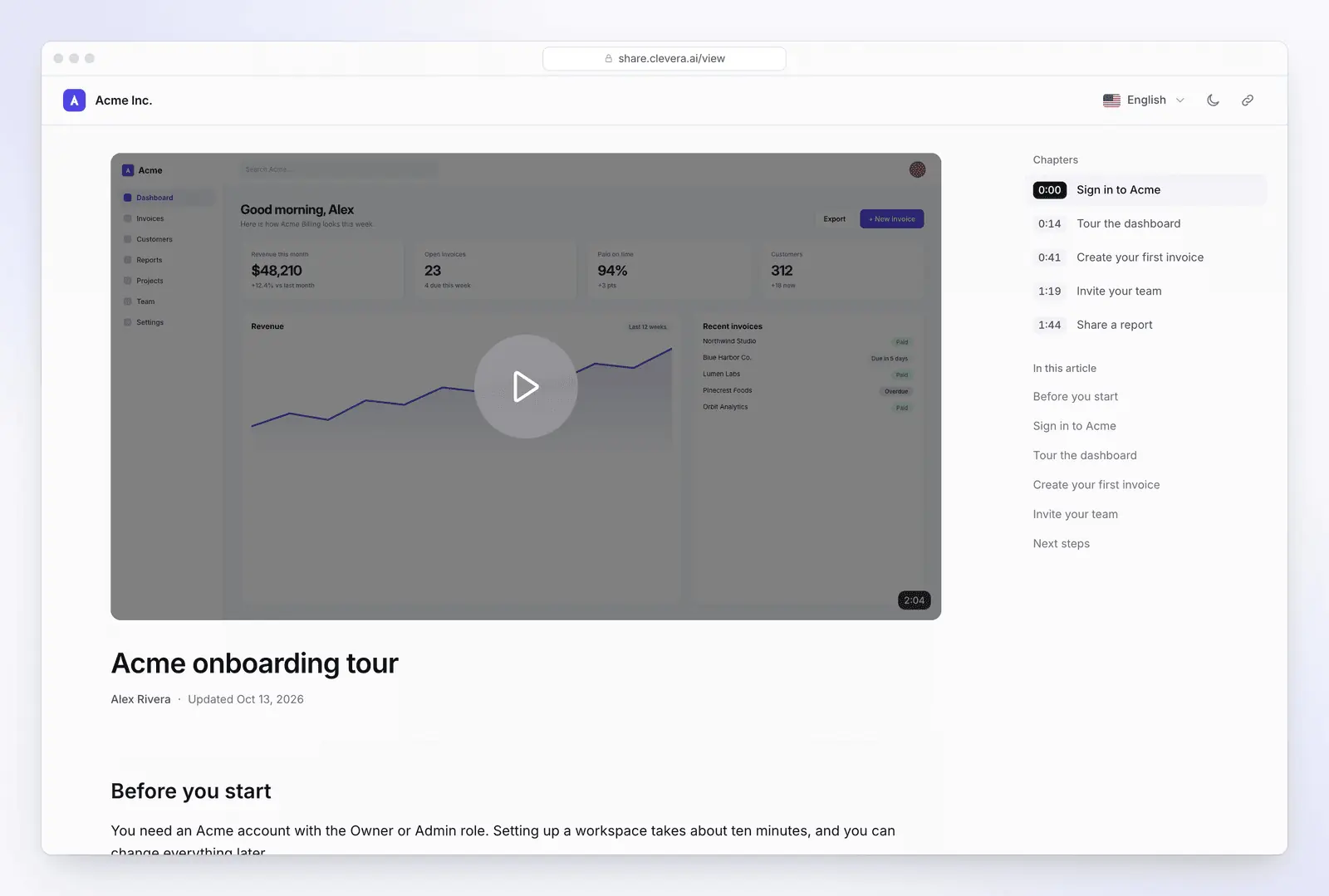
Scribe and Tango are built for screenshot guides. If that is all you need, either is faster for a quick click-by-click guide. Clevera's Chrome extension records a video of a tab, window or screen, not each click, and Clevera has no in-app overlay to compete with Guide Me.
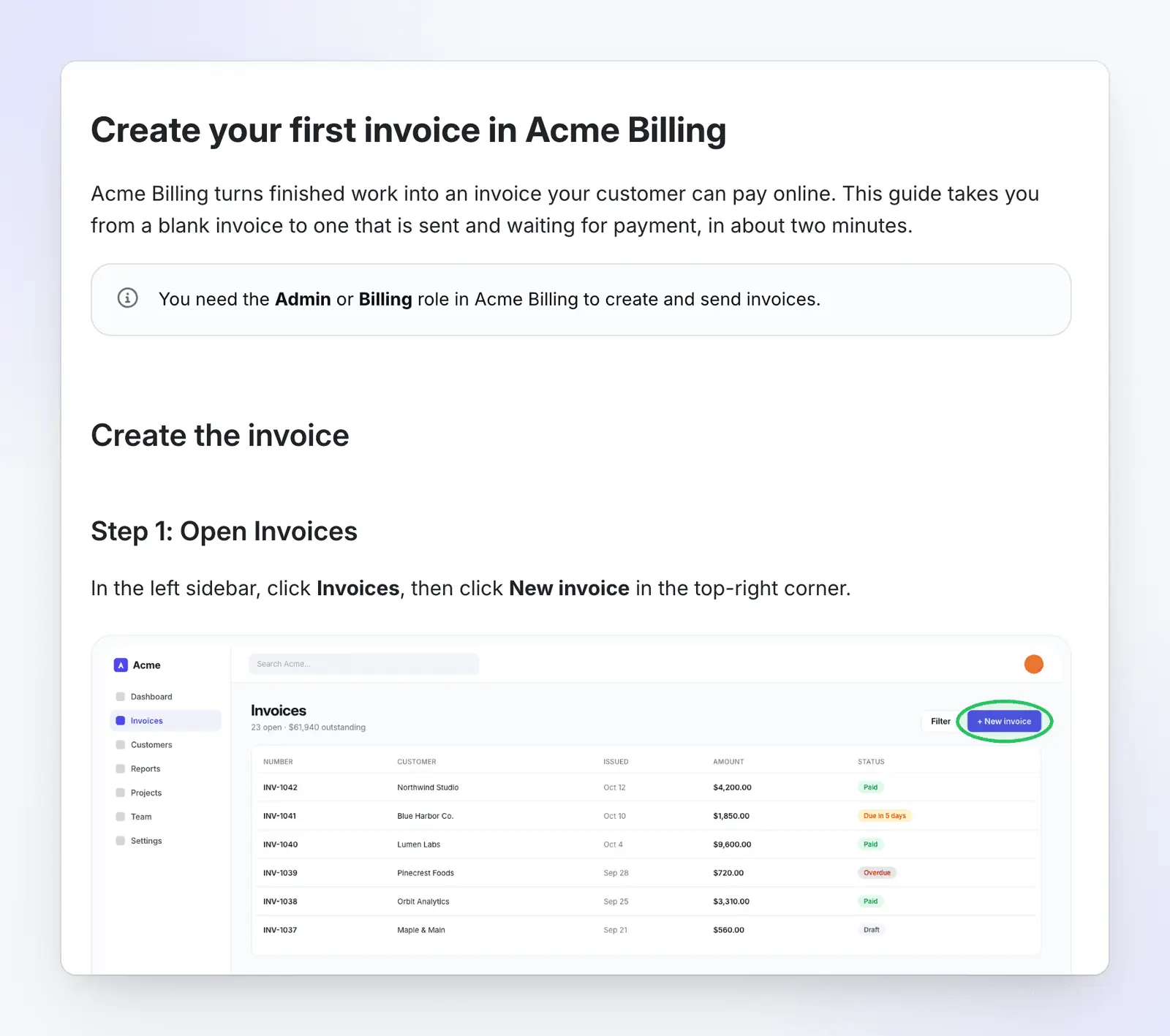
Some teams need more than a step list: a narrated video for customers, or a help center they can search. In Wyzowl's 2026 survey, 63% of people said they would most like to learn about a product by watching a short video (Wyzowl State of Video Marketing 2026, a vendor survey of 266 marketers and consumers in late 2025). Clevera is an AI platform that turns a screen recording into a narrated how-to video, a step-by-step help article and a page on your hosted help center, in 74 languages.
- One recording, three outputs. Record with the Clevera desktop app (Mac, Windows or Linux) or upload a video. Clevera writes the script and an AI voice-over, adds zooms on each click and writes a step-by-step article with a screenshot for each step. You can choose How-to article, Troubleshooting, SOP, Blog post or Product update, and download the article as PDF, Word, HTML, Markdown, OpenDocument or EPUB on every plan.
- A hosted help center on every plan. The Free plan includes one help center at a
clevera.helpaddress with search and an AI assistant for readers. See help center software. - Translation on every plan. Articles and videos in 74 languages, with no Enterprise contract.
Free plan: videos up to 3 minutes, share links and embeds, no MP4 download; Starter ($29/month yearly) adds MP4 downloads and a custom domain (pricing, 4 Nov 2026).
Leaving one of them? See Tango alternatives, Scribe alternatives or Clevera vs Scribe. For SOPs, start with the SOP template.
FAQ
Tango vs Scribe: which is better? Neither is better overall. Scribe suits written SOP libraries, Confluence and Word export, regulated industries and teams of five or more. Tango suits in-app walkthroughs (Guide Me) and teams of two to four, where it costs less.
Which is cheaper, Scribe or Tango? Both have free plans with browser capture and link sharing; Tango Free allows 5 shared workflows and up to 10 users, and Scribe Basic has no desktop capture or exports. On paid plans Tango is cheaper for one to four users: $22 a month for one user and $60 for four, billed yearly. From five users Scribe is cheaper: $13 per seat vs Tango's $15, billed yearly, with a 5-seat minimum. For a third option's pricing, see Guidde pricing.
Can Scribe and Tango capture desktop apps? Yes, both on paid plans only. Scribe has Windows and Mac apps on Pro Personal and up. Tango Desktop runs on Mac and Windows 10/11 on Pro and Enterprise. Desktop captures in Tango can't be played as Guide Me walkthroughs.
Does Tango's Guide Me need Enterprise? No. Tango's help center says Guide Me works on Free, Pro and Enterprise for anyone with access to the workflow and the Chrome or Edge extension. Guests can try it three times per workspace. Pins and Automations are Enterprise-only. (Tango's pricing card lists Guide Me under Enterprise; its help center says it works on all plans.)
Can Scribe or Tango turn an existing video into a guide? Not according to their public pages. Both build guides from a live capture (Tango also takes uploaded screenshots), and neither pricing page lists a video-to-guide import. In the other direction, Scribe lists "Share as video" on every plan and Tango embeds voice and video on Pro, but neither lists a narrated MP4 export. Clevera starts from a recording, including an uploaded video, and makes the narrated video and the article from it.
What happens to Scribe and Tango guides when the app's UI changes? You re-capture or edit the steps that changed. Shared links and embeds then show the edited guide: Tango says embeds stay up-to-date wherever you've shared them, and Scribe says a Scribe updated once updates everywhere it's shared. Clevera's LiveSync does the same for videos: edit one and every share link, embed and help-center page plays the new version.
Need the video and the help center too?
Record a workflow once and get a narrated how-to video, a step-by-step article and a hosted help center page. Free plan, no credit card.
Or see how Clevera writes an article from one recording.