AI agents and API tokens: let Claude, ChatGPT and Cursor into Clevera
Claude, ChatGPT, Claude Code, Codex, Cursor and scripts can now find recordings, request videos and articles and update doc sites in Clevera, within limits you set.
 Berkay Akpolat7 min read
Claude, ChatGPT, Claude Code, Codex, Cursor and your own scripts can now work in your Clevera workspace. With AI agents and API tokens, an agent can find your recordings, ask for a how-to video or a help article, and keep your doc site up to date, while you decide what it may do and what it may spend. It's available on Pro and above.
What can AI agents and API tokens do in Clevera?
Agents connect through the Clevera MCP server at app.clevera.ai/mcp or through the REST API. MCP (Model Context Protocol) is the standard AI assistants use to call tools in other apps. Connect Clevera once and your assistant can use it whenever you ask, in plain language.
An agent can:
- Find recordings, videos and articles in your library.
- Request videos, social clips and articles from a recording.
- Export finished videos as MP4s.
- Add images, videos and PDFs to your workspace uploads.
- Draft, translate and publish doc site pages.
The agent doesn't make the video itself. It asks Clevera, and Clevera's own AI writes the script, adds the voice-over and produces the video or article, the same way it does when you start one in the app. The result lands in your workspace, where you can edit and share it like anything else. Doc site pages it drafts show up in your hosted help center once someone with publish rights publishes them.
Every agent acts as the person who connected it. It can never do more than that person's role allows, so a member's agent can't publish if the member can't.
Connect Claude or ChatGPT without a token
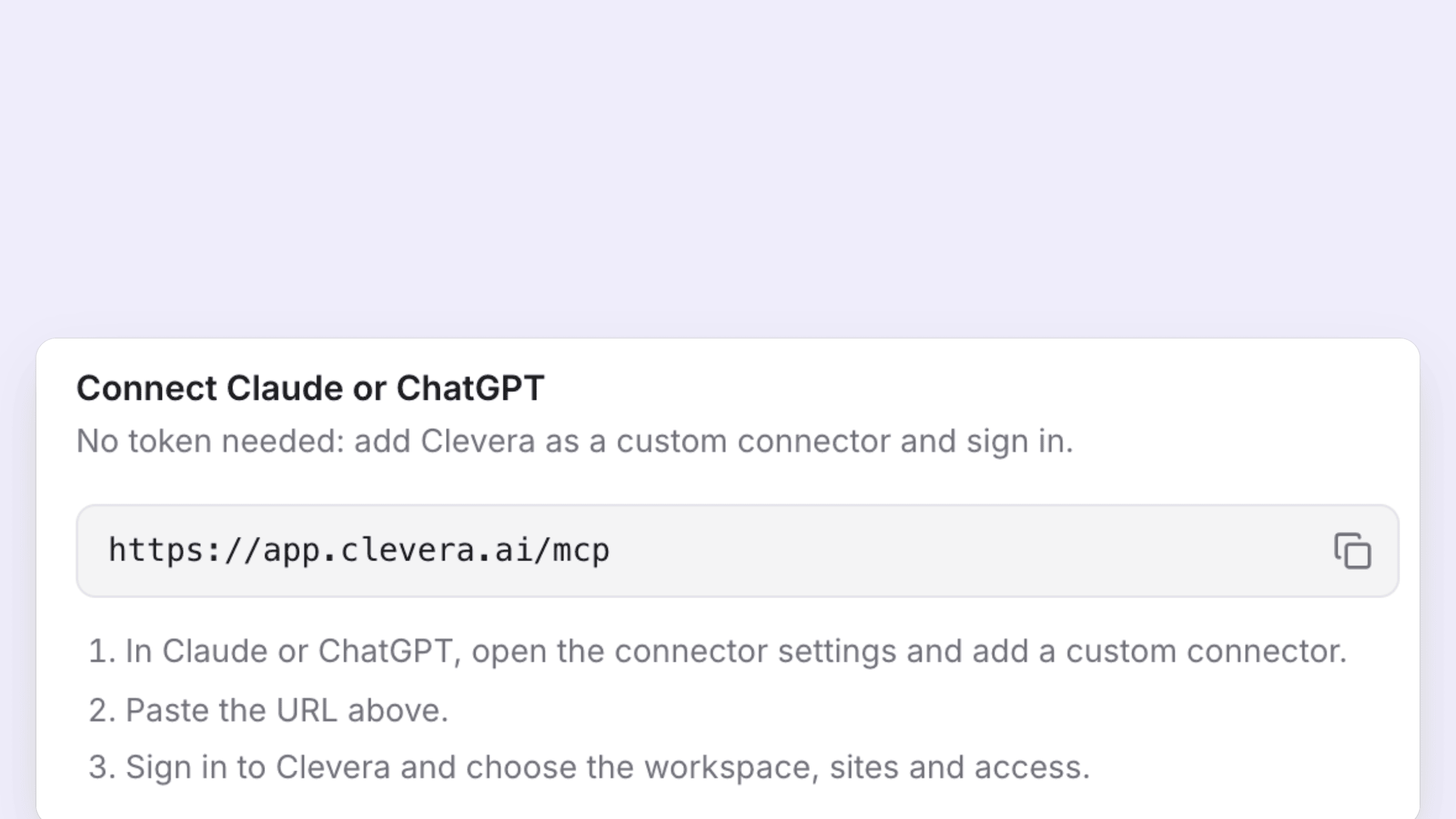
Claude and ChatGPT connect as a custom connector. You don't create or paste a token. Open Integrations → AI agents & API → Connected apps in Clevera, copy the server URL, and add it as a custom connector in Claude or ChatGPT. When you sign in to Clevera, you choose the workspace, which doc sites it can reach and what access it gets.
The connected app then shows in the same tab, with who connected it, its access, its sites, when it was last used and when the connection expires. You can disconnect it there at any time.
For step-by-step setup, follow How to make a video with Claude or ChatGPT.
API tokens for Claude Code, Codex, Cursor and scripts
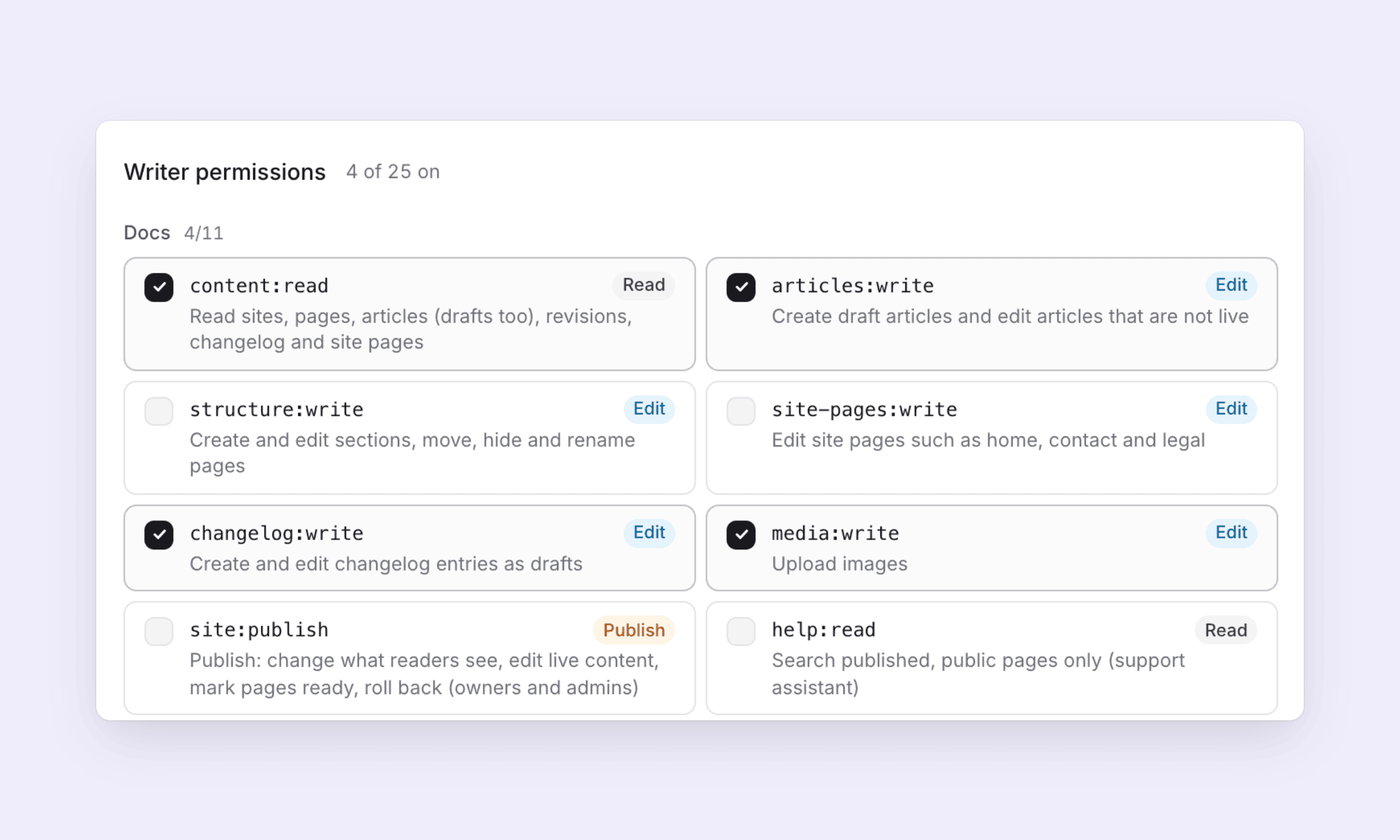
Coding agents and scripts use an API token. Click New token and the wizard walks you through four steps: Purpose, Permissions, Limits and Review.
On Purpose you name the token and pick what it's for. Presets set every permission for you:
- Writer: agents draft, a person reviews and publishes.
- Publisher: trusted automation that may change what readers see.
- Support assistant: answers from published docs, nothing else.
- Producer: drafts content and starts paid work within spend caps.
There are also Read-only, Analyst and Workspace agent presets. Most people stop deciding here. If you want to adjust, the next step lists every permission with what it allows, already ticked for the preset you picked.
On Limits you choose the doc sites the token can reach, how long it lives and what it can spend. Tokens always expire: you pick 7, 30 or 90 days or 1 year, and there is no "never". The secret is shown once, when you create it.
The Tokens tab lists every token in the workspace with its owner and access, and members see their own. A token that can spend credits carries a Spends credits badge, so it stands out.
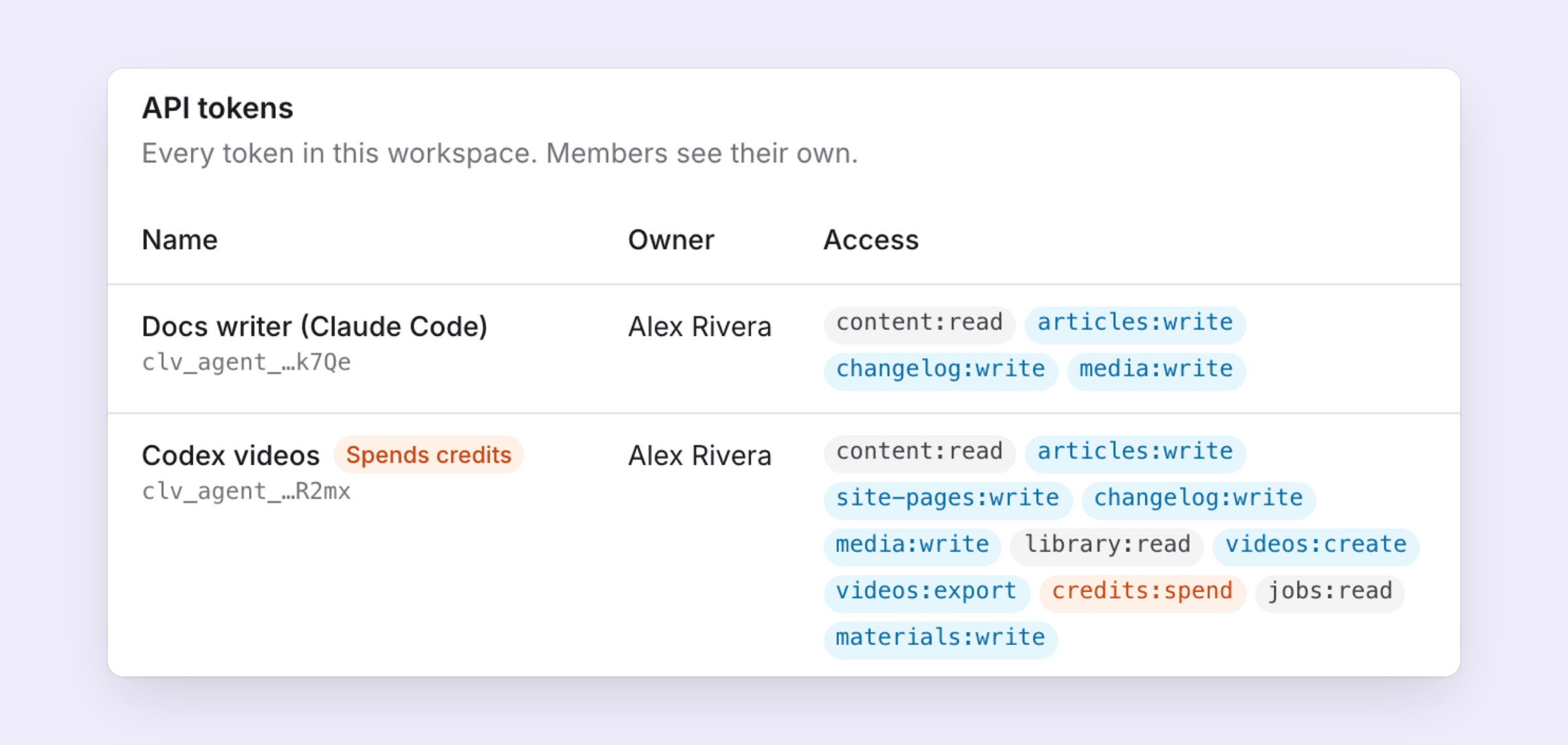
If you already work in Claude Code, How to update docs with Claude Code after every release shows a Writer token in a real release routine.
Does the agent use my credits?
Yes, the same credits as making the video or article in the app. Nothing is charged by surprise:
- Quote first. Every paid start is quoted as a credit range, for example 45–60 credits.
- Spend caps. A token that may spend credits gets caps per job, per day and per month. Leave one empty for no cap.
- Approve above a line. Work a token starts below Approve automatically below runs on its own. Anything above it waits in Agent requests until an owner or admin clicks Approve or Deny. Set the line to 0 and a person approves every paid start.
Claude and ChatGPT connected as apps have no automatic line: every paid start they make waits for an owner or admin.
The highest auto-approve line for a token is 500 credits on Pro and 1,000 credits on Custom. A denied request is canceled and costs nothing. A request nobody decides on expires after 24 hours, and the agent has to ask again. Agents can't approve their own requests.
The full rules are in Agent spending and approvals.
Webhooks, Activity and the REST API
Three more pieces come with AI agents & API, for teams that wire Clevera into their own systems:
- Webhooks. Signed notifications tell your tools when something happens, for example when a job starts or succeeds, an approval is requested or a site is published. A script can post a finished video in your team chat or email it to a customer. See Set up webhooks.
- Activity. The Activity tab shows everything agents did in the workspace, so you can check what happened and who started it.
- REST API. The same actions are available as plain HTTP calls for scripts that don't speak MCP. See Use the REST API.
How does it compare to other MCP servers?
If you're choosing between tools, we compared what other products' MCP servers do in Best MCP servers for video and MCP servers for documentation. In short, Clevera makes finished, narrated content from your own recordings and keeps your help center current, with spending you control.
The MCP server page has more examples of what teams ask their agents for, from shipping docs with each release to answering a ticket with a video.
FAQ
Which plan do I need?
Pro and above. Free and Starter workspaces can't connect agents. Compare plans on the pricing page.
Which AI tools work?
Claude and ChatGPT as custom connectors, plus Claude Code, Codex, Cursor and any other MCP client or script with an API token.
Can an agent publish without me?
Only if you give it publish rights. The Writer preset drafts and leaves publishing to a person. You choose what each connection and token can do.
Can an agent post to social media or do research?
Not yet. Agents make and manage content inside Clevera: videos, social clips, articles, translations and doc site pages.
Do tokens expire?
Yes, always. You choose 7, 30 or 90 days or 1 year when you create one, and you can revoke it at any time from the Tokens tab.
Connect your first agent
Add Clevera to Claude or ChatGPT and ask for a video from your latest recording.