Best MCP servers for video in 2026

Connect an MCP server to Claude, ChatGPT or Cursor and your agent can ask a video tool for a finished video, not a script for one.
The best MCP servers for video don't all do the same job, though. Some generate footage, some edit footage you already have, some render videos from a template, and some host and stream the result. Pick the wrong kind and your agent ends up with a 5-second AI clip when you needed a 2-minute walkthrough of your product.
Here are 8 official video MCP servers, each checked on the vendor's own docs and pricing pages in October 2026, and what each one is for.
1. Clevera
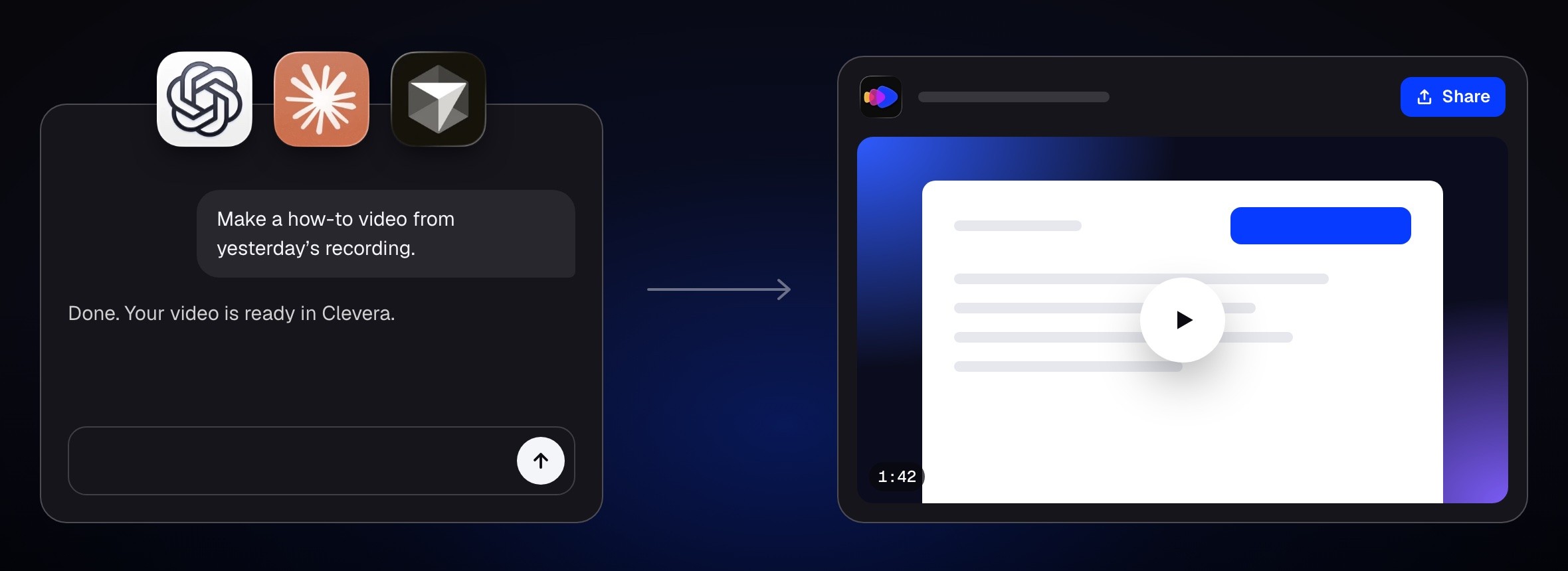
Best for: product, support and marketing teams that want how-to videos, demos, social clips and help articles about their own product
Clevera turns a screen recording of your product into finished content. The Clevera MCP server gives your agent the same abilities. Ask Claude for a how-to video from yesterday's recording, a launch clip or a help article, and Clevera's own AI makes it. The library above shows three outputs from one recording.
What matters when an agent is the one asking:
One remote server, no install. It lives at `https://app.clevera.ai/mcp`. Claude and ChatGPT connect it as a custom connector, and you sign in with no token. Claude Code, Codex and Cursor use an API token, and tokens always expire. Here's the setup for each app, step by step.
You set the budget. Caps per job, per day and per month, plus an auto-approve line. Anything above that line waits for an owner or admin to approve it in the app
Every paid job starts with a quote. The agent sees the credit range before it asks you to start
It covers the docs too. Agents can request videos, social clips and articles from a recording, export MP4s, translate into any of 74 languages, and draft, translate and publish pages on a Clevera-hosted help center
Signed webhooks and a REST API for scripts that post or email the video when it's ready
We use it ourselves. On October 20 we asked it for 3 teasers for our own launch. Each came back with a quote of 50 to 120 credits and waited for us, because our auto-approve line is 0. We approved them a few hours later, when we got to it, and all 3 were done 17 minutes after that. They used 72, 93 and 122 credits, so one ran 2 credits past its quote. Raise the line and small jobs start on their own.
AI agents and the API are on Pro and up. Pro is $86.80 a month billed yearly ($124 monthly) for 2 creators, with 4,000 credits a month. See what each plan includes. The server is also listed in the official MCP Registry as `ai.clevera/mcp`.
Where Clevera is not the right fit: your agent works from recordings already in your Clevera library. It can't record your screen for you, and it won't generate cinematic scenes from a prompt. It doesn't give your agent a timeline to cut by hand, it doesn't post to social channels, and it isn't on the Free or Starter plans. For avatar presenters, look at HeyGen. For AI footage, look at Runway.
See everything you can connect to Clevera →
2. HeyGen
Best for: talking-avatar videos and translated videos with lip-sync
HeyGen's hosted MCP server is the broadest on this list. It exposes most of the HeyGen API: prompt-to-video through its Video Agent, avatar videos from a script, templates with variables, voice cloning, video translation with lip-sync and AI clipping of long videos. You sign in with OAuth, and it's documented for Claude, ChatGPT, Cursor, Codex and more.
It draws on your plan's credits. The Free plan can connect with some tools blocked, and Creator is $29 a month ($24 billed yearly). HeyGen's own docs describe the MCP route as trial scale and point batch work to its API keys.
Where HeyGen is stronger: anything with a presenter on screen. Clevera has an AI avatar format for social clips, but HeyGen's avatar, voice and dubbing tools go much deeper.
3. Runway
Best for: generating AI footage, product shots and ad scenes from a prompt or an image
Runway has two official MCP servers. Runway MCP generates images and video inside a chat, with Runway's own Gen-4.5 plus models like Veo 3.1 and Kling 3.0, and saves the results to your Runway library. Runway Dev lets a coding agent look up API tasks and read the docs from the editor.
The pricing page lists Runway MCP on Pro ($35 a month, $28 billed yearly) and Max, not on Free or Standard, and generations spend the same credits as the app. The developer API is pay as you go.
Where Runway is stronger: footage that doesn't exist yet. It generates clips, though, and doesn't assemble a narrated walkthrough of your product.
4. Descript
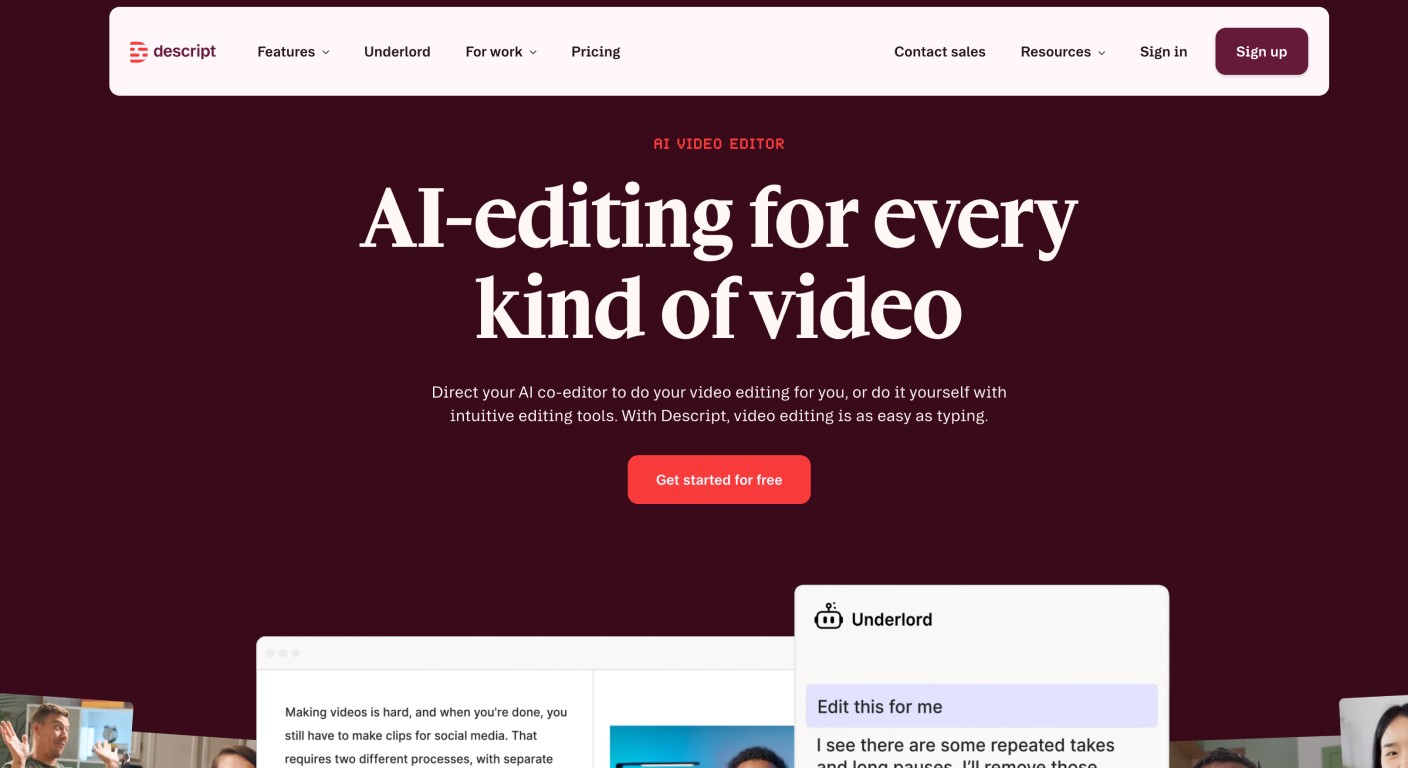
Best for: editing your own talking-head, podcast or screen recordings
The Descript MCP lets an agent import media, run edits with Underlord (captions, filler-word removal, Studio Sound, highlight reels), organize projects and publish to a share link. It's in the Claude, ChatGPT and Cursor directories, and you connect with OAuth.
Imports use media minutes and edits use AI credits. Plans start free with 1 media hour, and Hobbyist is $16 a month billed yearly ($24 monthly).
Where Descript is stronger: footage where your own voice is the content. If you want your recording cleaned up, not replaced with an AI script, Descript is built for that.
5. Kapwing
Best for: captions, subtitle translation and dubbing on videos you already have
Kapwing MCP reached version 1.0 on October 12. From Claude or ChatGPT, your agent can upload media, add subtitles, translate them, dub into other languages and export an MP4. Every result is also an editable Kapwing project, so a person can finish it in the editor.
Subtitles, translation and dubbing spend your workspace credits, and Free accounts hit the same export limits as in the editor. Pro is $16 a month billed yearly ($24 monthly). For now it works on one asset per project and doesn't generate video.
6. Shotstack
Best for: developers who need an agent to cut a multi-track video and render it in the cloud
Shotstack is a video editing API. You describe a timeline of clips, text, audio and transitions, and it renders an MP4. Its MCP server lets an agent build that timeline from a prompt, preview it in an editor inside the chat, render it, and reuse templates with merge fields.
You start with 10 free credits and a free sandbox. Pay as you go is $10 for 50 minutes, and Starter is $39 a month for 250 minutes. Your assets have to sit on public URLs.
7. Creatomate
Best for: many templated social and marketing videos from data
Creatomate renders videos from templates or from RenderScript JSON. Its hosted MCP server lets an agent list, write and edit templates and start renders, and it works in Claude, ChatGPT, Cursor and Codex with an OAuth sign-in.
You get 50 trial credits. Essential is $54 a month ($45 billed yearly), and a minute of 720p video uses about 14 credits.
8. Mux
Best for: hosting, streaming and measuring the videos your agent makes
Mux doesn't make or edit video. It encodes, stores, streams and measures it. The Mux MCP server gives an agent the whole Mux SDK through a code-execution tool: upload an asset, get a playback URL, set up a live stream or pull viewer analytics.
Pricing is usage based, with 100,000 free delivery minutes a month. If your agent touches production video, give it a read-only token.
Also worth knowing
Synthesia has an official MCP server in public beta for avatar video drafts, on Starter and up
fal puts many AI video models behind one MCP server, with most video models priced per second
Kinocut is a free, open-source FFmpeg MCP server for editing local files. It's a community project, not a vendor's
How to choose
If your agent needs to | Best option | Type |
|---|---|---|
Make how-to videos, demos, clips and help articles about your product | Clevera | Generation |
Make avatar presenter videos or dub with lip-sync | HeyGen | Generation |
Generate AI footage or product ad scenes | Runway | Generation |
Edit your own recordings and keep your voice | Descript | Editing |
Caption, translate or dub existing videos | Kapwing | Editing |
Cut and render a multi-track timeline from code | Shotstack | Rendering |
Render templated videos in bulk | Creatomate | Rendering |
Host, stream and measure finished videos | Mux | Hosting |
Many teams use two: one server that makes the video and one that hosts it.
FAQ
What is a video MCP server? It's a server that speaks the Model Context Protocol, so an AI assistant like Claude or ChatGPT can call a video tool directly. The assistant asks, the tool does the work, and the result comes back into the chat.
Which MCP server makes product how-to videos? Clevera. It makes how-to videos, product demos, social clips and help articles from a recording of your product that's already in your library, and it can publish help center pages too. It's on Pro and up.
Do I need an API key to connect these to Claude? Usually not. Clevera, HeyGen, Runway, Descript, Kapwing and Creatomate all connect to Claude with a sign-in. Coding tools like Claude Code and Cursor often use a token instead.
How do I stop an agent from spending too much? Check what each server lets you limit. Clevera has caps per job, day and month and an approval line. Shotstack quotes an AI generation before it runs, and fal shows each model's price. On the others, the limit is the credits on your plan.
How do I know an MCP server is official? Start from the vendor's own docs. The official MCP Registry also lists servers by publisher name, and many community servers carry a vendor's name without being theirs.
Match the server to the video
Ask what the finished video is before you pick a server. If it's a walkthrough of your own product, a launch clip or the help article next to it, connect Clevera's MCP server and let your agent ask for it. If it's a presenter, a cinematic scene or a cut of your own footage, one of the others on this list will serve you better.

