Recruitment video without a film crew

A 12-person software company can't outspend a bank on a careers page, and it doesn't need to. Candidates want to know the team is real and the job matches the post. A phone, screen recordings of your actual product and a recruitment video maker for the edited clips cover that, as long as every frame is honest.
What candidates want to see before they apply
Start from what candidates say they care about. LinkedIn surveyed members on their top priorities when considering a new job, and in its 2025 analysis of 73,856 responses collected between October 2024 and March 2025, 63% picked excellent compensation and benefits, 49% work-life balance and 44% flexible work arrangements. The fastest-growing priority worldwide in early 2025 was working at a company whose values match their own.
An older but still useful LinkedIn study, Inside the Mind of Today's Candidate (14,000+ professionals in 28 countries), found that the company website was the top place candidates went for information before applying, that role responsibilities were the topic they most wanted covered in interviews, and that they'd most like to see culture through an office tour. It also found candidates are more likely to respond to hiring managers than to recruiters. That gives you a brief:
Say the pay range and the work arrangement (remote, hybrid, which time zones) out loud or on screen. A culture video that dodges both answers the wrong question.
Show the actual work of the role: the tools, the meetings, a real task.
Put the hiring manager on camera, not only the founder or a recruiter.
Treat values as claims that need proof, like a product feature.
The 5 hiring videos worth making first
These 5 short videos cover most of what a small team gets asked in first calls.
Video | Length | Who's on camera | Where it goes |
|---|---|---|---|
Role trailer | 30 to 45 s | Hiring manager plus 1 or 2 teammates | Job post, LinkedIn, outreach messages |
A week in the team | 60 to 90 s | 3 to 5 teammates, filmed on their own phones | Careers page, team page |
Hiring process explained | 60 to 120 s | Recruiter or hiring manager, or a narrator over screens | Job post, interview invite email |
Culture and values, with proof | 45 to 60 s | Teammates describing specific moments | Careers page, social |
Product in action for engineers | 90 s to 3 min | Screen recordings, an engineer's voice | Engineering job posts, technical outreach |
The lengths are working defaults for a small team, not platform rules.
Role trailer. One role, one hiring manager, 30 seconds. What the person will build in their first 6 months, who they'll work with, the pay range and the location. Make one for every open role.
A week in the team. Ask teammates to film 10-second clips on their phones through one ordinary week. Candidates can tell a real Wednesday from a staged one.
Hiring process explained. List the stages, how long each takes, who the candidate will meet, whether the technical step is a take-home or a live session, and how many hours you expect it to take. End with how to ask for interview adjustments, and name the person or email.
Culture and values, with proof. "We value ownership" means nothing on its own. A support engineer explaining the time she shipped a fix to a customer issue on her second week does. One value, one real example, told by the person it happened to.
Product in action for engineers. Screen-record the real product, a pull request review, the deploy pipeline and your monitoring dashboard. Blur customer data, tokens and internal URLs before anything leaves the building.
Honesty rules for employer branding video
An employer branding video is a promise about the job. If reality differs, you've paid to recruit someone who'll leave in month 3. The same consent and honesty rules apply to customer story videos.
1. Only real employees appear as employees. No stock "team" footage, no actors, no AI avatar introduced as a teammate. 2. Get consent that's free to refuse. The UK ICO's guidance on when consent is appropriate uses a recruitment video as its example: an employer can rely on staff consent when participation is clearly optional and refusing has no effect on performance reviews. Put it in writing, say where the video runs and for how long, and remove clips when someone leaves or asks. This isn't legal advice. 3. Show the real product and the real office. If you're fully remote, show kitchen tables and time-zone clocks, not a rented loft. 4. Date-check claims. Review every hiring video each quarter; benefits, team size and stack change. 5. Don't stage diversity. Show the team you have, and say what you're changing instead of casting around the gap.
Accessibility and inclusive language
Captions are the first fix. The W3C's captions guidance is direct: automatically generated captions don't meet accessibility needs unless they're confirmed to be fully accurate, because one missed word like "not" can reverse a sentence. Generate captions, then check every line against the audio, especially names and tool names.
Describe what's on screen in the voiceover itself. W3C calls this integrated description: instead of "as you can see here," say "this is our deploy dashboard, showing 14 releases this week." Blind and low-vision candidates get the content too.
Then check the words. A 2011 study by Gaucher, Friesen and Kay, summarized by Harvard's Gender Action Portal, found that identical job ads written with more masculine-coded words such as "competitive" and "dominant" were rated less appealing by women, who also felt they belonged less. Replace "rockstar," "ninja" and "crush it" with what the job involves. Keep on-screen text large, and avoid rapid flashing cuts.
Shot list for a no-crew shoot
Film in one week, on phones: 16:9 for the careers page, vertical for social. Use a clip-on mic per speaker if you can; bad audio hurts more than shaky video.
# | Shot | Who | Device | Notes |
|---|---|---|---|---|
1 | Hiring manager, chest-up, says the role in 1 sentence | Hiring manager | Phone on a stack of books, window light in front | 3 takes, pick the most natural |
2 | Hiring manager says pay range, location, start date | Hiring manager | Same setup | Also shown as on-screen text |
3 | Teammate on what they worked on last week | 2 teammates | Their own phones | 10 to 15 s each, specific project |
4 | Planning meeting or standup, wide | Team | Phone on tripod | Everyone in frame has signed consent |
5 | Pairing session over a shoulder | 2 engineers | Phone | Screen content blurred later if sensitive |
6 | Real product, the feature this role will own | n/a | Screen recording | 60 to 90 s, clean demo account |
7 | PR review, deploy pipeline, monitoring | n/a | Screen recording | Blur tokens, customer names, internal URLs |
8 | Remote setups: 3 to 4 desks, 3 s each | Teammates | Their phones | Shows the real work arrangement |
9 | Values proof: 1 teammate tells 1 specific story | Teammate | Phone | Under 20 s, a moment, not a slogan |
30-second role trailer script
Swap the brackets for your real role. Every number on screen must match the job post.
Time | On screen | Voice |
|---|---|---|
0 to 4 s | Hiring manager on camera. Text: "[Role], [remote/hybrid, time zones]" | "I'm [Name], and I'm hiring a [role] to own [specific area]." |
4 to 12 s | Screen recording of the feature or system this person will work on | "In your first 6 months you'll [concrete outcome, e.g. rebuild how customers import data]." |
12 to 19 s | Teammate clips from shots 3 and 5 | "You'll work with [team size] people across [design, support, backend]." |
19 to 25 s | Remote desks from shot 8. Text: "[Pay range] + [1 or 2 key benefits]" | "The range is [pay range]. Interviews take [number] stages over about [number] weeks." |
25 to 30 s | Hiring manager. Text: "Apply: [short link]" | "If that sounds like your kind of problem, apply. I read every application." |
Burn in captions for social versions. If "I read every application" isn't true, cut the line.
Where a recruitment video maker fits
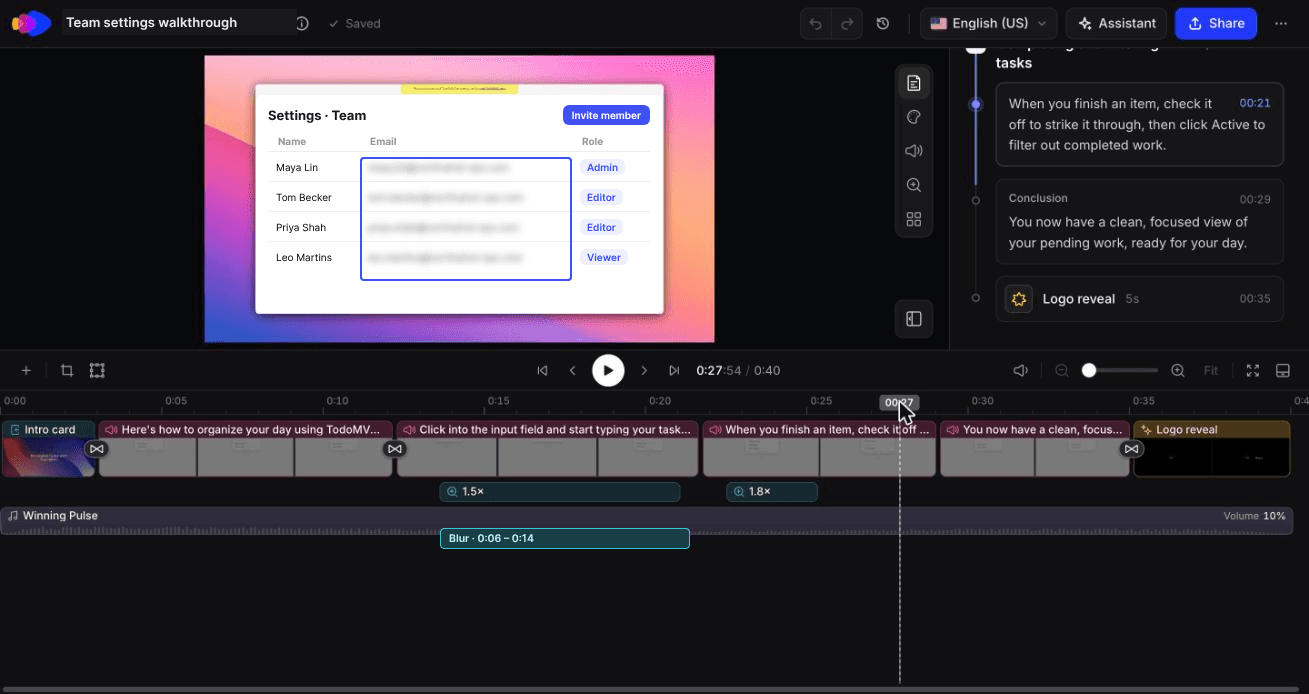
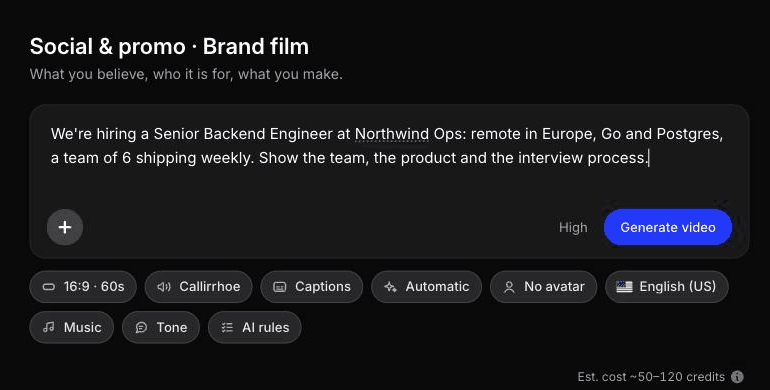
Phones and screen recordings give you raw material. Editing is where small teams stall, and that's the part a hiring video tool like Clevera handles.
Employer-brand and hiring clips from photos and a job description. Clevera's social & promo types build short clips from any mix of footage, links, images, PDFs or a written description. Give it the job description, team photos your colleagues agreed to, a few of the phone clips and your logo, and its AI writes and directs a clip with motion graphics, an AI voiceover and music. Feature spotlight and hook reel suit a role trailer; music & motion, with no voiceover, suits muted feeds. The AI assistant in the clip editor makes targeted changes from a prompt, such as "put the pay range on screen for 4 seconds."
A brand film for the careers page. The brand film type fits a careers page, built from real team photos and footage.
A product demo for engineering candidates. Record the real product with the desktop app or Chrome extension, or have Clevera's AI recorder capture a web app in a cloud browser from a written instruction (it's read-only by default, and you can take over the browser mid-recording). Clevera's product demo type writes and narrates a value-led walkthrough, and the timeline editor's blur overlay covers anything sensitive. For recording tips, see how to make a product walkthrough video.
Your own voice, kept. For the hiring manager's talking-head clip, the polish options keep the original speaker. Cleaned-up removes long pauses and filler words. Styled adds backgrounds, title cards and crops, and uses no AI credits, so it's unlimited on every plan, including Free (watermarked 1080p exports).
Pricing. Social & promo clips and the AI avatar are on paid plans, starting with Starter at $29 per month billed yearly or $36 billed monthly (see pricing). The Clevera for product marketing page shows how hiring clips sit next to demos and launch videos in one workspace.
After the offer, the same recordings feed onboarding: see employee training videos with AI. If you hire across languages, Clevera translates videos into 74 languages (how to translate tutorial videos); check translated captions as carefully as the originals.
When a real person beats an AI avatar
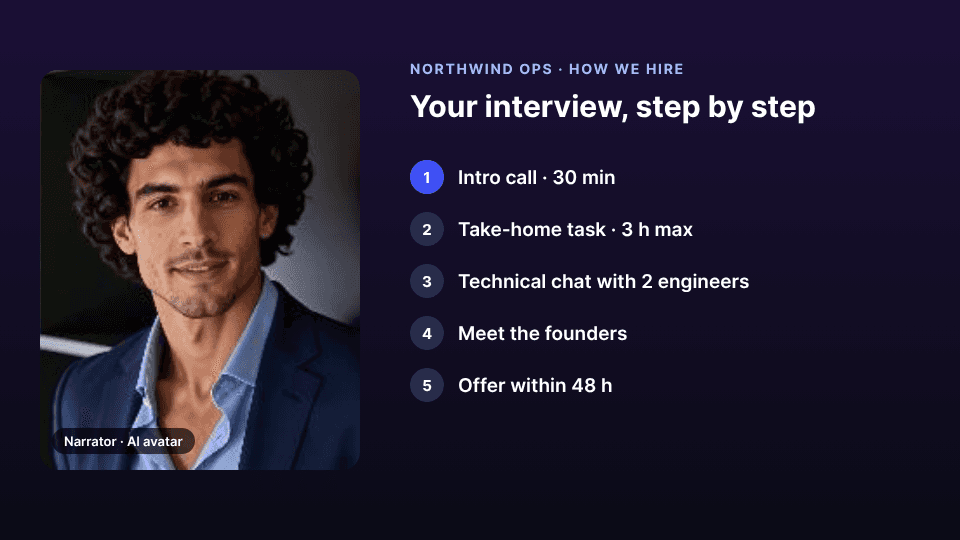
Use a real person for anything a candidate will treat as a promise from a future colleague: the role trailer, the week in the team, the values stories. Candidates are deciding whether to work with these people, and an avatar can't be one of them. The LinkedIn finding about hiring managers points the same way.
An AI avatar is a reasonable fit for the hiring process explainer and FAQ-style clips, where the content is procedural and you may want versions in several languages. Introduce it as a narrator, never give it an employee's name or job title, and keep real teammates in the footage it talks over.
Our AI avatar test: confirm the narrator is actually on screen
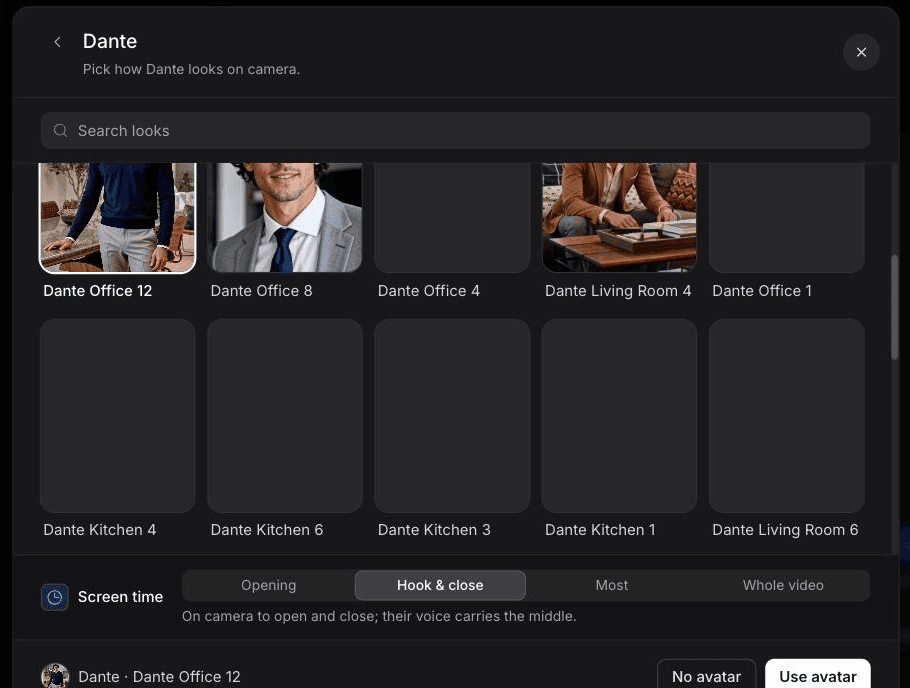
In October 2026 we made an AI avatar clip in Clevera from our homepage and a one-line brief about our AI recorder. We picked the avatar Dante with screen time on "Hook & close". It took 11 to 12 minutes and 135 credits, 6 of them for the avatar. The script was on brief, but the presenter didn't appear in the editor preview or in frames we checked from the exported video, and the avatar layer showed a "Hidden" badge. That run didn't give us a usable avatar clip.
The clip also added "Trusted by 3,000+ companies" to its closing overlay, pulled from the site research rather than the brief. In a hiring clip, that's the same risk as an outdated benefit: a claim on screen that nobody checked.
If you use an avatar as the narrator for a hiring process explainer, play the opening and the close to confirm it renders, and check every number and claim on screen against the job post before it goes live.
Start with the role trailer for your next opening
Pick the role you're hiring for this month. Book 20 minutes with the hiring manager, film shots 1 and 2, screen-record the product area the hire will own, and fill in the script above. Ask every candidate in first calls whether they watched it, and you'll know within a month whether to make the other 4.

