Customer story video without filming

Say your best customer tells your CSM that onboarding time dropped from 3 weeks to 4 days. They're happy to be quoted, but not to sit in front of a camera. A customer story video without filming is how that win still reaches your feed, your sales emails and your website: approved words, approved numbers and your own product on screen.
Start with permission and approved quotes
The legal bar for a customer testimonial video doesn't drop because there's no camera. In the US it's set by the FTC's Guides Concerning Use of Endorsements and Testimonials in Advertising (the FTC also publishes a plain-English FAQ on the Endorsement Guides). 4 rules matter most for this kind of video:
The quote must reflect a real experience. Section 255.1(a) says endorsements "must reflect the honest opinions, findings, beliefs, or experience of the endorser," and 255.1(c) requires the endorser to have been a real user of the product when they gave it.
Quotation marks mean exact words. Under 255.1(b) you can paraphrase a customer, but if you put it in quotes it has to be what they said, and you can't reword or cut it in a way that distorts their opinion.
Incentives get disclosed. Section 255.5 counts free or discounted products, payments, early access and business relationships as "material connections" that must be disclosed clearly when the audience wouldn't expect them. If the customer got 3 free months for doing the case study, the video says so.
An exceptional result needs context. If one customer's result isn't what most customers get, 255.2(b) expects you to disclose what people can generally expect, and to have the evidence for it.
The FTC's newer Rule on the Use of Consumer Reviews and Testimonials also makes it a violation to create a testimonial that misrepresents whether the testimonialist exists or actually used the product. This isn't legal advice; if you sell into regulated industries, run the script past counsel.
Consent checklist
Get every item in writing (an email reply counts) before you script anything:
The exact quote wording, as it'll appear on screen and in the voiceover
Name, job title and company name, and whether each can be shown
Use of the company logo, plus their brand guidelines if they have them
Each number, with its timeframe and baseline (more on this below)
Channels: organic social, paid ads, sales emails, website, events
How long you can run it, and who to contact to pull it
Any incentive they received, so you can disclose it
A final-cut review before anything goes live
Permission email template
> Subject: Can we turn your [result] into a 30-second video? > > Hi [Name], > > Thanks again for sharing how [Company] [result, e.g. cut onboarding from 3 weeks to 4 days]. We'd love to turn it into a short animated video for [channels: LinkedIn, our website, sales emails]. No filming needed: we'd use your approved quote, your logo and screenshots of our product. > > Here's exactly what we'd use: > - Quote: "[exact wording]" > - Attribution: [Name], [Title], [Company] > - Numbers: [metric, baseline, timeframe] > - Logo: [yes / no] > > [If applicable: Because you received [incentive], the video will include a short disclosure.] > > We'll send you the final cut before it goes live, and you can ask us to take it down at any time by replying to this email. Could you reply with "approved" or send any changes? > > Thanks, > [Your name]
Pick the story shape: problem, change, result
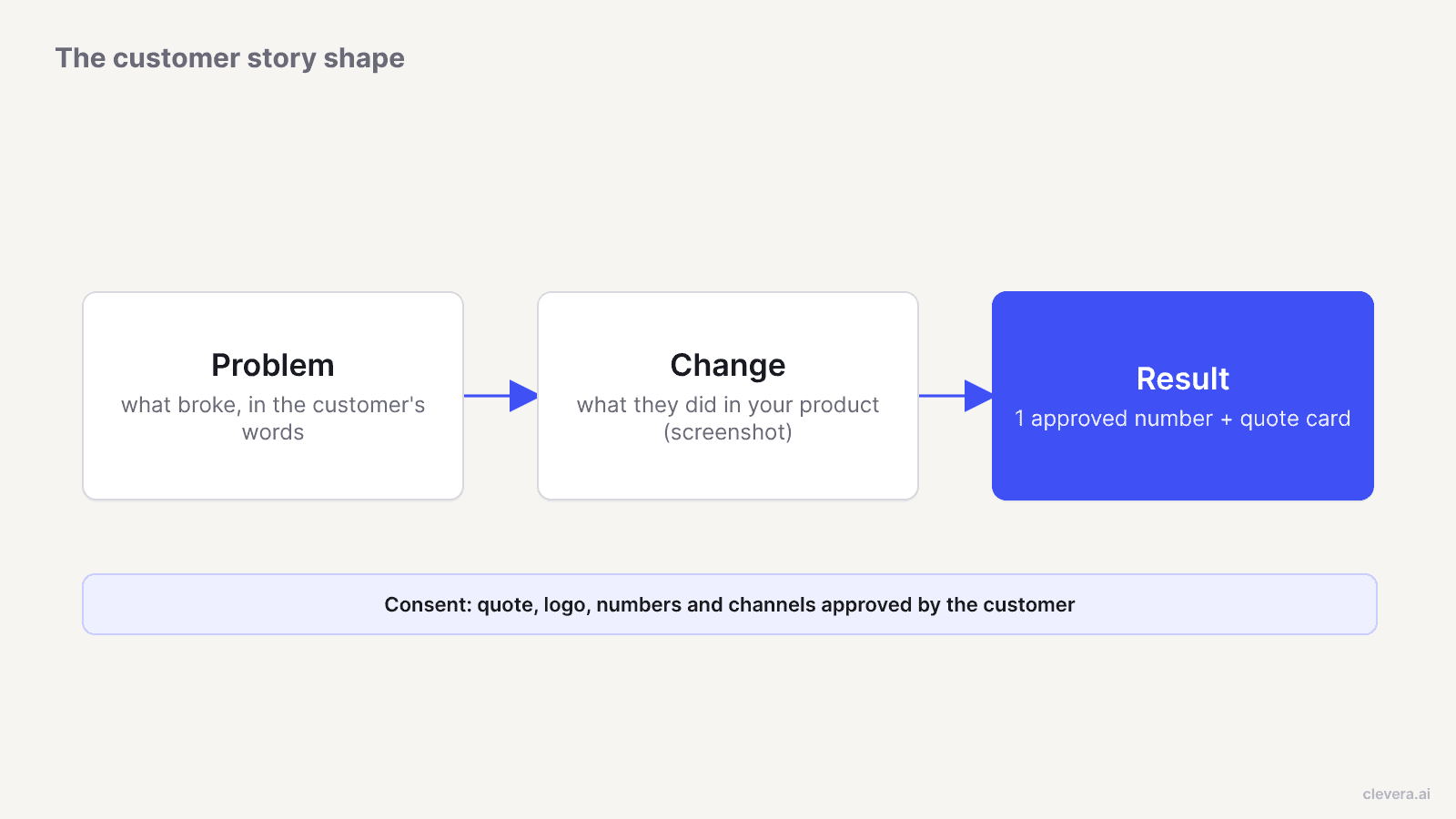
A case study video of 30 to 60 seconds has room for one arc. Problem, change, result works without a face on screen because each beat maps to a visual you can make.
1. Problem. What was breaking before, in the customer's terms. "Every new rep needed 3 weeks of shadowing" beats "they struggled with onboarding." 2. Change. The specific thing they started doing with your product. Show it: the screen, the feature, the workflow. 3. Result. One outcome, ideally one number, in the customer's own words.
A viewer scrolling LinkedIn remembers one number. Save the rest for the written case study.
Use real numbers only if the customer approves them
Numbers are where customer stories go wrong: your CSM's notes say "around 70% faster" and the customer's dashboard says something else. Before a number goes in the script, confirm 3 things with the customer: the metric (time to first value, tickets per week, hours saved), the baseline it's measured against, and the timeframe. Then show it exactly as approved, including "about" if they said "about." If they won't approve a number, use a qualitative quote instead. "We stopped dreading new-hire weeks" from a named VP is more credible than an unattributed 70%.
Build visuals without footage of the customer
You have 4 visual sources, and they cover a 30-second video comfortably:
Product screenshots. Use the screens the customer actually uses, in the order of their workflow. If they adopted your scheduling feature, show the scheduling feature, not your dashboard home.
The customer's logo, only with written permission and following their brand guidelines. It belongs on the opening and closing cards, not watermarked over your UI.
Quote cards. The approved quote in large type, with name, title and company underneath. Keep it under 20 words per card; split longer quotes across 2 cards rather than shrinking the font.
Motion graphics for the result. An animated counter from "3 weeks" to "4 days" or a before/after bar does more than a stock photo ever will.
Skip stock footage of people. A smiling stranger next to a named customer's quote reads as that customer. Section 255.2(c) says ads presenting "actual consumers" should use actual consumers in both audio and video or clearly disclose that they're not.
Customer story script template
Fill the brackets with approved material only. Timings are for a 30-second cut; stretch each beat proportionally for 60 seconds.
Time | On screen | Voiceover or caption |
|---|---|---|
0 to 3 s | Customer logo + hook text: "[Result] in [timeframe]" | "[Company] [result] in [timeframe]. Here's how." |
3 to 9 s | Quote card: the problem, in their words | "Before, [problem in customer's terms]." |
9 to 20 s | 2 to 3 product screenshots in workflow order, with zoom on the key action | "They started using [feature] to [specific action]." |
20 to 26 s | Animated number + quote card with name, title, company | "[Exact approved quote]," says [Name], [Title] at [Company]. |
26 to 30 s | Your logo + CTA | "[CTA, e.g. See how it works for your team]." Disclosure line if any incentive applies. |
On LinkedIn, put the result in the first 3 seconds. LinkedIn's own video ad specs recommend showing "the most impactful content in the first 10 seconds."
Length per channel
Channel | Length | Format | Why |
|---|---|---|---|
LinkedIn feed or ads | 15 to 30 s | 1:1 or 9:16 | LinkedIn recommends 15 to 30 seconds so the ad qualifies for every placement; in-stream ads can run up to 90 s |
YouTube Shorts, Reels | 20 to 45 s | 9:16 | Shorts can now run up to 3 minutes, but a single-arc story rarely needs it |
Sales follow-up email | 45 to 60 s | 16:9 | Room for the change beat, which is what a prospect evaluating the product wants to see |
Website case study page | 60 to 90 s | 16:9 | Sits next to the written story, so it can carry a second screenshot sequence |
The email and website lengths are our working defaults, not platform rules. Cut the 60-second version first and trim it for social. For more on fitting video into a sales motion, see our guide to sales enablement video for SaaS. For channel specs and post structures, see LinkedIn video for SaaS.
Making it in Clevera with the customer story type
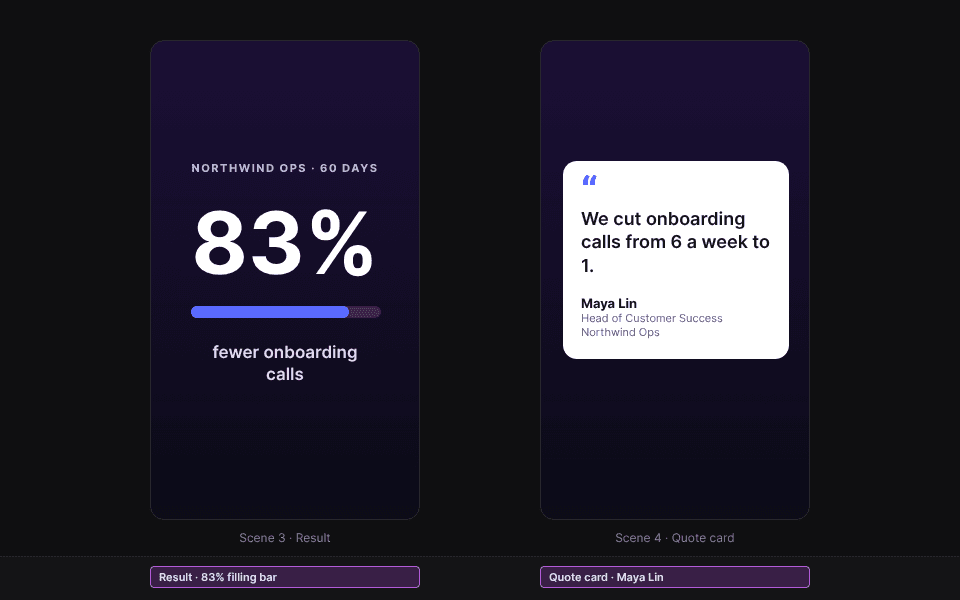
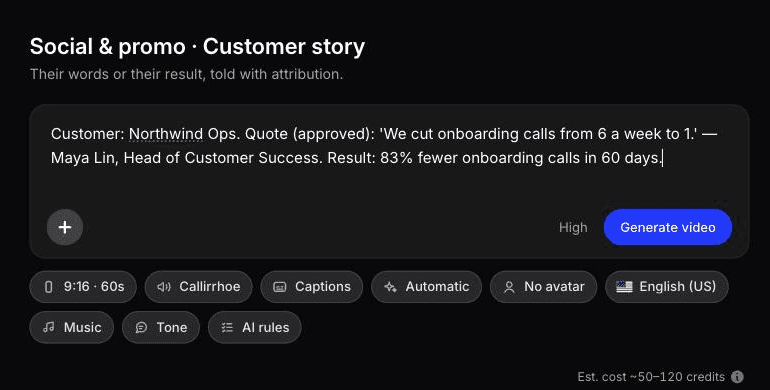
Clevera's social & promo videos include a customer story type, built from real testimonials or reviews you supply. You give it the approved quote, the approved numbers, your product screenshots and the customer's logo. Clevera's AI writes and directs the clip, builds each scene as motion graphics using your screenshots and logo, adds an AI voiceover and picks music. If the type needs a fact you didn't give, Clevera asks before generating rather than inventing one, which matters here more than anywhere.
Each clip starts from a pre-built design system and motion style that you can change in the prompt. You can export 16:9, 9:16 and 1:1 versions for the channels in the table above. Translation into 74 languages is available, but treat a translated quote as a new quote: send it to the customer for approval before it runs.
Social & promo videos, including customer stories, are on paid plans, starting with Starter at $29 per month billed yearly or $36 billed monthly (see pricing). Product marketers who need these alongside launch clips and demos can see how the pieces fit on the Clevera for product marketing page; sales teams using customer proof in follow-ups should look at Clevera for sales enablement.
The AI avatar alternative, and its one hard rule
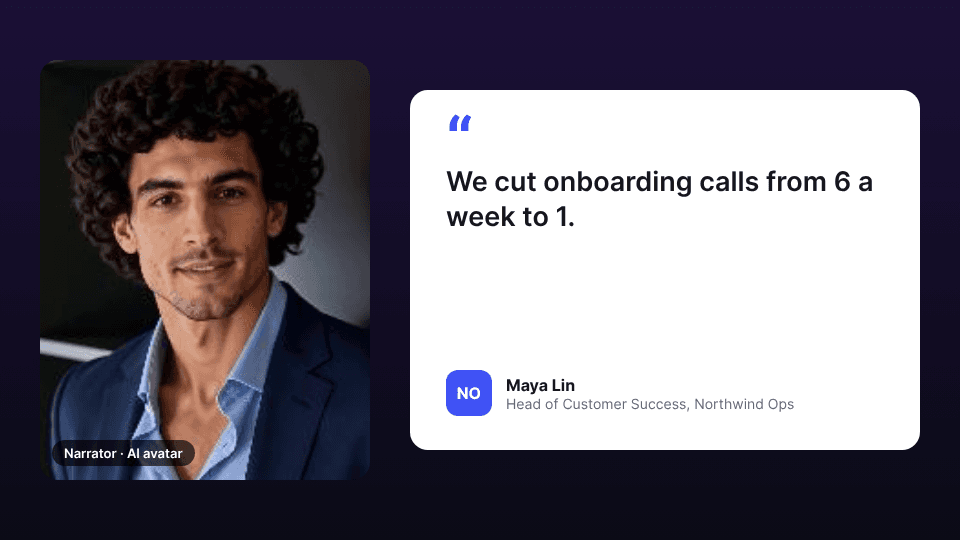
Clevera's AI avatar type puts an avatar you pick on screen to talk the viewer through the product. It can carry a customer story, with one rule you can't bend: the avatar presents the story; it never plays the customer.
That means the presenter speaks in the third person ("[Company]'s support team cut response time by half") and the customer's words appear as an attributed quote card, not as lines the avatar delivers in the first person. An avatar saying "I'm Dana from Acme and this changed my week" would present a non-customer as a customer, which is exactly what 255.2(c) and the testimonials rule prohibit. Label the presenter as your team's narrator if there's any chance of confusion.
When you should film the customer anyway
A no-filming video is the right call for social proof at volume, like a story a month on LinkedIn or a clip in every relevant sales sequence. It's the wrong call when one deal is worth more than your whole video budget.
For enterprise deals, a filmed customer is more persuasive. A VP of Operations explaining in their own voice why they renewed carries weight a quote card can't match, and buyers on a 6-month procurement cycle will watch a 4-minute interview. If the customer agrees and the deal size justifies a crew, film them. Then cut the 30-second animated version from the same approved quotes for everywhere else.
The fastest version of this whole process still starts in your inbox, not in a video tool. Send the permission email this week to the customer who last said something nice in a QBR.

