Best Guideless AI alternatives in 2026: 5 tools compared

Guideless AI helps teams turn screen recordings into guided video tutorials for product education and support. It's a capable tool, but depending on what you need — better narration, written documentation, translation, or tighter integrations — there are Guideless alternatives that go further. For a direct Clevera vs Guideless comparison, see our Guideless alternative page.
This list covers 5 tools worth considering, with a focus on what each one does well and where it falls short.
For a 2026 roundup with longer tool write-ups and a Guideless vs Guidde distinction, see best Guideless alternatives in 2026.
What are the best Guideless AI tools in 2026?
If you are comparing Guideless AI tools for product education and support, the strongest options in 2026 depend on whether you need video only or video plus written documentation. Clevera leads for dual output (narrated tutorial video and help article from one recording), translation, and LiveSync updates. Clueso and Guidde are solid when video is the main deliverable. Scribe and Tango fit teams that want screenshot-based guides without AI narration. The detailed comparison below walks through each tool.
What most teams want from a Guideless alternative
The common reasons teams start looking beyond Guideless:
They need written help articles alongside videos, not just video output
They want to publish content in multiple languages without re-recording
They need more control over the AI narration quality and editing
They want embedded content to stay up to date automatically
They're scaling their documentation and need a more structured workflow
If any of those sound familiar, the tools below are worth a closer look.
1. Clevera

Clevera is the best Guideless alternative for teams who want to get the most out of a single screen recording.
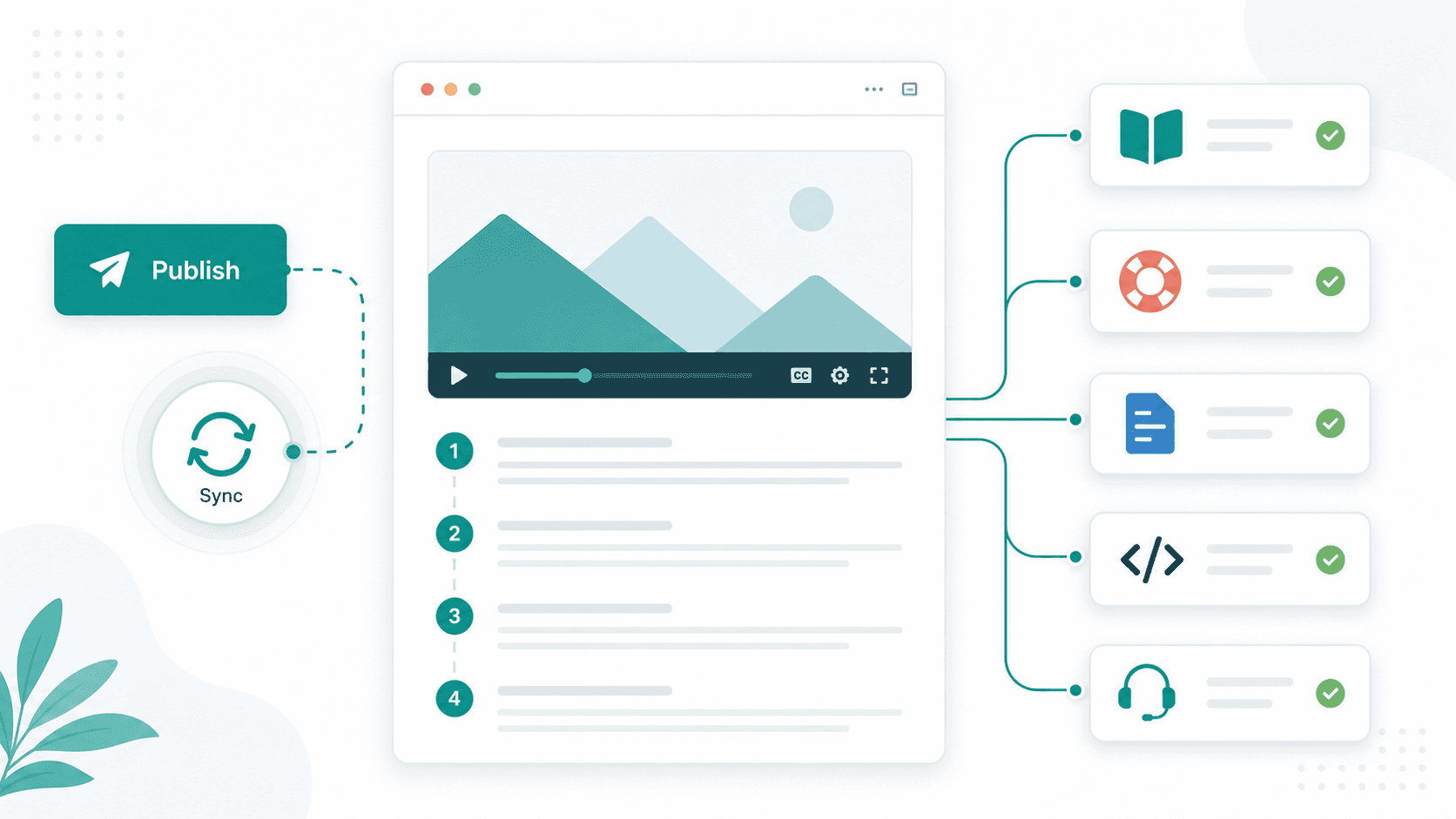
Record your screen once — no live narration needed — and Clevera generates both a narrated video tutorial and a formatted help article. The AI voice is natural and editable; you can adjust the script, swap the speaker, tweak timing, and publish directly to 10+ platforms.
What makes Clevera stand out:
Dual output: Every recording produces both a video and a written guide. That's two documentation assets from one workflow.
LiveSync: Embed your video anywhere — your help center, Notion, Confluence, a landing page — and if you update it later, all those embedded instances update automatically.
70+ language translation: Translate the full tutorial — narration, captions, and help article — in a single click. No manual work, no separate localization tool.
Smart zoom and cursor smoothing: Clevera cleans up your recording automatically, zooming into key interactions and removing jittery cursor movements.
Best for: SaaS support teams, developer advocates, and documentation teams who need video tutorials, help articles, and localization from one tool.
Pricing: Starter $29/mo, Pro $99/mo, Business $59/mo (annual)
2. Scribe
Scribe records your browser or desktop activity and turns it into annotated step-by-step guides with screenshots. It's fast, practical, and integrates well with Confluence, Notion, and Zendesk.
The tradeoff: Scribe doesn't produce video. Everything is text and images. If your audience learns better from video walkthroughs — or if you're building a public-facing help center — you'll hit limitations quickly.
Best for: Internal process documentation and teams who need written guides without video.
Pricing: Free plan; Pro from $23/user/month
3. Clueso
Clueso converts screen recordings into narrated tutorial videos using AI. It's purpose-built for tutorial production, with a focus on clean video output and AI voiceover.
It doesn't generate written documentation alongside the video, and its translation support is more limited compared to Clevera. But if video is the primary deliverable and you don't need paired articles, Clueso is a solid option.
Best for: Teams building video tutorial libraries who don't need written documentation.
Pricing: From $39/month
4. Tango
Tango captures your workflow step by step and produces interactive guides and annotated screenshots. It also offers an in-product overlay feature that lets you embed walkthroughs directly inside a web app.
Like Scribe, it's text and image focused — no video output. The in-product guidance layer is its most distinctive feature, which makes it useful for customer onboarding within a web app but less useful for standalone tutorial content.
Best for: SaaS teams building in-app onboarding and interactive product guides.
Pricing: Free plan; Pro from $16/user/month
5. Loom
Loom is a screen and camera recorder with async video sharing. It's not a documentation tool in the traditional sense — there's no AI narration, no help article generation, no translation. But it's widely used and very easy to pick up.
If you're replacing Guideless for informal internal communication — demos, async reviews, quick walkthroughs for teammates — Loom works well. For structured customer-facing documentation, you'll need to pair it with something else.
Best for: Async team communication and informal video sharing.
Pricing: Free plan; Business from $12.50/user/month
Quick comparison
Tool | Video + narration | Help articles | Translation | Auto-embed updates |
|---|---|---|---|---|
Clevera | Yes | Yes | 70+ languages | Yes (LiveSync) |
Scribe | No (images only) | Yes | Limited | No |
Clueso | Yes | No | Limited | No |
Tango | No (images only) | Yes | No | No |
Loom | Yes (no AI narration) | No | No | No |
Which one is right for you?
If you primarily need written guides with screenshots, Scribe and Tango are the most efficient options.
If you need AI-narrated tutorial videos, Clueso is the most direct Guideless alternative.
If you need both video tutorials and written documentation — plus the ability to keep everything up to date and translated into multiple languages — Clevera covers significantly more ground than any other tool in this list.
FAQ
What is Guideless AI? Guideless AI is a tutorial creation tool that helps teams produce screen-based video guides from product recordings. It is commonly evaluated by SaaS, support, and onboarding teams that want a faster way to create walkthrough content.
Is Guideless AI free? Guideless may offer trials or plan-based access depending on its current pricing, but teams should check the latest pricing page before choosing it. If you are comparing alternatives, look beyond the entry price and compare video output, written documentation, translation, collaboration, and update workflows.
What is Guideless AI used for? Guideless AI is used to create product walkthroughs, onboarding videos, support tutorials, and internal training guides from screen recordings. It is most useful when the main deliverable is a guided video.
Guideless AI vs Clevera — which is better? Guideless AI is a fit for teams that mainly want video walkthroughs. Clevera is stronger when you need a narrated tutorial video and a written help article from the same recording, plus translation and LiveSync updates for embedded content.