How to automate training documentation creation
Training documentation is one of those things every team knows they need and most teams are chronically behind on. The reason is almost always the same: creating it takes too long. Recording, writing, editing, formatting, and publishing a single training module can take a full day. At that rate, documentation never catches up with the product.
Automating training documentation creation changes the math. Instead of spending hours producing one module, you record your screen and let the AI handle the rest. Here's how it works and what to look for in AI training documentation software.
Why training documentation keeps falling behind
The problem isn't motivation. Most teams understand why good training docs matter. The problem is the production process.
Traditional training documentation involves multiple steps: planning the content, writing a script, recording a screen walkthrough, narrating it (or hiring someone to), editing the video, writing the accompanying article, adding screenshots, formatting for the destination platform, and publishing. Each step has a handoff. Each handoff has a delay.
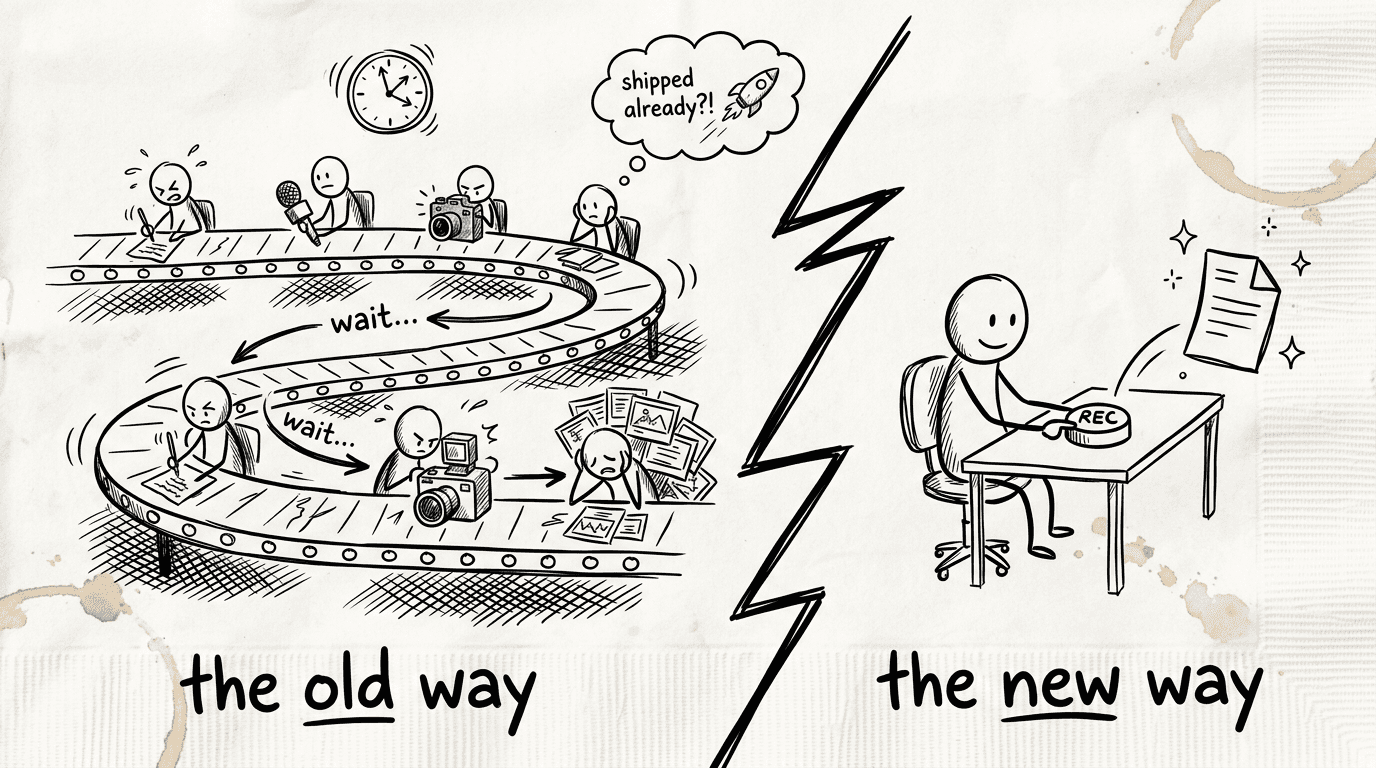
When your product ships new features every few weeks, this process can't keep up. The result is a knowledge base full of outdated content, or a knowledge base that barely exists because nobody had time to build it.
AI training documentation automation replaces most of this with a single step: record your screen.
What automated training documentation creation looks like
Modern training documentation automation software works from screen recordings. You perform the task you want to document while a dedicated app captures your screen, your mouse movements, and the context of the applications you're working in.
After you finish recording, the AI takes over:
It analyzes every action on screen and identifies the meaningful steps
It removes accidental clicks, pauses, and backtracking
It writes a contextual script that explains each step, not just what was clicked but why it matters
It narrates the script with a natural-sounding AI voice, synced to the video
It applies visual enhancements: smart zoom on key moments, smooth cursor movement, clear click highlighting
It generates a written training article with numbered steps, embedded screenshots, captions, and headers
What comes out is a narrated training video and a step-by-step article, both ready to publish. One recording, 2 outputs.
The role of AI in keeping training docs current
Creating training documentation once is the easy part. Keeping it current is where most teams fail.
When your UI changes, your training docs become wrong. When processes update, the videos show the old way. Teams either let the docs go stale (bad for users) or scramble to update everything manually (bad for the team).
This is where AI training documentation software earns its value beyond initial creation. Because the entire workflow is automated, re-creating a piece of training documentation when something changes takes minutes, not days. Record the updated flow, generate the new content, and publish it. The old version is replaced.
Clevera goes further with LiveSync: once a training video is published, you can update the narration, visuals, or style at any time and the changes apply instantly across every embed. For updates that don't involve a UI change (policy updates, tone adjustments, additional context), you don't even need to re-record.
How to auto-generate training documentation with Clevera
Clevera is an AI-powered Mac and Windows app that automates the creation of tutorial videos and training articles from screen recordings. Here's what the workflow looks like in practice:
Record: Open Clevera, start recording, and perform the process you want to document. You don't need to narrate while recording. The AI writes the script from what it sees on screen.
Generate: When you stop recording, Clevera processes the footage in the cloud. A few minutes later, your training video and written article are ready in the editor.
Review: Read through the article and watch the video. Edit anything that needs adjusting in the Notion-like article editor or the video timeline editor. Most training modules need minimal changes.
Publish: Export directly to your documentation platform: Notion, Confluence, Zendesk, GitHub, HelpScout, Gitbook, Intercom, ClickUp, and more. The video embeds as HTML at the top, with the training article beneath it.
The output is publication-ready training content from a single screen recording.
Who benefits most from training documentation automation
SaaS customer success teams: documenting product features for customers is a continuous job. Every feature release needs a how-to. AI automation makes it possible to keep pace with the release schedule without a dedicated documentation team.
Employee onboarding teams: internal training documentation for new hires, covering systems, processes, and tools, is well-suited to screen-recording-based automation. New process? Record it once. Every future hire gets the same training.
Product teams: PMs and product marketing managers can self-serve documentation for the features they ship, without involving technical writers or video editors. The quality stays consistent regardless of who records.
Support teams: support agents spend time explaining the same processes in tickets repeatedly. AI-generated training docs give users self-serve answers and reduce ticket volume.
What to look for in AI training documentation software
Screen recording, not manual input: tools that require you to manually describe processes or type steps don't automate creation. Look for tools that capture your screen activity directly.
Both video and written output: training documentation that includes both formats reaches more learners. Some people read, some watch. Your tools should produce both from a single recording.
Minimal editing required: good AI training documentation software produces output that's close to publish-ready. If every generated document needs an hour of cleanup, the automation isn't delivering.
Maintenance workflow: how do you update training docs when things change? The best tools make re-creation as fast as initial creation.
The teams that treat training documentation as a continuous process rather than a project tend to have more complete, more current, and more useful knowledge bases. Automation is what makes that continuous process sustainable.