How to reduce time to create product demos
A product demo that takes a day to produce is a demo that doesn't get made often enough. Most teams know their demo library is incomplete, but the production time makes expanding it feel out of reach. Here's a practical look at where that time actually goes and how to cut it without sacrificing quality.
Where the time goes in demo production
Creating a product demo faster starts with understanding what makes it slow. The time isn't usually in the recording. It's in everything around it:
Scripting and prep: figuring out what to say, in what order, with the right level of detail. Even experienced product people spend 30-60 minutes scripting a short demo before they record.
Getting a clean recording: without AI cleanup, you need a clean take. That means multiple attempts, reviewing footage, and re-recording segments that had mistakes.
Narration: recording a voiceover requires a quiet space, decent audio setup, and multiple takes to get delivery right. Non-native speakers or people uncomfortable on mic face a higher barrier.
Editing: syncing audio to video, cutting mistakes, adding callouts and zoom-ins, adjusting pacing, color grading for the screen. For a 3-minute demo, this easily takes 2-4 hours of editing time.
Review and approval: internal review, stakeholder feedback, revisions. Even one round of changes adds time.
Export and publishing: different platforms want different formats. Each export is a separate step.
Cut any 3 of these, and you reduce demo production time by more than half. Cut most of them, and you get to a demo in minutes.
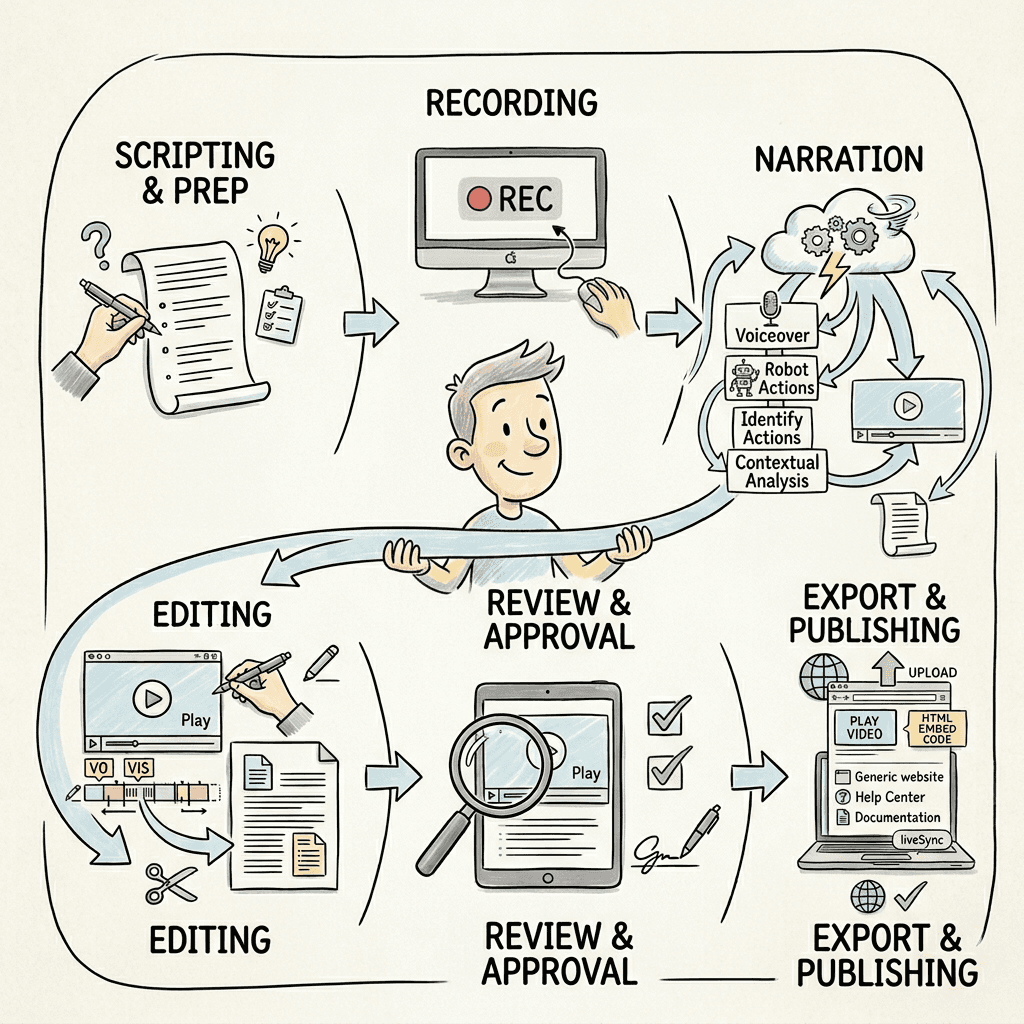
What AI removes from the process
The most effective way to reduce time to create product demos is to replace the manual steps with AI-automated ones. Here's which steps AI handles well:
Script generation: AI that watches your screen recording and writes the narration from context, so you don't prep or write anything beforehand.
Narration: AI voiceover that sounds natural and syncs to the video automatically. No recording setup, no microphone, no takes.
Editing: AI that removes mistakes from the recording automatically, applies smart zoom, smooths cursor movement, and adjusts timing without you touching a timeline.
Formatting: AI that applies a consistent visual style across all your demos, no manual styling per video.
Article generation: if you need a written walkthrough alongside the video, AI that generates the article from the same recording so you don't maintain 2 separate assets.
The more of these you automate, the faster you create product demos. The goal is to get to a workflow where your only job is performing the demo clearly in a recording. Everything else is automated.
A faster demo workflow with Clevera
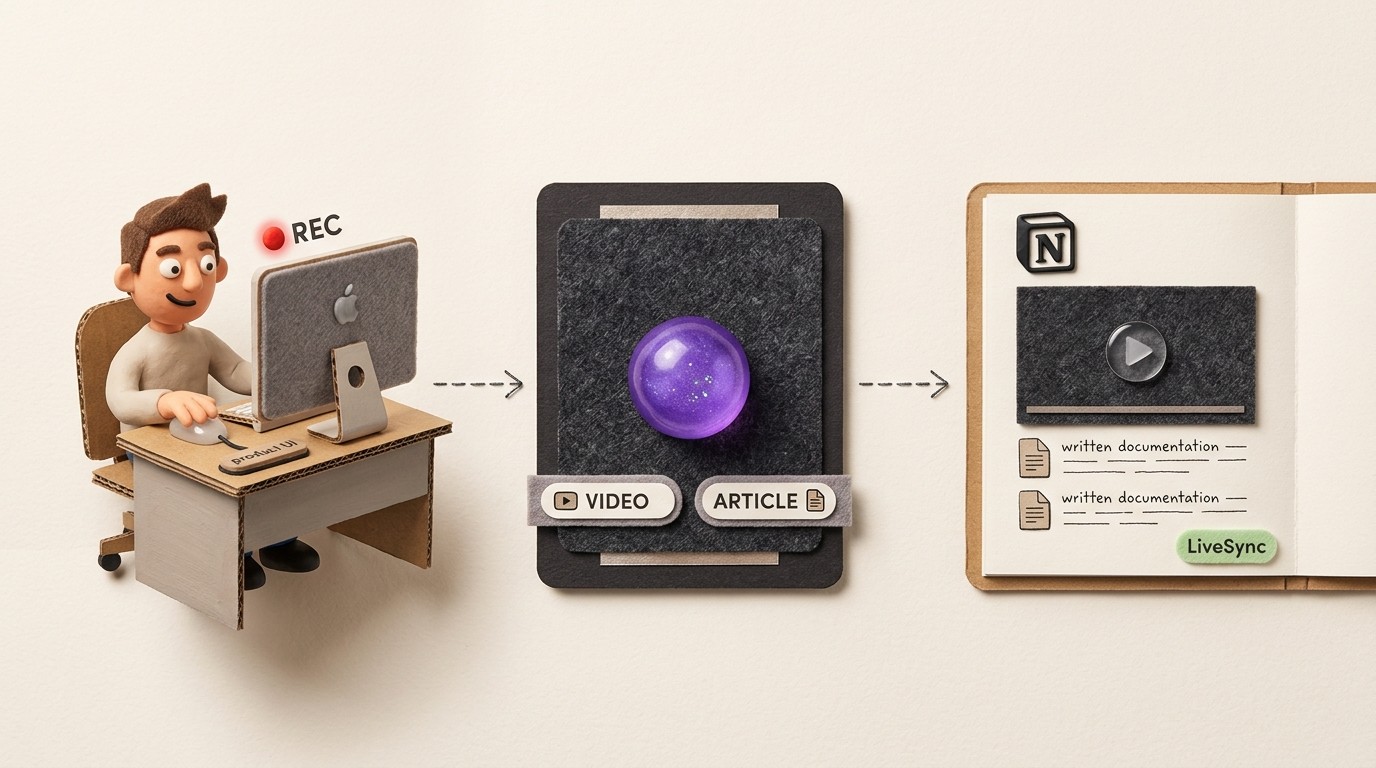
Clevera is designed to speed up product demo creation by automating the production steps that take the longest. The workflow is:
1. Record: Open Clevera on Mac or Windows and record your screen while demonstrating the product. Don't narrate. Don't worry about mistakes. Just show the workflow clearly.
2. Generate: When you stop recording, Clevera processes the footage in the cloud. The AI removes mistakes and pauses, writes a voiceover script from the on-screen context, generates the narration, applies visual polish (smart zoom, cursor effects), and produces a finished demo video. It also generates a written walkthrough article simultaneously.
3. Review: Read the article and watch the video. In most cases, the output is close to ready. Edit any line of narration text in the timeline editor and regenerate the voice in seconds. Adjust the article in the Notion-like editor if needed.
4. Publish: Export directly to your website, help center, or documentation platform. The video embeds as HTML with the article beneath it. Both are live immediately.
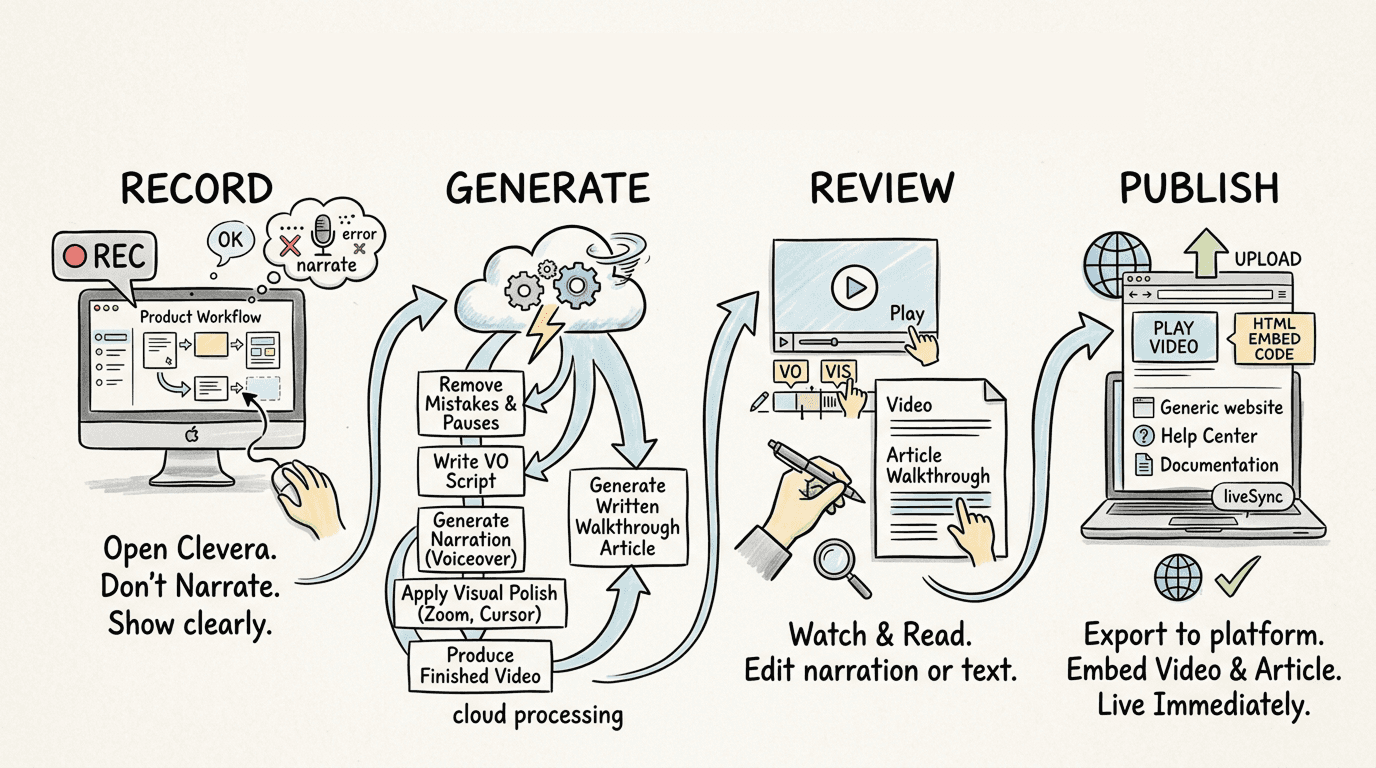
From recording to published demo: a few minutes of review after the AI finishes processing. No dedicated editor, no narration session, no multiple takes.
LiveSync: the time-saver that keeps paying off
Creating demos faster matters. But maintaining a demo library as your product evolves matters just as much. Every outdated demo is either misinforming users or driving a support ticket.
Clevera's LiveSync means demo videos stay current without re-exporting. When you update narration text, adjust a callout, or change the video style in the editor, every embed updates instantly. For updates that don't require new footage (narration changes, style updates), you never leave the editor. For updates that do require new footage, you re-record and publish a replacement in the same workflow.
Teams with large demo libraries feel this most. The time cost of maintaining demos is usually ignored until the library gets large enough that nobody can keep up with it. LiveSync makes it manageable.
How much time can you actually save?
This varies by team and process, but the biggest gains come from eliminating narration and editing entirely. If a 4-minute demo currently takes 4 hours to produce, most of that time is in the edit and narration. Automate those 2 steps and you're at under an hour. Add AI scripting and mistake removal, and you're at 15-20 minutes from recording to review.
The right benchmark isn't how long your current process takes. It's: how many demos can your team produce in a week? If the answer is 1 or 2, automation can change that meaningfully.