AI how-to video creator: script structures for short tutorials that actually work

The fastest way to lose a viewer is not bad production. It’s confusion.
You have probably felt this yourself. You click a 45-second tutorial. The cursor starts moving. Menus open. Something happens. And ten seconds later you are asking yourself a dangerous question: Wait, what problem is this even solving?
This is exactly why most customer education videos underperform. Not because they are too short, but because they are poorly scripted.
An AI how-to video creator can speed up recording, editing, and polish. But it cannot fix a broken script. That part is still on you.
In this guide, we break down simple, repeatable script structures and pacing rules that make short tutorials clear, useful, and finishable.
What an AI how-to video creator is (and what it should do)
An AI how-to video creator is a tool that helps teams turn product actions into short instructional videos by automating recording, narration, trimming, and visual emphasis. The best ones reduce production time while preserving clarity, not personality or polish for its own sake.
If you are building product walkthrough content at scale, this definition matters. The job is not “make videos.” The job is “help someone complete a task without getting lost.”
Everything below flows from that.
The real job of a short tutorial video
Short tutorials are not mini demos.
They exist to help someone cross a single moment of friction. One task. One outcome. One proof that it worked.
When teams treat tutorials like compressed documentation, videos get bloated fast. When they treat them like guided checklists, completion rates go up and support tickets go down.
This is the mental model to hold onto while scripting.
The simplest script structure that works almost every time
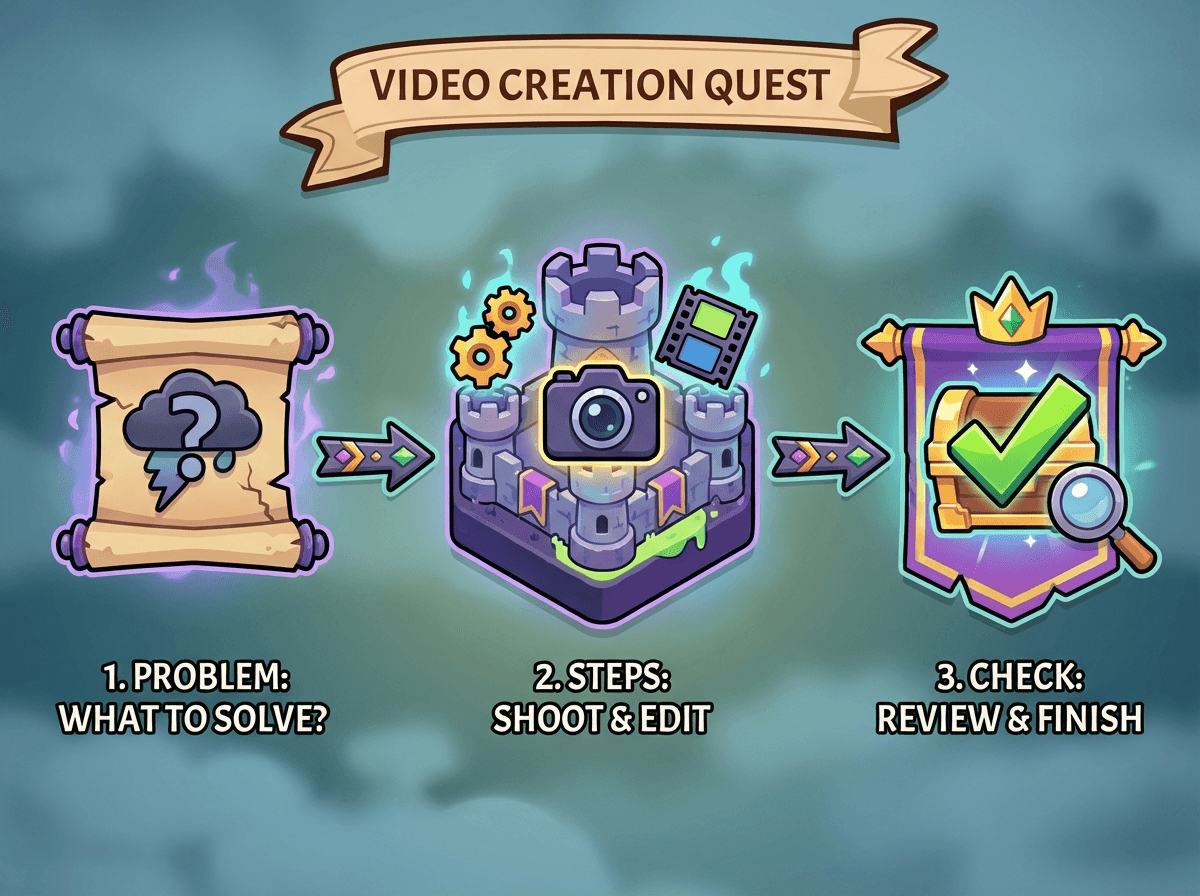
If you remember only one thing, remember this structure:
Problem → Steps → Check
It sounds obvious. Almost no one follows it cleanly.
1. Problem: name the job in one line
Open with the exact moment the viewer is stuck.
Not a welcome. Not context. Not a brand intro.
Examples:
“Here’s how to export a report as a CSV.”
“This is how to reset permissions when a user cannot log in.”
If the viewer cannot immediately tell if this video solves their problem, they will leave.
2. Steps: show only atomic actions
Limit yourself to three to five steps.
Each step should:
Trigger a visible change on screen
Be narrated before the click, not after
Avoid side explanations or edge cases
If you feel the urge to explain why something exists, you are writing documentation, not a tutorial.
3. Check: prove that it worked
This is the most skipped part and the most valuable.
Show the success state.
The file appears
The status changes
The confirmation email arrives
Then show one common failure signal, so the viewer knows what “wrong” looks like too.
This is how trust is built.
When to use an outcome-first script instead
Some tasks feel boring or optional to users. In those cases, reverse the order.
Outcome → Steps → Check
Open by showing the finished state for two or three seconds. Then rewind and explain how to get there.
This works especially well for:
Feature adoption videos
Power user workflows
Internal enablement clips
It gives the viewer a reason to care before asking them to follow steps.
A troubleshooting script that support teams love
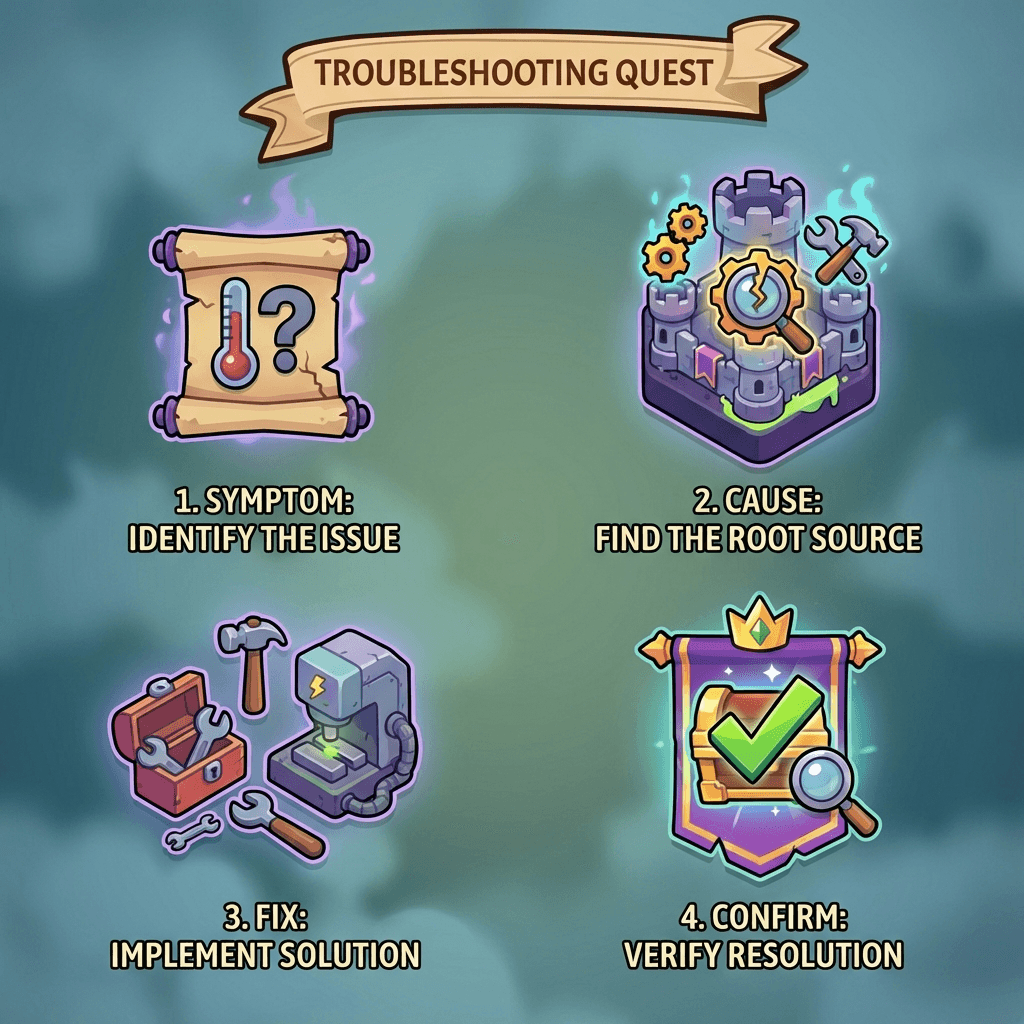
For support and customer success teams, use a different loop:
Symptom → Cause → Fix → Confirm
This structure maps directly to how tickets are written and read. It also pairs well with an AI how-to video creator because the content is repetitive but high volume.
The confirm step is non-negotiable here. If the fix fails, the video should clearly show what to try next or where to escalate.
Pacing rules most tutorial video best practices miss
Most advice says “keep it short.” That is not useful.
Here are pacing rules that actually hold up in practice.
Lead with orientation, not speed
The first five seconds should answer three questions:
What am I doing?
Where am I starting?
What will be different at the end?
Wistia has repeatedly shown that viewers decide whether to keep watching almost immediately. For tutorials, orientation beats energy every time.
Narrate before you act
Say what you are about to do, then do it.
When narration trails the cursor, viewers are constantly catching up. This is one of the fastest ways to create cognitive overload.
Show a state change every few seconds
If nothing visibly changes on screen for more than a few seconds, add one of the following:
A zoom
A highlight
A label
A cut
Static screens feel longer than they are.
Never speed up to hide a bad script
Speeding up recordings is a common shortcut. It usually makes comprehension worse.
Clean cuts and tighter scripts outperform fast playback, especially for customer education videos watched while multitasking.
How to cut content without breaking understanding
The hardest skill in scripting is omission.
Use these rules:
Cut explanations that do not affect the next click
Replace long navigation paths with quick labels
Remove anything that does not directly serve the stated problem
Research from Think with Google on attention reinforces this principle: clarity and signaling matter more than volume.
If a step does not move the user closer to completion, it does not belong in the video.
Where AI helps and where it does not
An AI how-to video creator is excellent at:
Removing dead time
Generating draft narration
Highlighting UI interactions
Keeping formatting consistent across videos

It does not decide:
Which task deserves a video
Which path is the shortest
What proof the user needs to see
Those decisions require product and customer context. That is why the script comes first.
With Clevera, you can create automate this entire process.
Common mistakes that quietly kill short tutorials
Trying to cover multiple goals in one video
Opening with brand or context instead of the problem
Skipping the check step
Explaining instead of showing
Treating AI as a replacement for judgment
Most failed tutorials are not too short. They are unfocused.
How to apply this to your product walkthrough library
If you manage a growing library of product walkthrough videos, audit them with three questions:
Can I name the problem in one sentence?
Are there more than five meaningful steps?
Does the video prove success clearly?
If the answer is no to any of these, the script needs work, not the edit.
This is also where pairing short videos with written docs helps. A tight video for the task, and a doc for the depth. We cover this balance in our guide on customer education video strategy and in our breakdown of when to use video vs documentation in product onboarding.
The challenge
Pick one underperforming tutorial today.
Rewrite the script using problem → steps → check.
Cut it to under 90 seconds without speeding it up.
Add a real verification moment at the end.
Then watch what happens to completion, not views.
That is where good tutorials earn their keep.