Record your screen once and Clevera automatically creates a structured step-by-step help article with screenshots, titles, and clear instructions ready for your docs or help center.
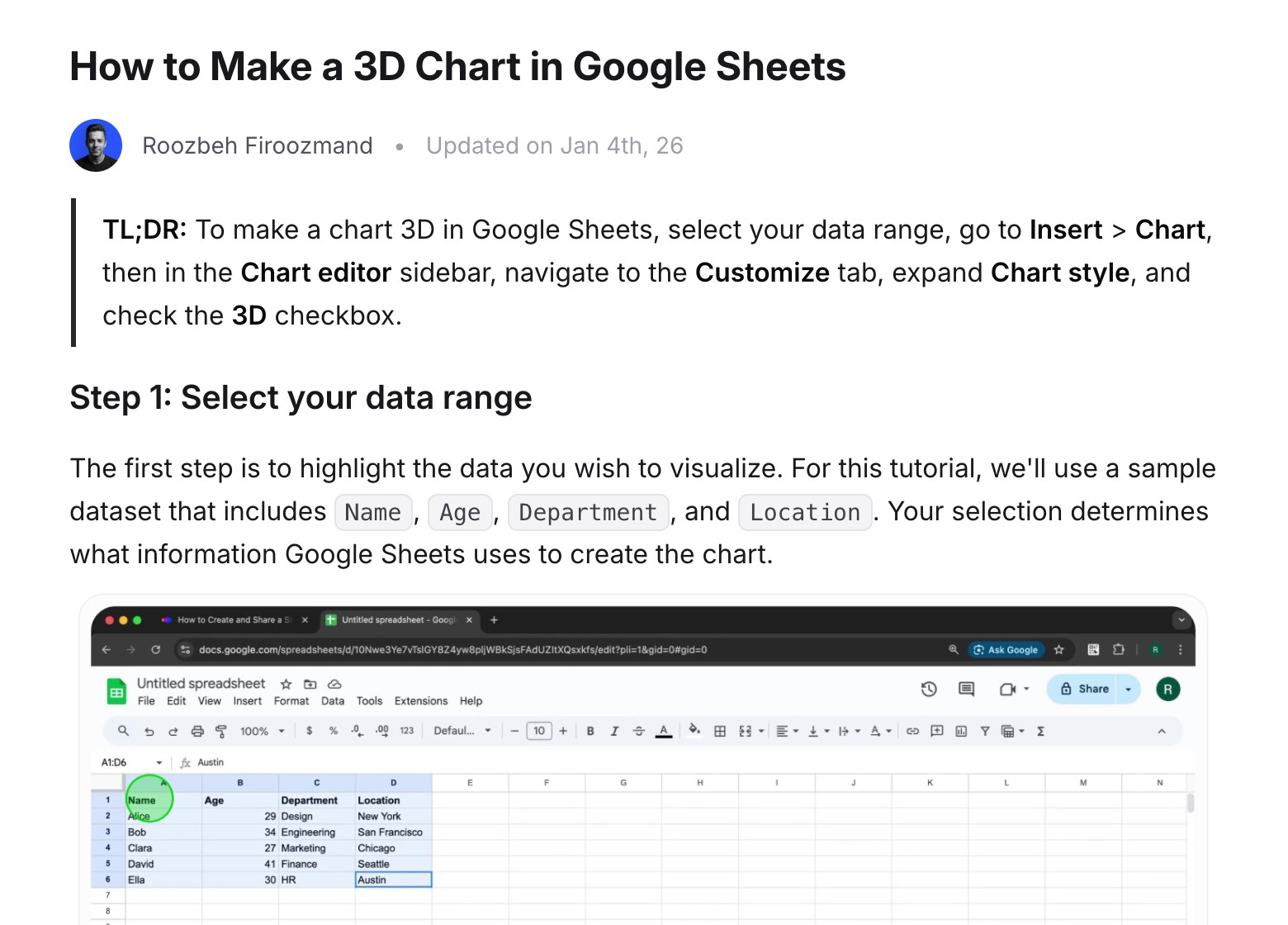
Chat with your article
Documentation shouldn't be a solo effort. A chat assistant lives inside your draft. Ask for a different tone or more technical detail, and it applies the edits and updates text and visuals in real time.

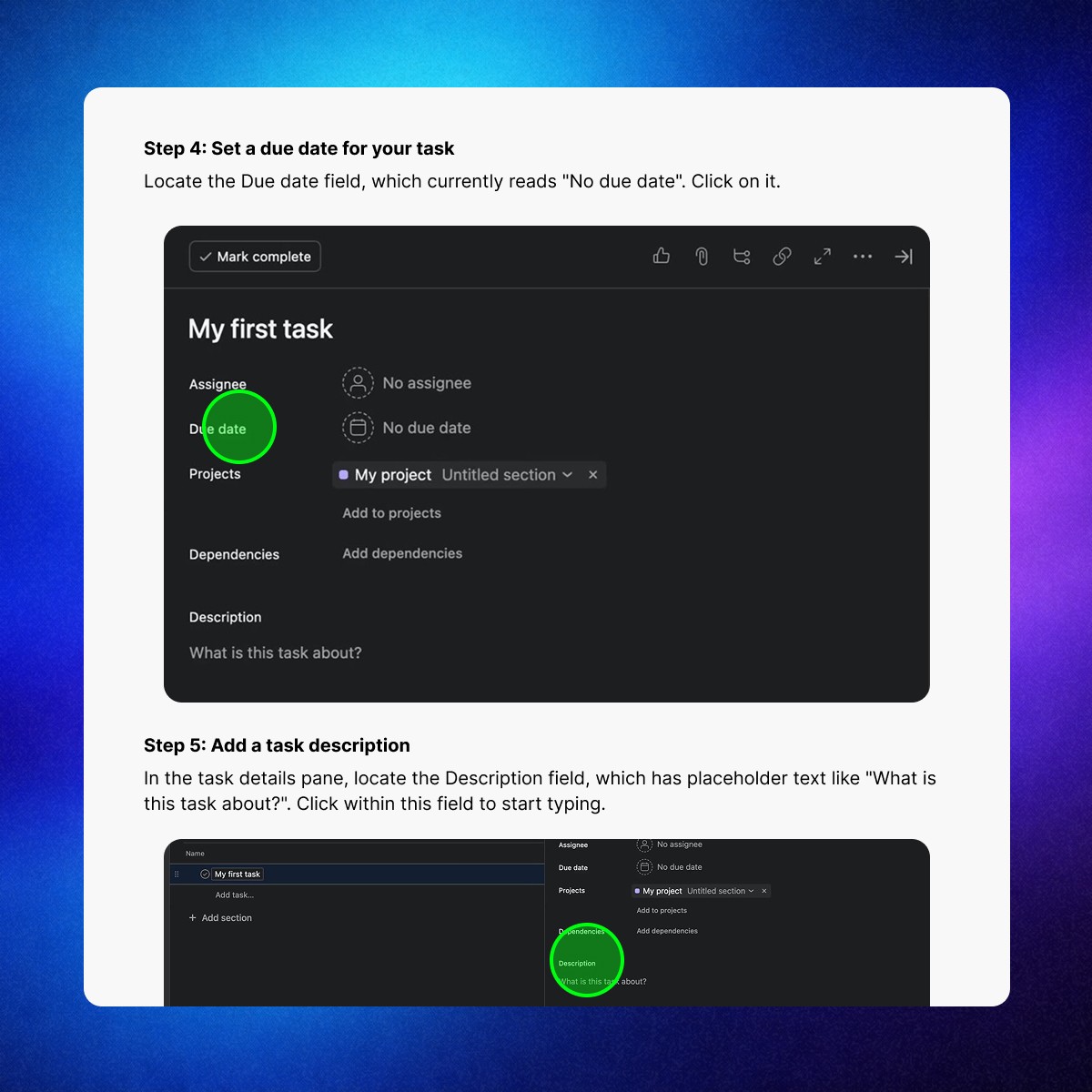
Automatic screenshots & click highlights
Clevera removes manual cropping and editing. It captures the right screenshots automatically and places clear click markers so users know exactly where to interact.
Notion-like editor
For moments when you want full control, the editor feels familiar. Drag and drop blocks, format text, and fine-tune the final version before publishing.
Built for SEO.
Designed for AI discovery.
Documentation needs to be visible wherever users search. Clevera generates structured content, TL;DRs, and FAQ-ready sections that search engines and AI systems can understand.
Publish into your tools
Documentation only works if it lives in the right place. Export your guides as clean Markdown or HTML, or sync them directly to the tools your team already uses.
Built for teams and ongoing updates
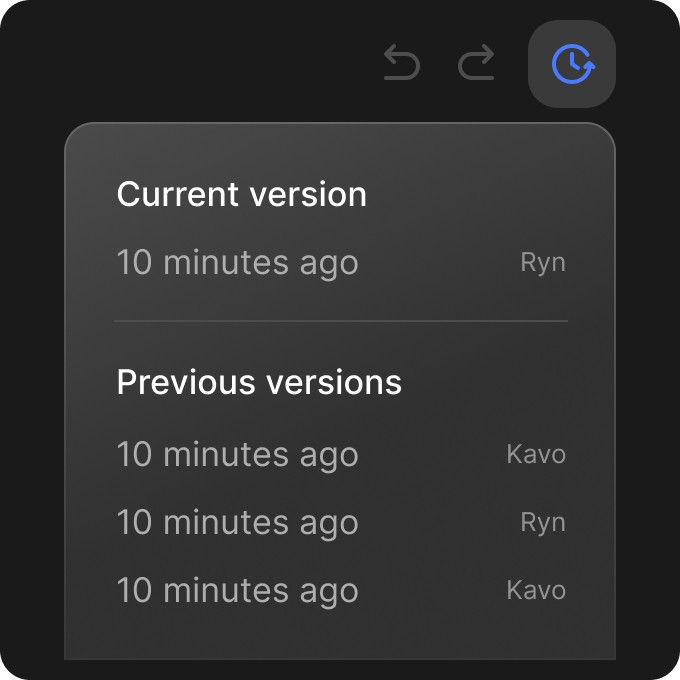
Version history
Track changes and revert to previous versions of any guide.
Flexible content blocks
Code, warnings, callouts, tables, embeds, and more.
Real-time collaboration
Invite teammates to review, comment, and edit together in one workspace.
Join product teams that keep documentation in sync with their product. Record once and publish a complete help article in minutes, with screenshots.
Start for free