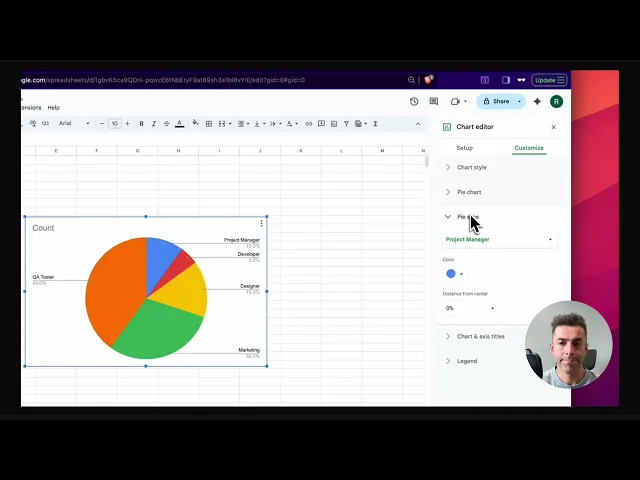
AI product demo tool: how to ship demos faster for every release
Last Thursday, you shipped a release.
Last Friday, Sales asked for “a quick updated demo link.”
By Monday, your product demo video was already wrong. The button moved, the label changed, the flow gained one more step. Now your “quick update” turns into a full re-record, plus editing, plus approvals, plus three Slack threads about what’s “current.”
That’s demo debt. It piles up quietly, then explodes right before a big deal or a feature launch.
And it’s getting worse, not better. Gartner’s 2025 survey found 61% of B2B buyers prefer a rep-free buying experience, which means your demos and product experiences do more of the selling before a human shows up.
What is an AI product demo tool?
An AI product demo tool is software that turns a screen recording into an updated, shareable demo asset (usually a product demo video and often step-by-step documentation) by automating scripting, narration, editing, and formatting, so teams can publish accurate demos quickly whenever the product changes.
The uncomfortable truth: demos don’t break because you’re slow
Demos break because your process is built like a one-off project.
You treat each demo like a mini film production:
script
record
edit
polish
export
upload
copy links everywhere
That workflow can look “high quality,” but it’s brittle. The moment your UI shifts, the whole thing becomes clunky as a fax machine.
Consensus’ 2025 Buyer Behavior Report shows the attention gap clearly: the average demo is 15+ minutes, but buyers spend about 5:44 engaging.
So the content you spent days perfecting often loses them before it gets to the point.
What “great” actually looks like (be picky)
A “great” demo system is not “we can make nice videos.”
Great means:
Update latency is measured in days, not weeks.
Small UI changes don’t require a full re-record + re-edit cycle.
One canonical link exists per demo use case.
Every demo has an owner, a last-verified date, and a retirement rule.
Your launch assets and your evergreen assets don’t fight each other.
If you can’t say “this demo reflects the current product” with a straight face, you don’t have a demo library. You have a museum.
Product demo best practices: build a demo pipeline, not a demo folder
Here’s the shift I want you to make:
Stop managing demos as files. Start managing demos as release artifacts.
Think “docs-as-code,” but for demos:
templates
modular building blocks
versioning
review gates
a publishing path
Consensus calls out that where and how you house demos (their “DemoBoard” concept) affects engagement.
The practical takeaway: your demo system needs structure, not scattered links.
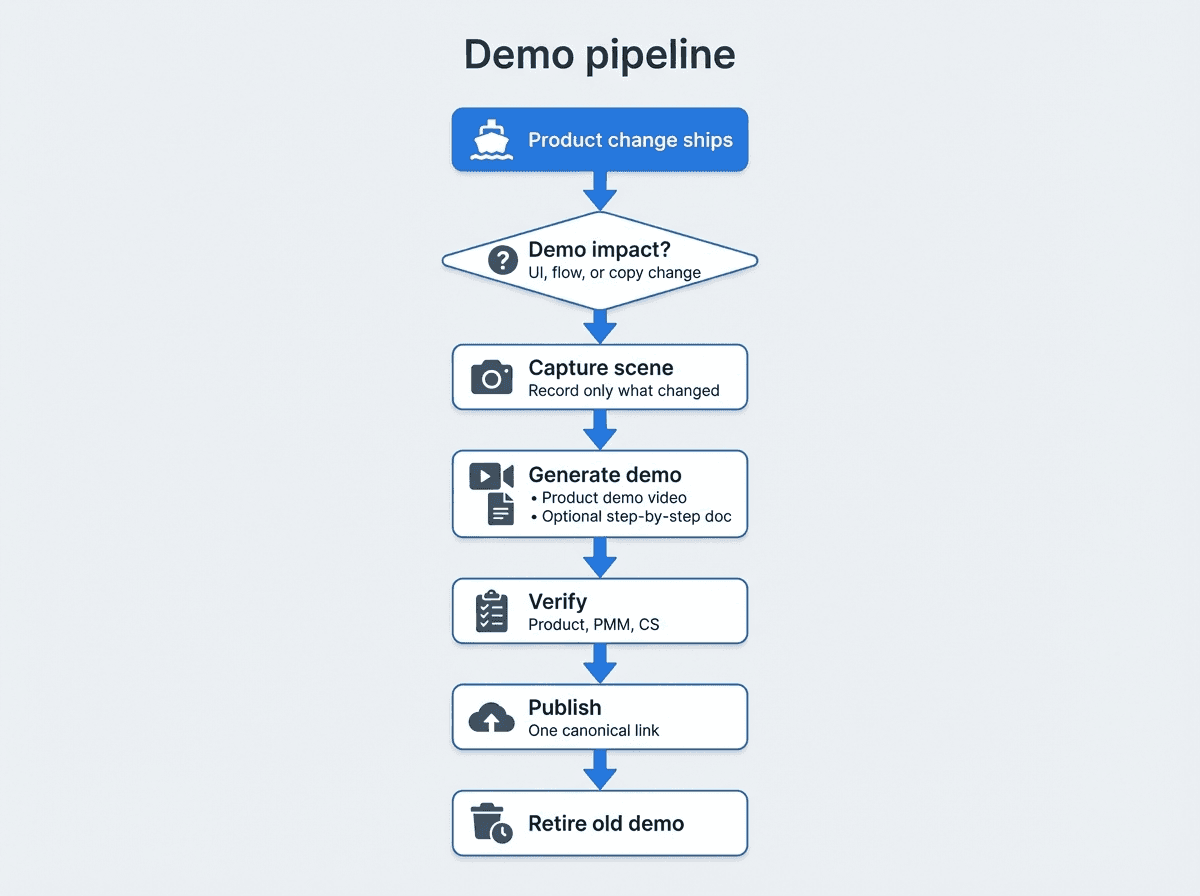
The demo pipeline (operator version)
Classify the change
Demo-impacting UI change (navigation, labels, permissions)
Narrative change (positioning, outcomes, use cases)
Cosmetic change (colors, spacing)
Choose the asset lane
Evergreen demo: core workflow that should survive releases
Launch demo: what’s new and why it matters
Un-Googleable insight: Two lanes prevents demo sprawl.
Most teams mix launch and evergreen into one long demo, then wonder why it rots instantly.
Update the minimum viable demo
One updated “scene” beats a full end-to-end re-record.
Ship the update first, polish second.
Verify with a short checklist
Does the demo match the UI and permissions?
Does it reflect the current default settings?
Does it show the happy path plus one realistic edge case?
Publish to one canonical location
One embed/link per demo
Old versions get deprecated, not “kept just in case”
If you want a simple internal resource for your team, create a one-page “demo staleness checklist” and pin it in your release channel. (If you don’t have one, you’re relying on memory, which is a terrible system.)
Feature launch video: shorten it, modularize it, then ship it fast
A feature launch video has one job: get someone to try the new thing.
So build it like a trailer, not a training course:
Show the before/after
Show the first win
Tell them what to click next
Also, be ruthless about length. The Consensus report’s “shorter, smarter content performs better” section isn’t a vibe, it’s a warning label.
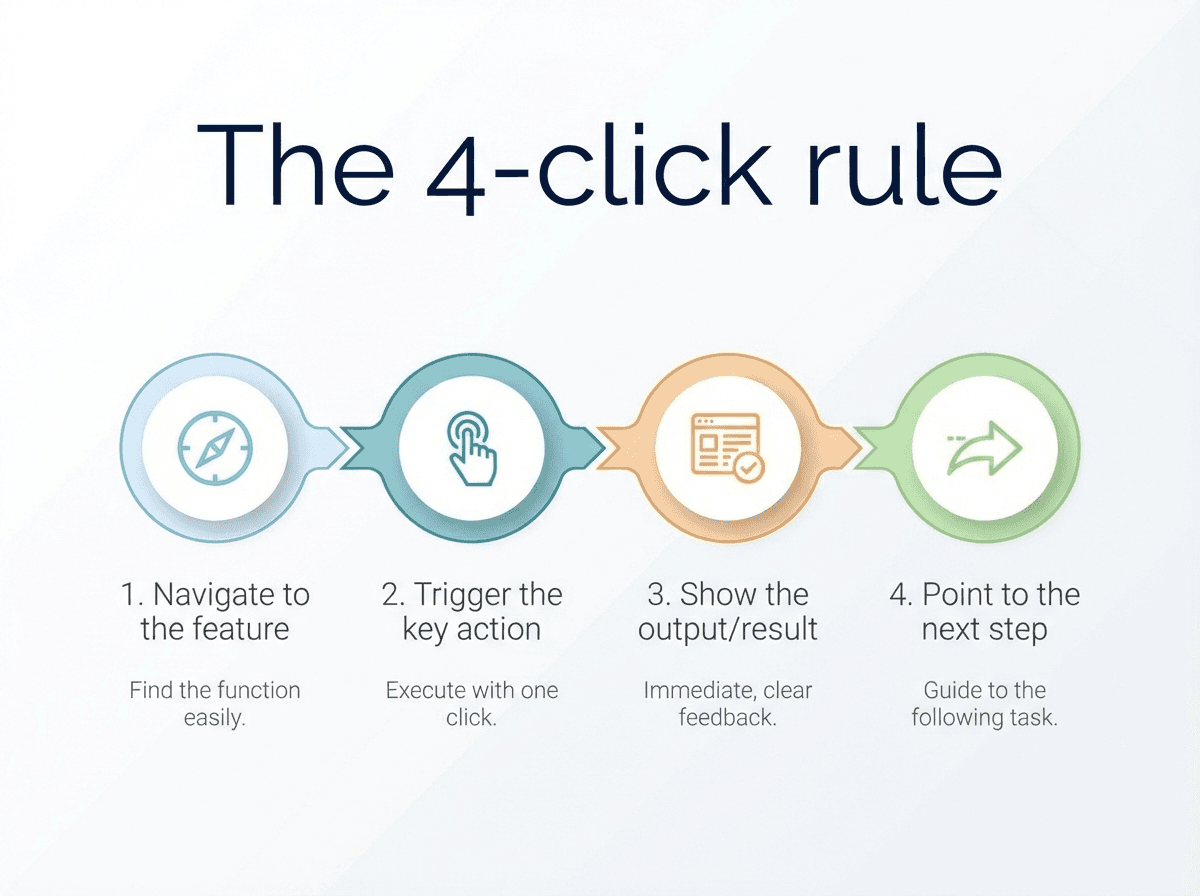
The 4-click rule (a practical constraint)
Aim for a launch demo that delivers value within the first four clicks:
Navigate to the feature
Trigger the key action
Show the output/result
Point to the next step
If you can’t do that, you likely have a packaging problem, not a demo problem.
Product demo video: where teams waste time (and how to stop)
Most demo production time gets burned in three places:
Fixing mistakes (accidental clicks, awkward pauses, re-recording)
Writing and re-writing narration
Re-exporting and re-sharing links after edits
This is exactly why we built Clevera to turn raw screen recordings into narrated, polished product demo videos and matching docs with minimal effort. Clevera automatically cleans the recording, generates a voiceover script, produces narration, and syncs timing to the voiceover.
And when you need to tweak the story, you can rewrite the voiceover and regenerate the video without rebuilding everything.
The underrated win: one recording, multiple outputs
Operator reality: different teams want different formats.
CS wants a step-by-step walkthrough
PMM wants a feature launch video
Sales wants a short clip for follow-ups
Product wants something accurate for release notes
Clevera’s workflow supports that “one capture, many assets” approach by generating video first, then optionally generating a detailed article with screenshots and captions.
Contextual CTA: If your team is stuck in re-record loops, start by standardizing a reusable “demo module” template (intro, setup, key workflow, outcome, next step). Then use Clevera to generate the first set of modules from real flows, not scripts-in-a-doc.
The part nobody wants to own: links, embeds, and updates
Even if you nail production speed, your demo system still fails if distribution is chaos.
Two rules that save teams:
One canonical embed per demo.
Updates must not require re-sharing a new link.
Clevera supports embedding videos as HTML, and when you publish updates, they can reflect instantly wherever the video is embedded (no re-export, no link swapping).
Important nuance: if the UI itself changes, you still need to re-capture that flow. Live updating helps most with narration changes, overlays, highlights, and polishing.
That’s a feature, not a bug. It keeps you honest.
A simple operating model you can copy
If you want a system that survives your release cadence, set three things:
1) A “demo SLO” (service-level objective)
Pick a standard like:
Evergreen demos updated within 5 business days of a UI-impacting change
Launch demos published within 48 hours of release
Now you’re managing demos like a real deliverable.
2) Ownership by surface area
PM owns correctness of workflow
PMM owns positioning and narrative
CS owns onboarding clarity and “what a real user gets stuck on”
3) A retirement policy
If a demo hasn’t been verified in 90 days, it gets flagged.
If it’s not used, it gets archived.
Keeping everything “just in case” is how you end up with a bloated library nobody trusts.
FAQ (long-tail, non-zombie)
What is the fastest way to update a product demo video after a UI change?
Use a modular approach: re-capture only the broken scene, regenerate narration and timing, and publish through a canonical embed so links don’t change. The goal is to avoid full end-to-end re-records for small UI drift.
What product demo best practices matter most for frequent releases?
Track update latency, assign a demo owner per workflow, keep a two-lane library (evergreen vs launch), and retire stale assets aggressively. Quality is not “prettiness,” it’s “accuracy plus speed.”
How long should a feature launch video be?
Short enough to deliver value quickly. Buyer engagement often drops long before a full demo finishes, so design launch videos to show the “first win” early. The Consensus report notes buyers average about 5:44 of engagement while demos often run 15+ minutes.
Do AI product demo tools replace product marketing or CS enablement work?
No. They remove production drag (editing, narration, reformatting) so PMM and CS can spend time on message clarity, onboarding friction, and what outcomes matter to each persona.
How do I know if my demos are hurting deals?
Look for “demo trust” signals: prospects asking for live calls just to confirm basics, CS tickets that start with “your video shows…,” and internal teams refusing to share demos because they aren’t sure they’re current.
The kicker (do this today)
Pick the last feature you shipped. Set a timer for 30 minutes.
Your challenge: produce one modular demo scene for it, publish it in one canonical place, and write down your demo SLO for the next release.
If that sounds hard, it means your demo process is still a project. Make it a pipeline.